
ItzElo
Members
-
Joined
-
Last visited
Files posted by ItzElo
-
- 654 Downloads
- 1 Comments
Updated -
24/7 Outfit Pack by Elo
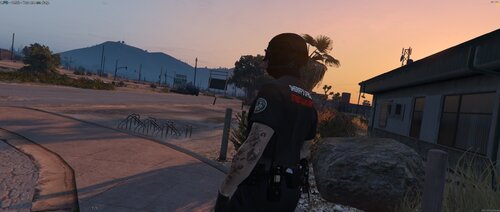
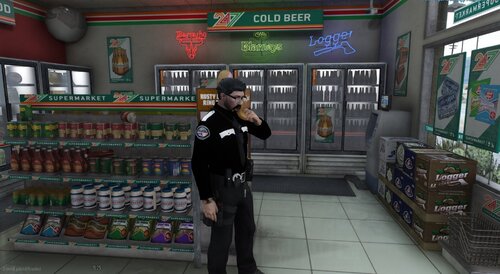
This pack adds a set of lore friendly 24/7 style uniforms and clothing pieces for both male and female characters. All items are high quality addon assets built for FiveM and EUP, using optimized 2K textures to maintain visual clarity without sacrificing performance.
Included in this pack:
3 male tops (5 color variants each)
2 female tops (5 color variants each)
2 male hats
2 female hats
Features:
Lore Friendly design that fits naturally into GTA V
2K high resolution textures
Addon clothing (does not replace existing items)
Compatible with FiveM and EUP
Lightweight and performance friendly
Installation instructions are included in the download.
This pack is ideal for servers or players who want higher quality civilian and retail style clothing options that blend seamlessly into GTA Vs world.
Created by Elo.
Get more details on our discord or ask for commissions!
https://discord.com/invite/2nWAdE4MzF- 169 Downloads
Updated -
Custom badges and patches that i designed that will be used possibly in a free pack eventually, feel free to use this for whatever you want.
-
Thanks to Elevio mods for the badge Model!
All texture in this pack are made by me
This pack has the following:
Male and female compatibility (Besides the badge unfortunately)
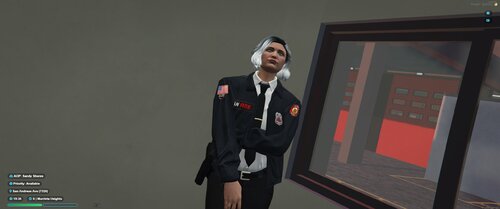
Class A, B, C Shirts (undershirts aswell, red (Fire Rescue) blue (Fire/EMS) and white (command))
Pants
Jacket
Winter Jacket
Tshirt
Regular badge (Male Only)
Fire investigator Badge (Male only)
Patch and badge texture so you can use it on your own EUP / vehicles
The radio can be bought here (Property of blaze mods, not Elo)
INSTALATION
Singleplayer DLC
Navigate to your GTA V directory/mods/update/x64/dlcpacks
Drag and drop the "sanfire" folder into dlcpacks
add this to your "dlclist.xml" located in update/update.rpf/common/data
<Item>dlcpacks:/sanfire/</Item>
Start your game and they will be located as addons at the end of any mod menu.
FiveM
drag SanFire into your resources folder
in your server.cfg, add the following:
start SanFire
All clothing will be at the end of any trainer/clothing menu you use! If you have any issues...
OR if you're looking for a cheap commission from one of our many developers..
Then join my discord!
https://discord.gg/fjbgusmGNE
Or message my discord notelo
- 433 Downloads
- 1 Comments
Updated -
Thanks to Pyro's Dev Shop for the badge model!
All texture in this pack are made by me
if you have any questions dm notelo on discord
What comes with this pack?
Class A, B, C Male and Female
Badge (Male)
jacket (Male and Female)
Rain Jacket (Male and Female)
Vest (Male and Female)
Polo (Female)
T-Shirt, Narcotics, Street Gang Unit (Male)
And more to come!
INSTALATION
Singleplayer DLC
Navigate to your GTA V directory/mods/update/x64/dlcpacks
Drag and drop the bcsogreen folder into dlcpacks
add this to your "dlclist.xml" located in update/update.rpf/common/data
<Item>dlcpacks:/bcsogreen/</Item>
Start your game and they will be located as addons at the end of any mod menu.
FiveM
drag bcsogreen into your resources folder
in your server.cfg, add the following:
start bcsogreen
All clothing will be at the end of any trainer/clothing menu you use! If you have any issues...
Then join my discord!
https://discord.gg/fjbgusmGNE
- 449 Downloads
Updated -
##All credit for the models goes to the wonderful creators of EUP. All textures are made by Elo, do not rip, or steal the textures
if you have any questions dm notelo on discord
Need a custom EUP pack made? Join my discord!
discord.gg/5zty6DNv
Start your game and they will be located as addons at the end of any mod menu.
#FiveM
drag scso into your resources folder
in your server.cfg, add the following:
start lcso
Then using vMenu, you can spawn in your clothing, I don't personally use ESX/QB so I can't tell ya how to spawn them in for it, but I'm sure you're a smart cookie
I lost the texture's for the Hanako vests unfortunately, If enough interest is reached i will remake them
- 1,691 Downloads
- 1 Comments
Updated -
##All credit for the models goes to the wonderful creators of EUP. All textures are made by Elo, do not rip, or steal the textures
You MAY edit the texture to change the nametags/names on vest.
if you have any questions dm notelo on discord
Need a custom EUP pack made? Join my discord!
discord.gg/5zty6DNv
###INSTALATION####
#Singleplayer DLC
Navigate to your GTA V directory/mods/update/x64/dlcpacks
Drag and drop the lspd folder into dlcpacks
add this to your "dlclist.xml" located in update/update.rpf/common/data
<Item>dlcpacks:/lspd/</Item>
Start your game and they will be located as addons at the end of any mod menu.
#FiveM
drag lspd into your resources folder
in your server.cfg, add the following:
start lspd
Then using vMenu, you can spawn in your clothing, I don't personally use ESX/QB so I can't tell ya how to spawn them in for it, but I'm sure you're a smart cookie
- 817 Downloads
- 1 Comments
Updated -
##All credit for the models goes to the wonderful creators of EUP. All textures are made by Elo, do not rip, or steal the textures
if you have any questions dm notelo on discord
Need a custom EUP pack made? Join my discord!
discord.gg/5zty6DNv
###INSTALATION####
#Singleplayer DLC
Navigate to your GTA V directory/mods/update/x64/dlcpacks
Drag and drop the scso folder into dlcpacks
add this to your "dlclist.xml" located in update/update.rpf/common/data
<Item>dlcpacks:/scso/</Item>
Start your game and they will be located as addons at the end of any mod menu.
#FiveM
drag scso into your resources folder
in your server.cfg, add the following:
start scso
Then using vMenu, you can spawn in your clothing, I don't personally use ESX/QB so I can't tell ya how to spawn them in for it, but I'm sure you're a smart cookie
- 435 Downloads
Updated -
##All credit for the models goes to the wonderful creators of EUP. All textures are made by Elo, do not rip, or steal the textures
if you have any questions dm notelo on discord
###INSTALATION####
#Singleplayer DLC
Navigate to your GTA V directory/mods/update/x64/dlcpacks
Drag and drop the gpd folder into dlcpacks
add this to your "dlclist.xml" located in update/update.rpf/common/data
<Item>dlcpacks:/gpd/</Item>
Start your game and they will be located as addons at the end of any mod menu.
#FiveM
drag gpd into your resources folder
in your server.cfg, add the following:
start gpd
Then using vMenu, you can spawn in your clothing, I don't personally use ESX/QB so I can't tell ya how to spawn them in for it, but I'm sure you're a smart cookie
join my discord!
https://discord.gg/fjbgusmGNE
- 770 Downloads
- 5 Comments
Updated -
##All credit for the models goes to the wonderful creators of EUP. All textures are made by Elo, do not rip, or steal the textures
if you have any questions dm notelo on discord
###INSTALATION####
#Singleplayer DLC
Navigate to your GTA V directory/mods/update/x64/dlcpacks
Drag and drop the bcsop folder into dlcpacks
add this to your "dlclist.xml" located in update/update.rpf/common/data
<Item>dlcpacks:/bcsop/</Item>
Start your game and they will be located as addons at the end of any mod menu.
#FiveM
drag bcsop into your resources folder
in your server.cfg, add the following:
start bcsop
Then using vMenu, you can spawn in your clothing, I don't personally use ESX/QB so I can't tell ya how to spawn them in for it, but I'm sure you're a smart cookie
join my discord!
https://discord.gg/fjbgusmGNE
- 209 Downloads
- 2 Comments
Updated -
##All credit for the models goes to the wonderful creators of EUP. All textures are made by Elo, do not rip, or steal the textures
if you have any questions dm notelo on discord
INSTALATION
#Singleplayer DLC
Navigate to your GTA V directory/mods/update/x64/dlcpacks
Drag and drop the PBPD folder into dlcpacks
add this to your "dlclist.xml" located in update/update.rpf/common/data
<Item>dlcpacks:/pbpd/</Item>
Start your game and they will be located as addons at the end of any mod menu.
#FiveM
drag PBPD into your resources folder
in your server.cfg, add the following:
start PBPD
Then using vMenu, you can spawn in your clothing, I don't personally use ESX/QB so I can't tell ya how to spawn them in for it, but I'm sure you're a smart cookie
- 461 Downloads
- 1 Comments
Updated -
##All credit for the models goes to the wonderful creators of EUP. All textures are made by Elo, do not rip, or steal the textures
if you have any questions dm notelo on discord
This pack goes really well this tahoe
###INSTALATION####
#Singleplayer DLC
Navigate to your GTA V directory/mods/update/x64/dlcpacks
Drag and drop the odessa folder into dlcpacks
add this to your "dlclist.xml" located in update/update.rpf/common/data
<Item>dlcpacks:/odessa/</Item>
Start your game and they will be located as addons at the end of any mod menu.
#FiveM
drag odessa into your resources folder
in your server.cfg, add the following:
start odessa
Then using vMenu, you can spawn in your clothing, I don't personally use ESX/QB so I can't tell ya how to spawn them in for it, but I'm sure you're a smart cookie
- 568 Downloads
- 1 Comments
Updated -
All credit for the models goes to the wonderful creators of EUP. All textures are made by Elo, do not rip, or steal the textures
if you have any questions dm notelo on discord
###INSTALATION####
#Singleplayer DLC
Navigate to your GTA V directory/mods/update/x64/dlcpacks
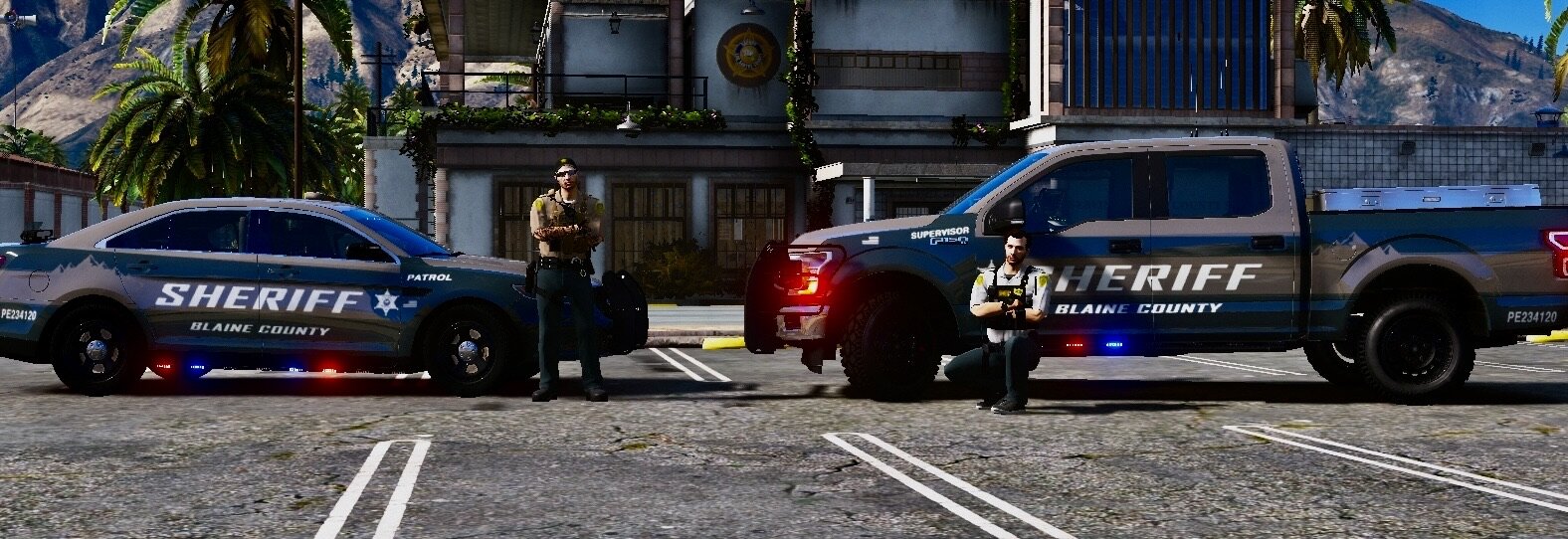
Drag and drop the bcso folder into dlcpacks
add this to your "dlclist.xml" located in update/update.rpf/common/data
<Item>dlcpacks:/bcso/</Item>
Start your game and they will be located as addons at the end of any mod menu.
#FiveM
drag bcso into your resources folder
in your server.cfg, add the following:
start BCSO
Then using vMenu, you can spawn in your clothing, I don't personally use ESX/QB so I can't tell ya how to spawn them in for it, but I'm sure you're a smart cookie
- 246 Downloads
- 2 Comments
Updated