c0pp2r0217
Members
-
Joined
-
Last visited
Everything posted by c0pp2r0217
-
Hi Everyone, I downloaded a new EUP set for my troopers. I've changed the Ultimate Back up files, and they spawn correctly. However, the units that are just driving around on patrol, they wear either the vanilla uniforms or, occasionally, a totally weird outfit. I've updated (as best I know) the files under LSPDFR-> Data -> Custom. Both agency_sahp and outfits_sahp_eup. I don't know what else to adjust so the random troopers that spawn while driving around will have the new uniforms. Can anyone help?
-
-
 Was this ever released?
 -
I'm having this exact same issue
-
 Is there a link to this FHP car with the vector light bar?
 -
-
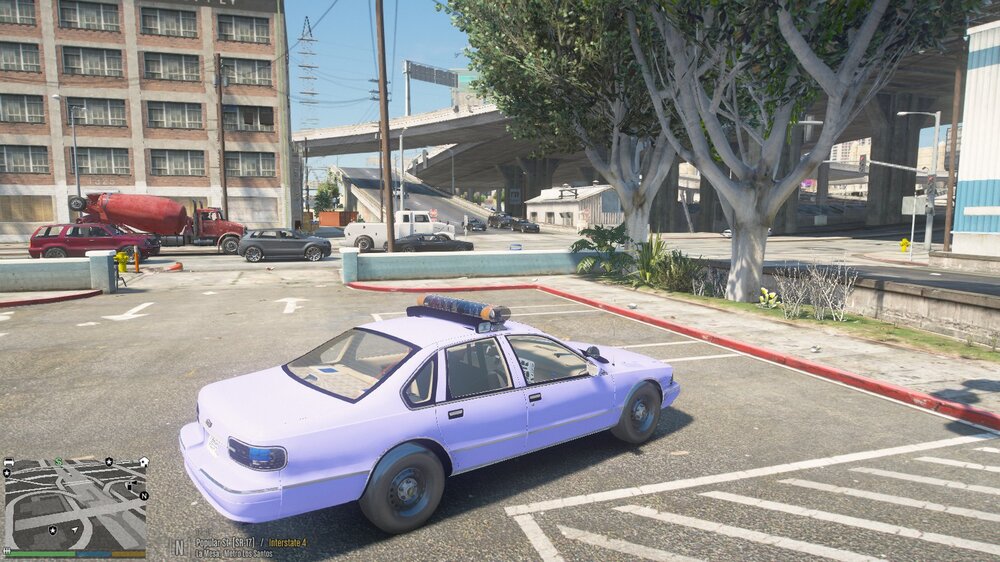
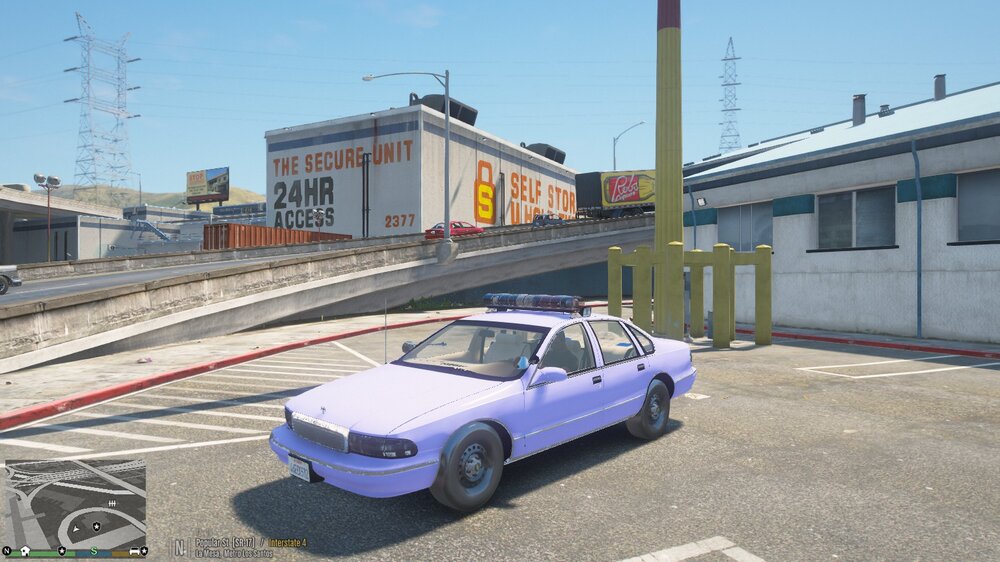
Hey guys, I've been a relatively experienced LSPDFR player for a bit (about a year). I recently replaced the vehicle in the "police" slot, to Lundy's LAPD caprice (doing like a 90s vibe here). Anyway, for the past two days, everything has worked fine. Then suddenly, the texture for the caprice was not working right. The skin won't load. Every other vehicle is perfectly fine, and if I view the car in OpenIV, it looks fine too. Just, in game, all I'm getting is the below screenshots. I've uninstalled an re-installed Natural Vision (it was the same effect with it off and on), I've changed the car to other models and even to the base model, and all vehicles that fall into the "police" slot have these texture problems. I've also checked the carvariations and carcol files. Could anyone help me? UPDATE: This is still a problem. But maybe helpful information: in OPEN IV, the car looks perfect and doesn't have any texture issues. It's only when the vehicle is loaded in the game.
-
I tried this, but it seems like all of the "Sirensettings" in the carvariations in the mpluxe folder are already set to "13"
-
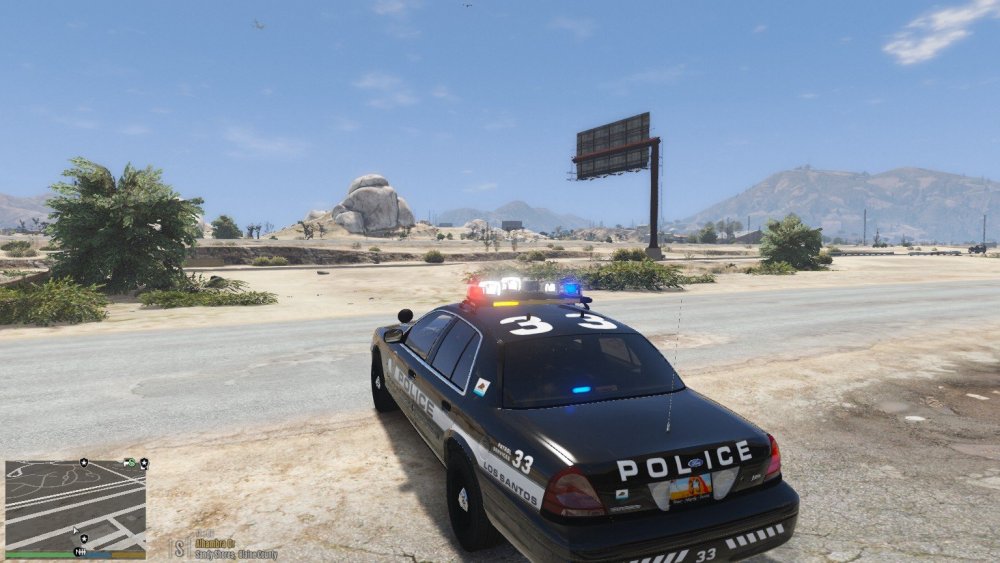
Hi everyone, When I try to replace cars in the LML mod with cars that have rotator light bars, none of them work. In fact, it seems like that only file slots that permit rotator light bars are "police" and "sheriff". No other ones allow rotator light bars, as it causes weird issues such as the white lights to be bigger than the lightbar and wig wag. I've attached a photo. I was wondering if there is any way to adjust the carcols to allow for any cars (including those extra slots with the LML mod) to allow for rotators.
-
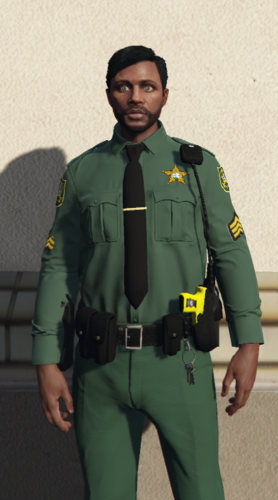 Not bad! But as someone who wears this uniform on a daily basis for work, the green definitely needs to be much darker. It's more a spruce green than a forest green. And we wear green name tags with yellow(gold) writing and outlines on the right chest.
 -
 What models did you use?
 -
-
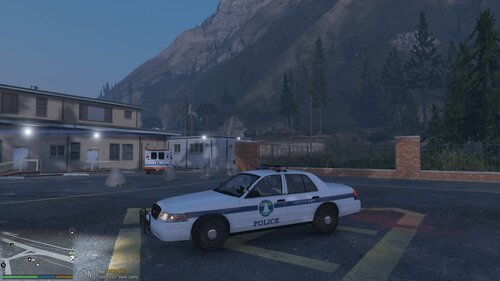 PALETO BAY POLICE DEPARTMENT Here is a PBPD skin for a CVPI. Enjoy! It's loosely based off of the old Burien, WA Police Department livery. (No, I'm probably not changing anything on it. I left the file as a PNG so everyone can easily edit the skin as they like.) Link for the Vehicle Model:
 -
Hey everyone, I'm wondering who can help me. I've installed this pack for my sheriff vehicles and it comes with red/blue light bar end covers. I've seen *some* pictures in texture packs that use these models but the entire lightbar is clear. How do I do that? I'd like to take off these red/blue lightbar covers.
-
Thanks for the help! Oddly enough, I hadn't added any new plugins when it started to crash... I've been able to get through (albeit barely) by starting the game with no plugins and then loading them in-game.
-
On startup, Rageplugin crashes....just 10 mins before, the game was working fine. Could someone help? Here's the crash report:
-
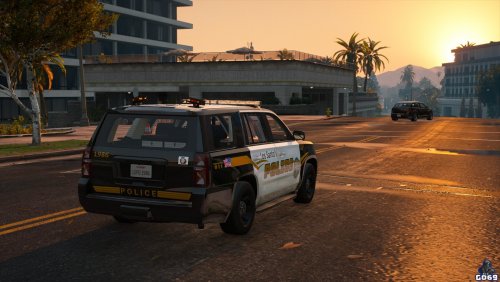 Why does it say "Los Santo's" instead of "Los Santos"?.....there shouldn't be an apostrophe between the "o" and "s".......
- 17 comments
- 2 reviews
-
-

- 2
-
-
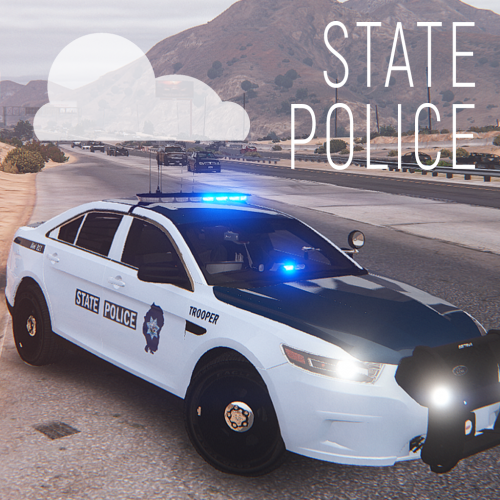 I've been looking for a quality state police/highway patrol pack for a long time now. And this is definitely the best. It's a simple design, but it's sharp.
- 6 comments
- 2 reviews
-
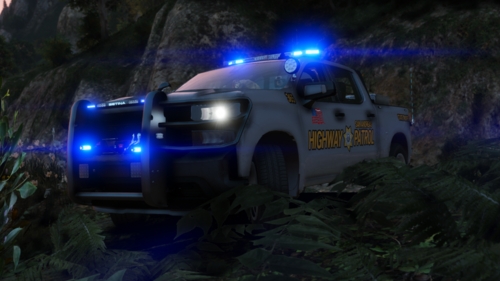 I was actually kinda excited for this pack....until I saw that the CVPI skin says, "San Andreas Patrol Highway" on the passenger side instead of "San Andreas Highway Patrol" like the driver side does. Would you be able to fix this?
 -
 Sorry for the tag..I really hope I didn't bother you. IDK about the others, but I surely appreciate your attention to your fans. This is an AMAZING pack and it looks stunning. For this, I used the manual install versions: not the DLC one. I also replaced the carvariations and the carcols with the ones your pack provided/added the appropriate lines of text.
- 143 comments
- 23 reviews
-
Hey Jedahdiah, This is a very beautiful pack. All of the cars are perfect and they look amazing! I did run into one issue with the Vector and the Excalibur light bars with the CVPI. The red/blue lights rotate like they are supposed to, but the white ones just wig-wag back and forth and look peculiar. I've followed everything in the ReadMe, but I'm not quite sure what I've done wrong (I'm almost certain it's me and not your pack). Would you be able to help me with this? UPDATE: I went through your rotator lights fix, and it is still giving me the same problem. @Jedahdiah BUMP......
- 143 comments
- 23 reviews