Skip to content
View in the app

A better way to browse. Learn more.

LCPDFR.com

A full-screen app on your home screen with push notifications, badges and more.

To install this app on iOS and iPadOS
  1. Tap the Share icon in Safari
  2. Scroll the menu and tap Add to Home Screen.
  3. Tap Add in the top-right corner.
To install this app on Android
  1. Tap the 3-dot menu (⋮) in the top-right corner of the browser.
  2. Tap Add to Home screen or Install app.
  3. Confirm by tapping Install.

Tom R. Murtaugh

Members
  • Joined

  • Last visited

Files posted by Tom R. Murtaugh

  1. Hello,
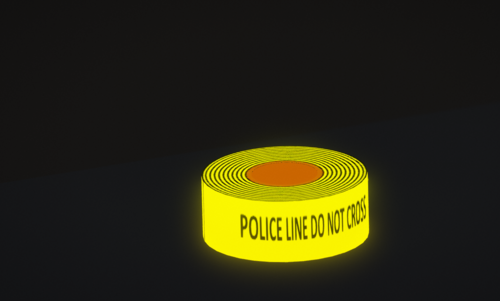
    I made a new police tape, I hope you like it !
     
    Write:  POLICE LINE DO NOT CROSS
     
    Join my Discord here --> https://discord.gg/yNWjGNr
    • 913 Downloads
    • 1 Comments
    Submitted
  2. This is a badge that you can place on the interior mirror of your vehicle.
     
    Discord : https://discord.gg/yNWjGNr
     
    Textures available :
    Lieutenant Sergeant Detective Police Officer  
    • 359 Downloads
    • 1 Comments
    Submitted
  3. Ceci est un ruban jaune inspiré de la police américaine
    Écriture : Police line do not cross.

    Discord : https://discord.gg/yNWjGNr
     
    Ceci est mon premier objet, merci de rester indulgent.
    • 225 Downloads
    Submitted

Account

Navigation

Search

Search

Configure browser push notifications

Chrome (Android)
  1. Tap the lock icon next to the address bar.
  2. Tap Permissions → Notifications.
  3. Adjust your preference.
Chrome (Desktop)
  1. Click the padlock icon in the address bar.
  2. Select Site settings.
  3. Find Notifications and adjust your preference.