


rock22
Members
-
Joined
-
Last visited
Everything posted by rock22
-
From the album: rock22
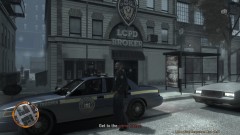
ran across this sub station after a shot fired call was behind it, 2 police officers were killed in the ambush -
From the album: rock22
<insert comment here> -
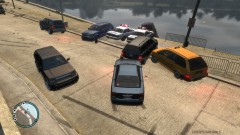 lol i love when this happens
 -
I know els has the 4-way hazard lights, so I wonder if they could make turn signals from that?
-
Is there a mod where you are able to use signal lights/turning signals? Its kind of annoying AI cars can uses them but you can't.
-
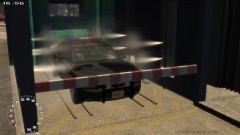 how u wash a police car?
 -
it wont have an effect on lcpdfr's mission right? Just the gta missions?
-
i did what sniper said, it works. Thanks for the help guys
-
I installed the trainer but every time I do a key command with lcpdfr, the trainer does something too, how do I make the trainer not have the same key commands as lcpdfr? Also installed the first person view i think that is the right one
-
I don't wanna do slow-mo just make the ingame days go by slower.
-
i've tried the simple native trainer but it wouldn't work, it wouldn't let my game start
-
Is there a mod were you can make the time scale go slower? I've seen a mod where it syncs with your computer time, I don't want that. I've also seen a mod where you have a first person view when you are driving, where can I find this?
-
So how do I record good quality but not have an upload time off 2+ hours? I edited a gameplay video to about 15mins, rendered it as a .wmv but it will take forever to upload to youtube. So i converted to .mpg which took about 20mins but the quality is horrible. So what should I render it as? Also I use fraps to recorded if that changes anything.
-
Ahh thanks that work. I move my glitched noose cruiser to a different safe house and that was the problem, now it works fine. Thanks
-
i think it might be the new siren I installed but im not sure cuz I also installed a few cars mods... I have a backup of my vehicles file but not my horns one, is that a problem?
-
I get this error when I press ALT+P to start the mod in .91: anyone know how to fix it? edit: yes i know I spelled "error" wrong in the title.
-
umm how do u uninstall? It completely messed my game up
-
okay the NYPD one, the lights are kinda ulgy on it. The FBI is nice and i like it. Just wondering are there ones that are non-els slick top and have markings on the side with a rambar? That I couldn't find. or can I easily edit the one on my first post to have a rambar?
-
cool thanks guy, gonna try em out.
-
So I went from .95 to .91. I like .95 a lot better but the pursuits can get annoying. So if there a way to turn them off or stuff?
-
Anyone know of any good non-else skins? I'm looking mainly for a slick top/under cover crown vic with a rambar. I can't seem to find one. I use This one now, i like it but there is no rambar.
-
oh my bad, I've just been using .95 with ELS for a while now, but when I uninstalled ELS it started doing it, so I thought maybe it was something I did.
-
When there is a random pursuit my game crashes. The tip box pops up(the one telling you about random events) then the game freezes for a second then crashes. This never happened before. I uninstalled ELS because that got annoying with all its crashes, but now this. I am running traffic flow( i think), and 3 NON-ELS Skins. Using LCPD:FR 0.95 Any Idea how to fix this? I reinstalled LCPD:FR, and still same result.
-
When I pick a car to use I go out and turn the car on and most of the time the lights are stuck on. This happens with AI cars driving around the lights getting stuck on. Not flashing just one light on. How do I fixed this?
-
I went to the compatibility tab and selected Windows 7. Then in worked, even though I am running Win7.

