


.png.90293af002482749e9a8637bc5695b86.png)

Maxelgg
Members
-
Joined
-
Last visited
Everything posted by Maxelgg
-
So, the problem seemed to fix itself. I don't know why it happened
-
I'm connected to US West.
-
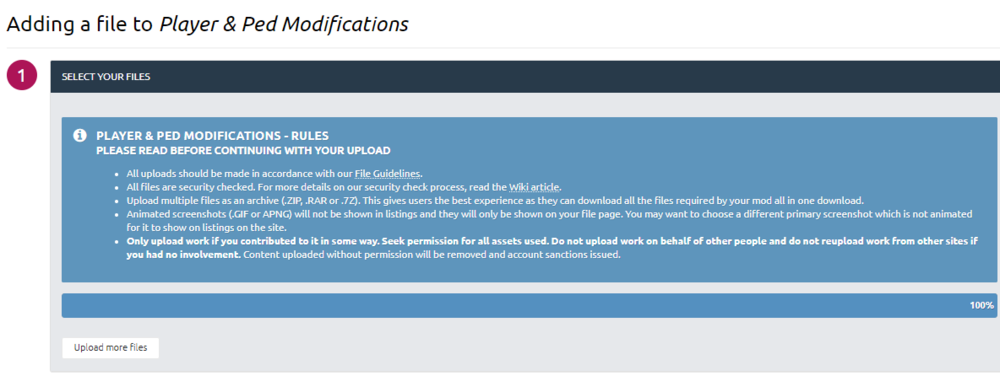
When I try to upload a file to ped & player modifications, It's just stuck on 100%. I've redone it multiple times now. Still no luck
-
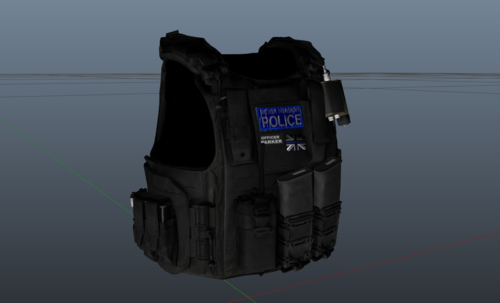 Great work
 -
-
-
-
.thumb.png.0568dfc8e74b539360517d222c6029b0.png) ??? The files in 'Texture Only' are for people that want to see what it replaces. It's optional.
??? The files in 'Texture Only' are for people that want to see what it replaces. It's optional.- 21 comments
- 1 review
-
-
-
-
-
-
PERSONAL DISCORD SERVER - https://discord.gg/WTRkqUA Video by NotAJ - --REQUIREMENTS--
- 21 comments
- 1 review
-
-

- 1
-
-
 This makes the armored person call from UnitedCallouts even more challenging. Great work !! +5 stars
- 625 comments
- 55 reviews
-
-
- 2
-
-
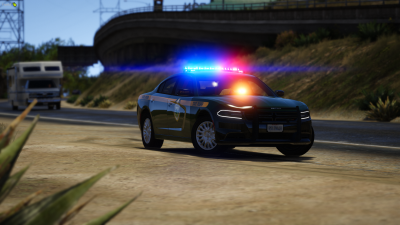
Everytime I start the game I get a 5-10 second black screen and then it crashes. This happened after I installed a replace car I removed all my added cars and it's still crashing RagePluginHook.log
.thumb.png.53795453fff0ce4fba6ec82ff1d0e97c.png)
-

.thumb.png.0568dfc8e74b539360517d222c6029b0.png)
.png.29685b418f53a2ca73ae8cf41a62f24a.png)
.png.ce1c3880fad7c70a76765e61eb0d0333.png)
.png.293a4a0d5951753202145df505549812.png)
.png.966d2ddf113e3aaf43a7b16cf460fb50.png)