pizzabooty
Members
-
Joined
-
Last visited
Everything posted by pizzabooty
-
 pros: comes with a config (surprisingly many plugins don't) cons: nothing in the readme or config about how to actually use the plugin edit: now that i've figured out the inagme menu i've changed my rating. i understand that much work has gone into this and i had plans to keep it at 1 star until i figured it out. i'll be playing with it tonight and i'll update this review again.
 -
looks pretty cool, i've been looking for a way to actually place my backup units where they need to be. just downloaded and i'll give it a try. edit: how do i even use this plugin? does it activate when you call for backup? is there a key combo? config has no information and neither does the readme. edit2: i figured out that f5 is the button, if we could change it, that would be awesome.
-
 also im havin some trouble with the lights, it looks like this blue light is kinda red tinged (the top passenger side), is there any way to change or fix this? from up close it is blue but if you go further it stops being so blue ****just wanted to edit to add that this is with all vehicles and not just the 14 charger
- 111 comments
- 11 reviews
-
-
i tried windows explorer and it said something along the lines of invalid archive. i'll restart my PC at some point and give it another shot and see what happens.
- 111 comments
- 11 reviews
-
every time i see updates to this pack i get excited. love the lighting and i can't wait to try out the 14 charger! edit: tried to download pack and i cant extract the files for some reason (using 7zip)
- 111 comments
- 11 reviews
-
 no rush or anything but i definitely look forward to it man, keep up the good work!
- 9 comments
- 1 review
-
i like siderunners and i think if you do a version with them you should make them duos like the visor lights
- 9 comments
- 1 review
-
 can we get some screenshots of the actual vehicles?
 -
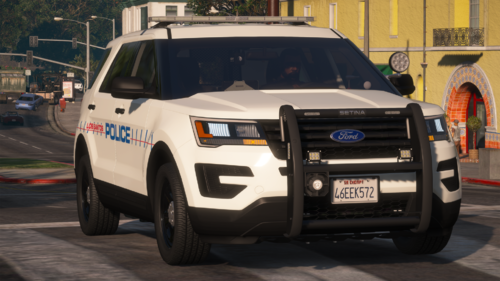 i've had this issue before, try opening it with 7zip instead of windows explorer
- 9 comments
- 3 reviews
-
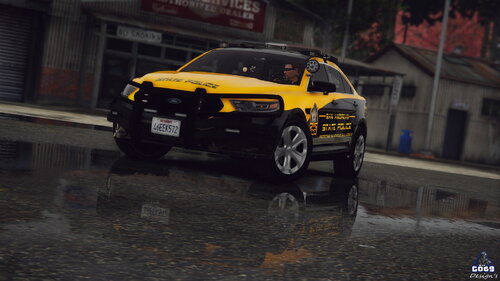 looks yellow to me lmao either way i love the "not yellow" and black, looks really awesome
- 10 comments
- 3 reviews
-
-
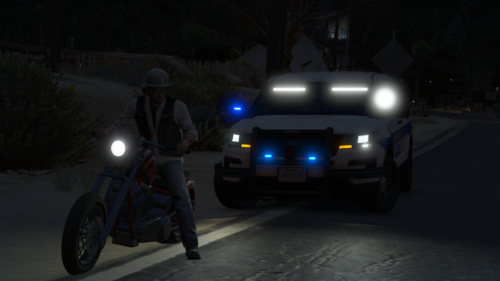 @Trooper 18this guy pointed it out as well, but you can see here there's a blue bit. i think it might have something to do with being a duo module, because i can see a bit of white in there, but not 100% sure.
- 11 comments
- 5 reviews
-
absolutely love the lighting patterns and the designs of the car as a whole. my only gripe is when extras 1-4 are all on, there's still a blue section on the passenger side.
- 11 comments
- 5 reviews
-
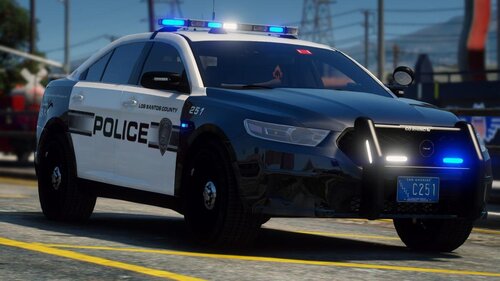 lmao im not sure either, maybe it's just a darker shade of blue than i'm used to. i gotta check my radiance mods tho, last update mighta borked em
- 37 comments
- 11 reviews
-
love the setups, super cool pack. my only gripe is it feels like the lights are a bit dim compared to other all-blue setups
- 37 comments
- 11 reviews
-
 tried that, definitely installed correctly, although when i tried using another vehicle in the same slot (police4) it didn't work either so i dont think it's your cars. i'll look into this.
- 164 comments
- 17 reviews
-
i used the marked 16 taurus as a replace but the ELS doesn't work? it just has extra 4 permanently on and none of the lighting stages work. not sure if i did something wrong but i checked and re-checked and my other cars work fine. the only thing i changed is the primary light preset pattern.
- 164 comments
- 17 reviews
-
very nice pack, quite like the all blues. edited to change to 5 stars due to community demand
- 37 comments
- 11 reviews
-
-

- 1
-
-
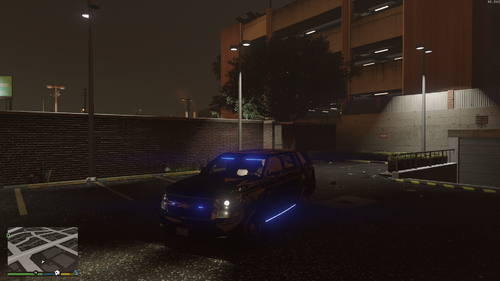 dunno if this is a bug on my end or a vehicle design but when i activate the secondary lights, nothing turns on.
 -
-
-
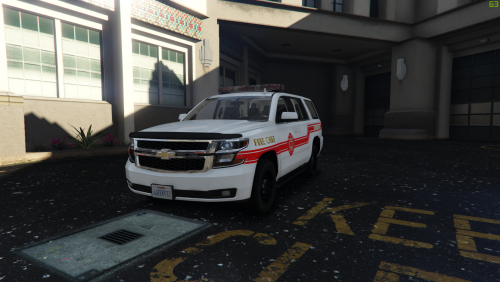 always excited to see ELS fire vehicles, i look forward to trying this out
 -
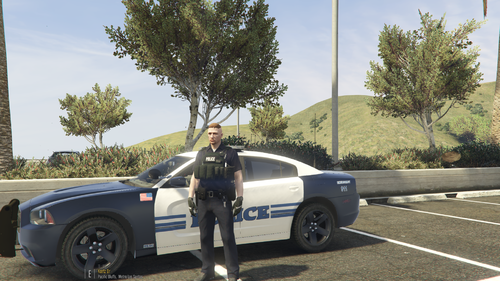 praise be, bless this lord friendly pack
 -
 might be a little bit of an old file but i noticed that the lightbar in the rear window doesn't light up when using the all blue lights. it sorta flashes like it's trying but it's just shades of grey instead of actually being lit up blue. EDIT: i think it was actually the texture file i was using, disregard
- 15 comments
- 11 reviews