FedenaMotorsports
Members
-
Joined
-
Last visited
Files posted by FedenaMotorsports
-
Hey y'all,
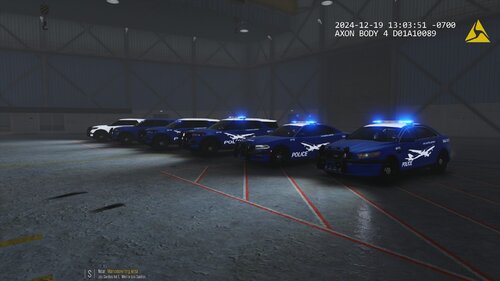
For my game I wanted a Los Santos Airport Police pack, so I made one.
The cars are from RangerZ, from his Vinewood pack.
***THESE ARE ONLY TEXTURES***
The car numbers are labeled as AP-XX (the XX being the car number).
I designed the textures to be for the following vehicles:
FPIS - AP-01 (fpis_sign_1_lsap.png)
Charger - AP-02 (chrg_sign_1_lsap.png)
Marked FPIU - AP-03 (fpiu_sign_1_LSAP3.png)
Slicktop FPIU - AP-04 (fpiu_sign_1_LSAP4.png)
Ghost FPIU - AP-05 (fpiu_sign_1_LSAP5_GHOST.png)
Enjoy! Please give me a shoutout if using the textures in a video or livestream.
If you want these textures made for your pack, or your server, feel free to comment.
- 124 Downloads
- 1 Comments
Updated -
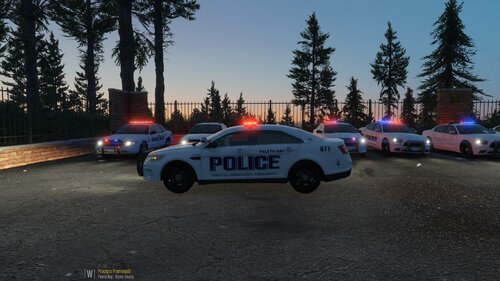
This is a fictional texture pack for Chiliad Wilderness. I used Pacific Pig's Paleto Bay Township pack, although I did not include a texture for the F150 because I do not like the small light bar on it. If you have any recommendations, just pop 'em down below. There is a K9 livery in the pack for the fpiu.
Here's the Pack:
- 32 Downloads
Updated -
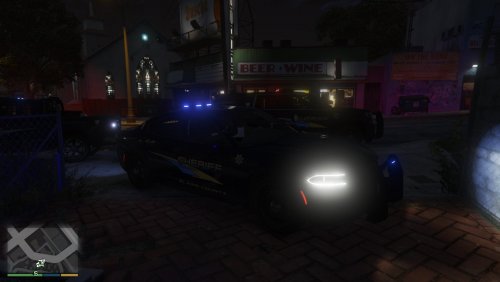
This is a texture pack based on the DoJRP LSCSO fleet. Designed for a specific Emergency Distributors Pack, it would make a great addition to your game!
- 179 Downloads
Updated -
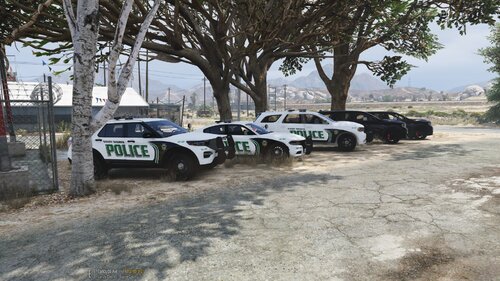
This file is for the BC Designs SASP Addon Pack, design for the liveries inspired by DoJRP.
This is just the textures for Paleto and screenshots. Link to vehicle pack is below.
Exclaimer: Idk why but the lights on some of the SUV's weren't all working. I haven't had this issue before, but it is not texture related. In addition, make sure to follow the instructions for installing the pack correctly.
All vehicles have a marked and ghost texture. The Tahoe marked is a K9 texture, and the Tahoe ghost is regular due to the legal necessity of having to have K9 warnings in red. Defeats the purpose of a ghost car lol.
- 46 Downloads
Updated -
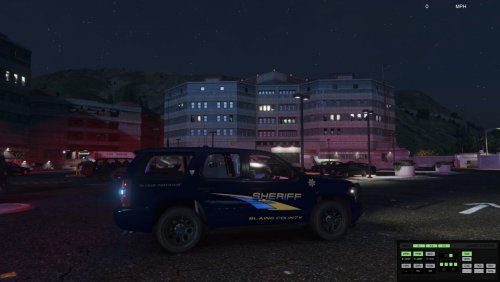
This livery pack is based off of the DoJRP SSPD liveries, and is for the Emergency Distributors Blaine County Traffic Division Upgrade Pack with the colored lightbars. I put a few extra touches on the livery. The SRT Durango comes with a ghosted skin, while the vehicle pack has a blank one. The '20 FPIU, '18 Charger, and Durango have a regular skin.
Emergency Distributors makes some of the highest quality cars, and has a working spotlight on this pack as well as amazing lighting. Check out their other packs!
- 156 Downloads
Updated -
This is a texture pack made for Ripple's Legacy ELS pack. It is a current WIP, with the other vehicles being added in the future. It is resemblent of the Alameda County Sheriff's Office, or better known from DOJRP. There is no relation to DOJRP.
- 352 Downloads
- 3 Comments
Updated -
This pack was designed off of two packs from EmergencyDistributors.
It is a work in progress, modeling textures similar to DOJRP's, based off of Alameda County.
This pack will grow in the future, as time allows.
You can check out a couple skins I made for Ripple's Legacy pack as well here (they are also WIP):
- 94 Downloads
- 2 Comments
Updated