



Hex Modifications
Members
-
Joined
-
Last visited
Files posted by Hex Modifications
-
Pasted content
Pasted content
Hex Media Player V
Bring music and video into GTA V single player with physical speakers, TVs, a car stereo and outdoor cinemas.
Place devices anywhere in the world, paste a supported link, search for a song or play your own files, and enjoy positional 3D audio with HD video on compatible screens. Four ready-made outdoor cinemas are included around the map.
Available for GTA V Enhanced and GTA V Legacy. Download the version that matches your game.
This mod is still under development. Some features are incomplete, and issues may occur.
Showcases
Showcase 1 — Media Player V
Showcase 2 — Media Player V
Features
Spawnable speakers: Boomboxes, ghetto blasters, hi-fi systems, radios, bookshelf speakers, PA speakers and club speakers.
Spawnable screens: Flat-screen TVs, older TVs, CRTs, office TVs, huge displays and cinema screens.
In-game TVs: Press F6 next to an existing TV in a house, apartment or safehouse to use it.
Car stereo: Press F6 in any vehicle, including police cars, to play music and video while you drive. The in-game radio is muted during playback.
Free placement: Carry, raise, rotate, tilt and place devices, including on walls. Devices can also be attached to vehicles.
Saved placements: Placed speakers and TVs are restored after loading the game.
YouTube, SoundCloud and Spotify links: Paste a supported link or a full playlist, or type a song name to search.
Local files: Play your own MP3, MP4, MKV, FLAC, WAV files and more from the MediaPlayerV\Music folder.
Library: Access your favourites, history and Music folder from the control box.
Positional 3D audio: Sound comes from the device, fades with distance, pans as you turn and becomes muffled behind walls or inside vehicles.
HD video: Video appears on compatible screens, synchronised with the audio. People, vehicles, props and walls in front of a screen hide the video exactly where they stand.
Screen lighting: Screens cast light matching the video into the surrounding area.
Mouse-operated playback controls: Play, pause, seek, skip, loop, manage the queue, and adjust volume and range.
Four outdoor cinemas: Vespucci Beach, Chumash Sunset, Vinewood Bowl and the Starlight Drive-In. Each includes map blips, a large screen, speakers, security, night lighting and snack stands. The beach cinemas have towels on the sand, cool boxes and a bonfire. Crowds are larger at night, applaud at the end of a film and flee if shots are fired. All cinemas can be switched off.
Interactive snack stands: Purchase hot dogs, burgers, popcorn and drinks to consume in game.
Automatic updates: yt-dlp updates itself to help keep YouTube links working.
Configurable settings: Adjust key bindings, video quality, audio ranges, brightness and more in MediaPlayerV.ini.
Playback notes: Content is streamed during gameplay; local files play offline. Spotify links find and play the corresponding track from YouTube; they do not directly stream Spotify's DRM-protected audio.
Requirements
GTA V Enhanced or GTA V Legacy — Story Mode
Script Hook V and its ASI Loader (dinput8.dll)
Windows 10 or Windows 11
An internet connection for streamed content
Installation
Download the version that matches your game: Enhanced or Legacy.
Open the Game Files folder included in the download.
Copy MediaPlayerV.asi (Enhanced) or MediaPlayerV_Legacy.asi (Legacy) and the MediaPlayerV folder into your GTA V main directory, next to GTA5.exe (not the scripts folder).
Launch Story Mode.
Press F8 to open the Media Player menu.
Do not install the Enhanced and Legacy versions in the same game.
Controls
Main controls
F8: Open the Media Player menu to spawn devices, manage outdoor cinemas and change settings.
F6: Open the control box for the nearest speaker, screen, in-game TV or cinema. In a vehicle, it opens the car stereo.
E: Purchase food and drinks at a cinema snack stand.
Device placement
Mouse wheel: Adjust distance.
Up / Down arrows: Adjust height.
Left / Right arrows: Rotate.
Page Up / Page Down: Tilt.
R: Remove tilt.
Enter: Place the device.
G: Drop the device to the ground.
V: Attach the device to the nearest vehicle.
Backspace: Cancel placement.
Outdoor cinemas
Open F8 → Outdoor cinemas:
First option: Switch all cinemas on or off.
Enter: Set a GPS waypoint.
T: Teleport to the cinema.
Known Issues and Compatibility
Disable Frame Generation for HD video on Enhanced. DLSS / FSR 3 Frame Generation can cause video to wobble as you move. The mod displays a warning when it is enabled. Standard DLSS / FSR upscaling can remain enabled.
YouTube "Sign in to confirm you're not a bot": Set CookiesFromBrowser=firefox (or chrome / edge, whichever browser you are signed in to YouTube with) in MediaPlayerV.ini.
HDR: If video appears washed out, set ColorMode=hdr10 in MediaPlayerV.ini.
Overlay conflicts: Other on-screen overlays may prevent HD video from appearing. If this happens, the mod automatically switches to its in-world video mode.
Map conflicts: Map modifications near a cinema may overlap its props. Use F8 → Outdoor cinemas → Move the nearest cinema here to reposition it.
F8 does nothing: Check that ScriptHookV.log lists the .asi file. If it does not, make sure the file is next to GTA5.exe, unblock it (right-click → Properties) and check that your antivirus has not quarantined it.
Designed to work alongside ReShade and graphics modifications such as NVE and QuantV.
VirusTotal Scans
Scan reports for the included executables:
ffmpeg.exe — VirusTotal report — Official, unmodified gyan.dev build.
yt-dlp.exe — VirusTotal report — Official, unmodified release.
Credits
Hex Modifications: Mod design and code.
Alexander Blade: Script Hook V — required, not included.
FFmpeg: Included unmodified from the gyan.dev build, licensed under GNU GPL v3.
yt-dlp: Included unmodified, released under The Unlicense.
Full third-party licences and source code links are included in the download's Licenses folder.
This project is not affiliated with Rockstar Games, YouTube, Google, Spotify or SoundCloud.
Mod Licence
Free for personal use only. Do not redistribute, re-upload, modify and re-upload, or claim Hex Media Player V as your own without permission.
Third-party components remain governed by their respective licences.
Hex Modifications © 2026- 200 Downloads
- 15 Comments
Updated -
FIVE COMMANDS V
VERSION 1.0 · LEGACY & ENHANCED
FiveM-style chat commands for GTA V single player.
Press T, type / and instantly access 282 commands from a sleek FiveM-inspired chat box.
WHY I MADE THIS/WHY YOU SHOULD USE IT
I play a lot of FiveM, and one of my favourite things about it is the chat box. I got tired of having to scroll through pages of trainer menus, just to find one simple option such as deleting a vehicle or teleport to specific coordinates, this also replaces the need for you to set 50 random keybinds that you dont remember!
Press T, type /dv and the car's gone. /fix and it's repaired. /tp and you're there.
No menus. No scrolling through pages of options. You just type what you want and it happens.
Going back to single player meant going back to trainer menus. Something that takes two seconds in FiveM can take twenty.
So I built Five Commands V to bring that same simple, fast command system into GTA V Story Mode. Almost everything happens through one text box that stays out of your way until you need it.
FEATURES
FiveM-Style Chat Box — Press T to open chat, or / to immediately start typing a command.
282 Commands — 445 including aliases, covering vehicles, players, weapons, world controls, teleports, peds, HUD features and developer tools.
Live Suggestions — Matching commands appear as you type, with argument hints showing exactly what you need to enter.
Tab Completion — Autocomplete vehicles, peds, weapons, locations, weather, emotes, themes and more.
Command Chaining — Run multiple commands at once, with optional delays between commands.
Custom Aliases — Create your own command shortcuts.
Persistent Command History — Use Up / Down to recall previous commands, even after restarting GTA V.
Realistic Driving — Seatbelts with windscreen ejection, cruise control, speed limiter, indicators, hazards, key-fob locking and optional engine persistence when leaving your vehicle.
FiveM-Style Street HUD — Compass, street, area and postal information displayed next to the minimap.
Speedometer — Includes seatbelt, cruise control, limiter and gear indicators.
Police RP — Cuff, uncuff, drag, arrest and place peds into vehicles, alongside 911 and panic functionality.
81 Emotes — Dancing, smoking, sitting, leaning, CPR, medical animations and more.
Developer Tools — Copyable Vector3 / Vector4 / JSON coordinates, developer overlay, entity information, hashes, IPLs, props and a native caller.
Custom Themes — Black and white with a neon pink glow by default, plus cyan, purple, rainbow and more.
Fully Configurable — Keys, chat box size and position, text size, font and additional UI elements can all be changed or disabled through FiveCommandsV.ini.
Lightweight — One small DLL that only processes the features you have enabled.
COMMAND CATEGORIES
282 commands across 11 categories · 445 including aliases
Chat & Settings — 34 commands
Player — 34 commands
Teleport & Navigation — 21 commands
Vehicles — 58 commands
Weapons — 13 commands
World — 18 commands
Peds, Police & Dispatch — 12 commands
Emotes — 49 commands
HUD & Screen — 14 commands
Developer — 19 commands
Type /help in-game to browse every category, or /help [command] for detailed information about a specific command. A complete command list with descriptions is included in Commands.txt.
REQUIREMENTS
GTA V Legacy or GTA V Enhanced — Story Mode
Script Hook V
Script Hook V .NET 3
Legacy: SHVDN 3.7 or newer
Enhanced: SHVDN Enhanced 3.9 or newer
INSTALLATION
Open your GTA V installation directory.
Open the folder included in the download that matches your game version: Enhanced or Legacy.
Drag the contents of its scripts folder into the scripts folder inside your GTA V directory.
If you don’t already have a scripts folder, create one.
Launch GTA V into Story Mode and press T.
CONTROLS
T — Open the chat box
/ — Open with / already typed
Enter / Esc — Send / close
Tab — Complete the highlighted command or argument
Up / Down — Select suggestions while typing, or browse command history when the box is empty
PgUp / PgDn — Scroll chat
Ctrl + V / C / X — Paste / copy / cut
Ctrl + L — Clear chat
COMPATIBILITY & NOTES
Legacy and Enhanced each have their own DLL built for that game's version of Script Hook V .NET. Make sure you use the version from the correct folder.
Story Mode doesn't have a FiveM postal map, so Five Commands V uses a fixed grid of 250m cells numbered 100–2499. /postal displays your current postal, while /postal 1234 sets a waypoint.
If T or / is already used by another mod, change OpenKey / SlashKey in FiveCommandsV.ini or use /openkey F6.
If the chat box is too large or small for your display, try /uiscale 0.8, /chatwidth 0.3 or /chatlines 7.
Don't want the additional HUD? Use /streethud off and /speedo off, or disable them through the INI.
Five Commands V is designed for Story Mode only. It is not for GTA Online.
TROUBLESHOOTING
Nothing happens when I press T
Check ScriptHookVDotNet.log in your GTA V directory and make sure FiveCommandsV.dll is listed. Also check that you installed the correct Legacy or Enhanced version.
After a GTA V update, you may need to update Script Hook V and Script Hook V .NET.
A command isn't doing what I expect
Use /help [command] to see its usage and available arguments.
Log file: scripts\FiveCommandsV\FiveCommandsV.log
CHANGELOG
Version 1.0 — Initial release
LICENSE & DISCLAIMER
Five Commands V is free for personal use only.
Do not redistribute, re-upload, modify and re-upload, or claim this mod as your own without permission.
Five Commands V is not affiliated with Rockstar Games, Take-Two Interactive, Cfx.re or FiveM.
Hex Modifications © 2026- 112 Downloads
- 3 Comments
Updated -
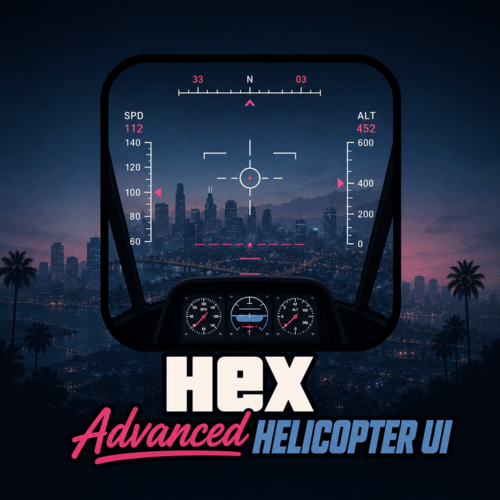
Hex Advanced Helicopter UI
Showcase:
A realistic, immersive helicopter HUD and systems overhaul for GTA V, designed to bring a modern aviation-style experience to both civilian and law enforcement helicopters.
Featuring a clean advanced UI, realistic startup/shutdown procedures, colour-coordinated warnings, and detailed aircraft status monitoring, this mod transforms the basic vanilla helicopter experience into a far more immersive flight system.
Current Features
Realistic Helicopter HUD
Altitude Display
Fuel System
Engine Status Monitoring
Engine Damage Detection
Stall Warning System
Landing Gear Status
Colour-Coordinated Warning Indicators
Realistic Startup & Shutdown Sequence
Advanced Flight Information Display
Keybinds:
K For Engine Startup/Shutdown
G For Landing Gear
Planned Features
Next update coming soon:
Custom Helicopter Sound Effects
Full Damage Overhaul System
All-In-One Refueling System
Expanded Aircraft Failure Logic
Additional HUD Customisation
Requirements
Script Hook V
Script Hook V .NET Nightly
Installation
Open your GTA V directory
Open the scripts folder
Drag the included .dll file into the folder
Launch GTA V
Bug Reports
Please disable conflicting helicopter or HUD-related mods before reporting issues.
When submitting a bug report, include:
Screenshots or video clips
Your installed mods list
Any error messages/logs if available
License
Created by Hex Modifications.
Free for personal use only.
Do not re-upload, redistribute, modify and re-upload, or claim this mod as your own without permission.
© 2026 Hex Modifications.
- 93 Downloads
- 3 Comments
Updated -
Hex Vaporwave HUD
A clean vaporwave-themed HUD overhaul for GTA V with neon pink/purple styling and a retro synthwave look.
Currently Changes:
Radio Wheel (With LEO Icons: Glock 17, x26 Taser, M4 Rifle, ASP Baton)
Weapon Wheel
Complex Reticle Selection
Next update coming soon:
Map Blips
Character HUD
iFruit Phones/Icons
Sreetlights
Enhanced Icons: LIDAR Gun, Fire Extinguisher & More!
Installation
Open OpenIV
Enable Edit Mode
Install the included .oiv using the OpenIV Package Installer
Launch GTA V
Bug Reports
Please disable other HUD/UI mods before reporting issues. Include screenshots and your installed mods list if possible.
License
Created by Hex Modifications.
Free for personal use only. Do not re-upload, redistribute, edit and re-upload, or claim this mod as your own without permission.
2026 Hex Modifications.- 49 Downloads
- 1 Comments
-
Overview:
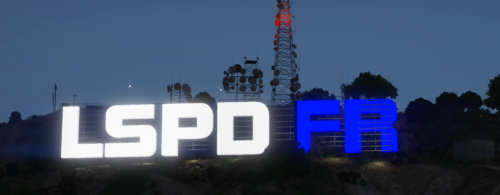
This addon will replace the original Vinewood sign in vinewood hills with a more interesting, animated and luminated LSPDFR logo that can be seen from pretty much any distance
Installation: Please follow the instructions provided in the download.
Preview: https://youtu.be/v77A7njEjh4
(This will likely be incompatible with mods such as LArevo/5real)
Please report any bugs!- 504 Downloads
- 5 Comments
Updated -
Alternative Handgun Animations Modification
Showcase (Click me)
This is a modification that will alter the weapon animation whilst walking and sprinting, it ensures the officer always has their weapon facing towards the suspect whilst running and creates a more secure looking grip on the weapon whilst walking.
Installation: To install, simply drag and drop the .oiv file into your OpenIV
This should be compatible with the majority of modded handgun models.
Reccomended:
If you would like the full, realistic weapon experience: This mod includes Alternative Handgun Animations and Much more.
I have only have it implemented for core LEO weapons at the moment, will update in future with more options.
Current Weapons:
Pistol
Combat Pistol
Stun Gun/Taser
Please report any bugs below, Thanks!
- 4,719 Downloads
- 20 Comments
-
This jamming script is a great way to add an extra layer of immersion into your FiveM server, it features extensive customization and is lightweight.
It is FiveM Only and does not have any dependencies.
Hope you enjoy!
It may still have minor bugs, please report anything you experience below.
Default Unjam Key: U
- 2,501 Downloads
- 4 Comments
Updated




.thumb.gif.4757e3be0fe02512b97a9dc6dff05ff7.gif)
