


Fyber
Members
-
Joined
-
Last visited
Everything posted by Fyber
-
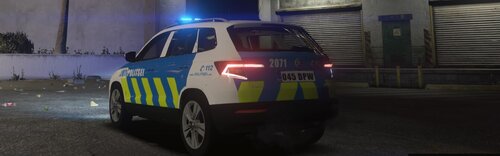 HOW TO DOWNLOAD? 1)You need to install original mod from https://ru.gta5-mods.com/vehicles/2017-police-skoda-karoq 2)and place model into >>> GTAV/Mods/Update/x64/dlcpacks/patchday22ng/dlc.rpf/x64/levels/gta5/vehicles.rpf 3)Then you need to download ELS, put .xml file into >>> Grand Theft Auto V\ELS\pack_default folder 4)Next you need to open sheriff.ytd and replace these textures: 1. car_sign_1 -> karoq_sign_1.png (another car signs you can delete) 2. justice -> justice.png 3. plates -> plates.png
 -
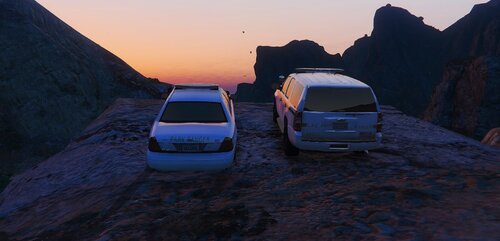 Minipack of Los Angeles County Park Rangers 2 new textured cars: CROWN VICTORIA POLICE INTERCEPTOR CHEVY TAHOE How to download textures? Download original mod https://www.lcpdfr.com/downloads/gta5mods/vehiclemodels/19912-lspd-mega-pack-els-lapd-based/ Then drop the dlc.rpf(in .rar file - textures - dlc.rpf(police10+police11) inside the dlc.rpf into the newly create lspdpack How to download ELS? Download ELS from https://www.lcpdfr.com/downloads/gta5mods/vehiclemodels/19912-lspd-mega-pack-els-lapd-based/ Then add mine(Police10.xml + Police11.xml) to Grand Theft Auto V\ELS\pack_default
- 6 comments
- 1 review
-
-

- 1
-
-
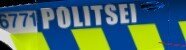 How to download? 1)You need to install original mod from https://ru.gta5-mods.com/vehicles/2018-2019-police-skoda-superb-els-enabled-pack-replace-els 2)and place model into >>> GTAV/Mods/Update/Update.rpf/x64/dlcpacks/patchday22ng/dlc.rpf/x64/levels/gta5/vehicles.rpf 3)Then you need to download ELS, put .xml file into >>> Grand Theft Auto V\ELS\pack_default folder 4)Next you need to open fbi.ytd and replace these textures: car_sign_1 -> superb_sign_1.png (car_sign_2 you can delete) wind_temp -> wind_temp.png plates -> plates.png I hope that you enjoy a car 🙂

