



Josh Mods
Members
-
Joined
-
Last visited
Everything posted by Josh Mods
-
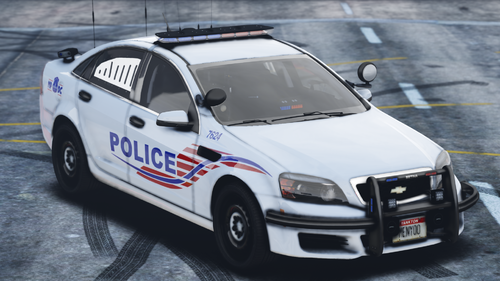 I will be making a D.C livery for Ripple's Legacy Pack in a bit. 🙂
 -
I forgot to add, there are some liverys that need changing in the name due to base livery names in the YTD.
-
So this is my first Livery Pack for any GTA 5 Vehicle Pack, I decided that Ripple's would look nice in Washington D.C skins, so I made one. IF there is anything that needs to be changed or updated on the skins, go ahead and comment down in the comment section. --Terms Of Service-- You MAY NOT upload this file to any other website or media streaming network. You MAY NOT claim this file as yours. You MAY use this in a FiveM server You May modify the contents inside the textures however you CAN NOT re upload the file My Discord: https://discord.gg/9BDN2yu Upcoming Projects: Massachusetts State Police Pack Boston Police Pack A lore friendly pack and more. Link to his pack:
-
-
-
https://imgur.com/a/uibwhX5 The all the texts have been fixed, just haven't had the time to get screenshots

