Skip to content
View in the app

A better way to browse. Learn more.

LCPDFR.com

A full-screen app on your home screen with push notifications, badges and more.

To install this app on iOS and iPadOS
  1. Tap the Share icon in Safari
  2. Scroll the menu and tap Add to Home Screen.
  3. Tap Add in the top-right corner.
To install this app on Android
  1. Tap the 3-dot menu (⋮) in the top-right corner of the browser.
  2. Tap Add to Home screen or Install app.
  3. Confirm by tapping Install.

garriboss

Members
  • Joined

  • Last visited

Files posted by garriboss

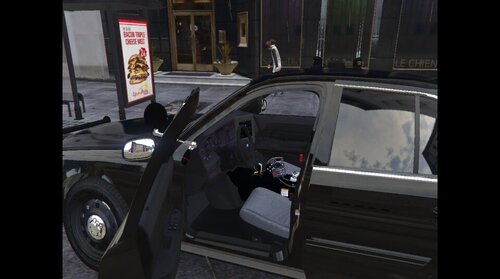
  1. unmarked FBI Ford Crown Victoria 2011 there are dark Windows
    • 5,061 Downloads
    • 12 Comments
    Updated
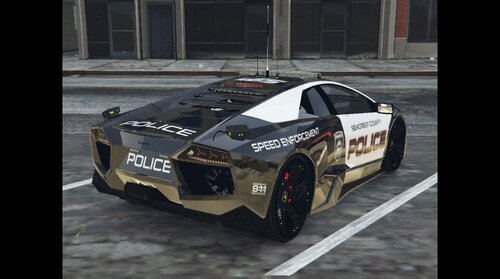
  2. auto done perfectly stands camera ELS device working speedometer  sorry I forgot to attach the file .ytd but I now fixed a good game
    • 16,402 Downloads
    • 21 Comments
    Updated
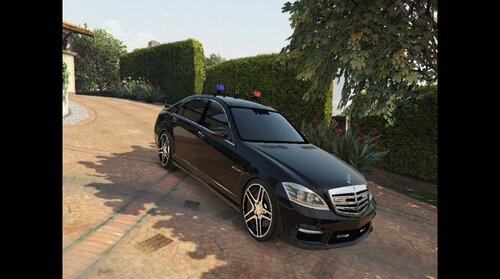
  3. a great car to accompany the President or the chief of the FBI + there are armored Windows
     
    • 2,822 Downloads
    • 4 Comments
    Updated
  4. a great car to accompany the President or the chief of the FBI
     
    • 1,976 Downloads
    • 2 Comments
    Updated
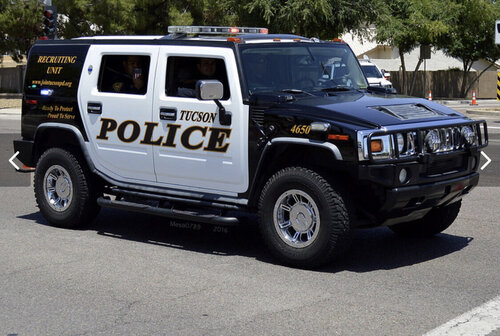
  5. Hummer_H2 is a great SUV for police officers to enjoy the game
     
    • 3,081 Downloads
    • 9 Comments
    Updated
  6. mercedes SLS AMG police sport car unmarked enjoy playing GTA5
     
    • 1,584 Downloads
    • 7 Comments
    Updated
  7. Hummer_H2 SUV for FBI enjoy the game gta5
     
    • 3,543 Downloads
    • 11 Comments
    Updated
  8. Mercedes-Benz Vito 250 2019 FBI [ELS] there are armored Windows enjoy the game and the car without changing the color and without numbers darkened glass
    • 2,156 Downloads
    • 3 Comments
    Updated
  9. auto done perfectly stands camera ELS device working speedometer
     
    • 10,627 Downloads
    • 10 Comments
    Updated

Account

Navigation

Search

Search

Configure browser push notifications

Chrome (Android)
  1. Tap the lock icon next to the address bar.
  2. Tap Permissions → Notifications.
  3. Adjust your preference.
Chrome (Desktop)
  1. Click the padlock icon in the address bar.
  2. Select Site settings.
  3. Find Notifications and adjust your preference.