


Daunting41
Members
-
Joined
-
Last visited
Everything posted by Daunting41
-
Found it being the firetruk.xml. What in those VCF Files causes the game to crash?
-
Alright. Thanks. So far so good.
-
Ok. I will go one by one and try and figure it out. If it crashes again, then I will do the _ELS and trial and error it.
-
I didn't have any VCF Files in the pack default folder. I placed them in there and now the game goes back to crashing again. I've added all the logs that I could think of. AdvancedHookV.log asiloader.log ELS.log RagePluginHook.log RagePluginHookLauncher.log ScriptHookV.log
-
After recopying the ELS Files. They still do not work in game.
-
Ok. Let me try. I should mention that I am not going through RPH for this but rather the steam launcher. Ok it ran fine with the _mods deal. I am going to start taking out some vehicles. That has been the only thing I have placed in the mods folder. Alright it loads fine now. However, ELS does not work still. I have recopied ELS files back on to GTA V again. Any thing else to try?
-
GTA V crashes on startup. I have reverified the game cache. Re installed that game. Re installed LSPDFR and ELS. It crashed last night when I added some callouts. I started on a fresh copy of GTA V this morning. If I take out Advancedhook.dll out of the directory, then the game loads just fine sometimes. What is the fix for this. RPH Keeps changing the console key to F4 after I've changed and saved it to use F7 also.
-
Anyone know of where I can download a firetruck with the vision slr lightbar?
-
The game doesn't recognize the folder and none of the mods work. Everything is back to the original
-
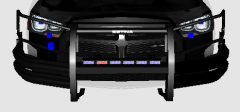 Thats awesome. I've lived in Ga my entire life & work with multiple agencies in the metro atlanta area. GCSO has got some sick cars, but can't forget GSP and APD. Depending on how far up I-85 you go there is Braselton PD. They've got a nice mixture of vehicles.
Gwinnett County!
Thats awesome. I've lived in Ga my entire life & work with multiple agencies in the metro atlanta area. GCSO has got some sick cars, but can't forget GSP and APD. Depending on how far up I-85 you go there is Braselton PD. They've got a nice mixture of vehicles.
Gwinnett County!

