- 228 downloads
- Version 1.0.0
FRANCAIS
Tous les modèles 3D des véhicules ont été réalisés par Medic4523. Seul les skins sont fait par moi. Merci de vouloir me demander en MP sur discord pour pouvoir les utiliser sur un serveur FiveM à ce nom: ⚡ŽĒŲŞ_ŦV⚡#4762
/!\Requiert/!\
Packs de véhicules de Medic4523: https://modification-universe.com/forums/index.php?/files/file/36-els-vg-pierce-arrow-xt-pack/
Batallion Chief vehicle: https://www.lcpdfr.com/downloads/gta5mods/vehiclemodels/14626-els-lsfd-battalion-chief-tahoe/
Installation:
1- Ouvrez OpenIV
2- Allez dans le dossier "Vehicles.rpf" Mods/update/x64/dlcpack/medic4523/dlc.rpf/x64/levels/gta5/vehicles/vehicles.rpf
3- Ensuite, ouvrez le fichier .ytd et tapez "sign" avec l'"edit mode"
4- Remplacez le fichier par le nouveau
5- Cliquez sur "Save", enlevez l'"edit mode"
6- Amusez-vous
ENGLISH
All 3D models of the vehicles were produced by Medic4523. Only the skins are made by me. Thank you for asking me in MP on discord to be able to use them on a FiveM server with this name: ⚡ŽĒŲŞ_ŦV⚡ # 4762
/!\Requires/!\
Medic4523 vehicle packs: https://modification-universe.com/forums/index.php?/files/file/36-els-vg-pierce-arrow-xt-pack/
Batallion Chief vehicle: https://www.lcpdfr.com/downloads/gta5mods/vehiclemodels/14626-els-lsfd-battalion-chief-tahoe/
Installation:
1- Open OpenIV
2- Go to the "Vehicles.rpf" folder Mods / update / x64 / dlcpack / medic4523 / dlc.rpf / x64 / levels / gta5 / vehicles / vehicles.rpf
3- Then open the .ytd file and type "sign" with "edit mode"
4- Replace the file with the new one
5- Click on "Save", remove the "edit mode"
6- Have fun


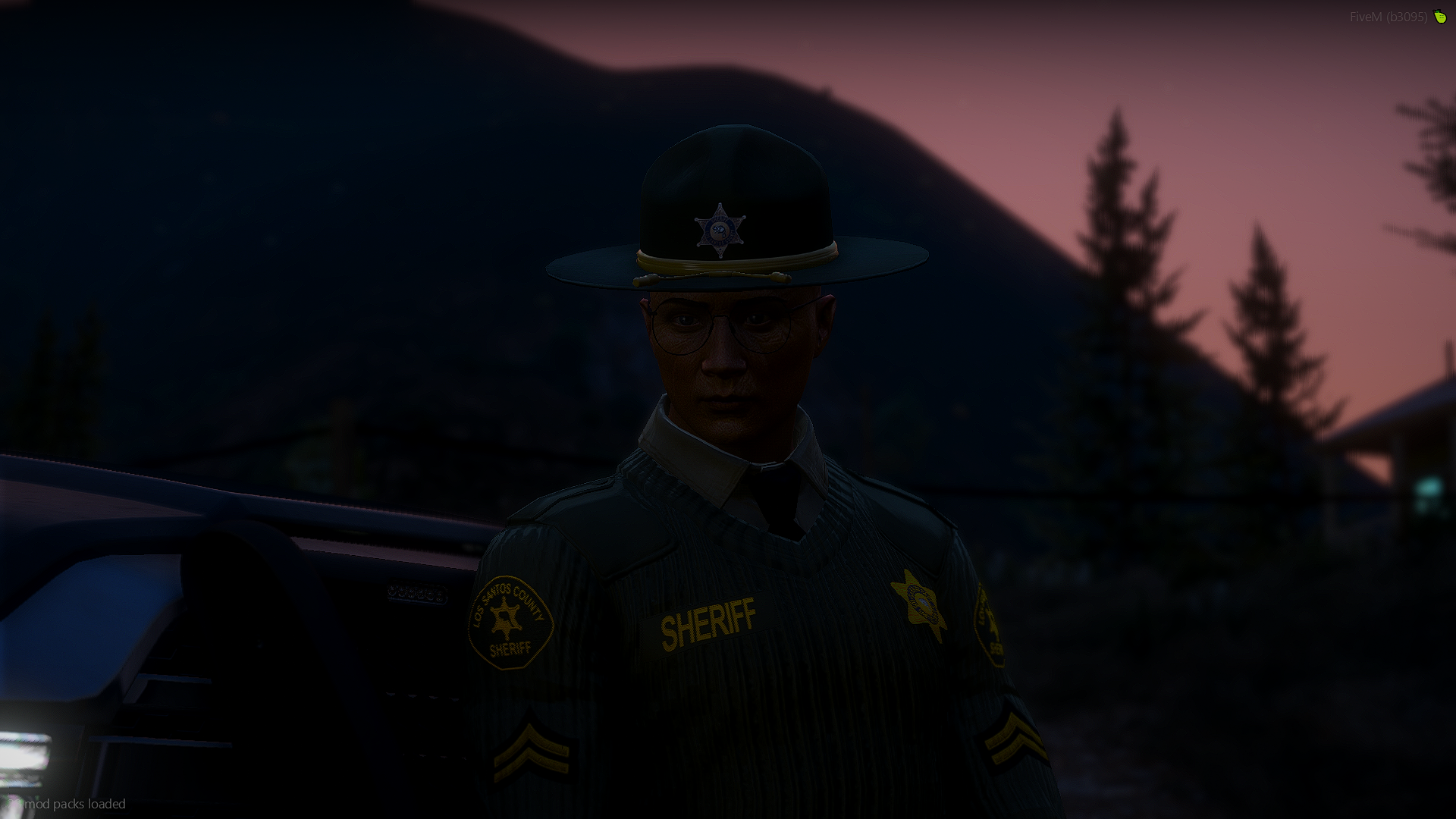
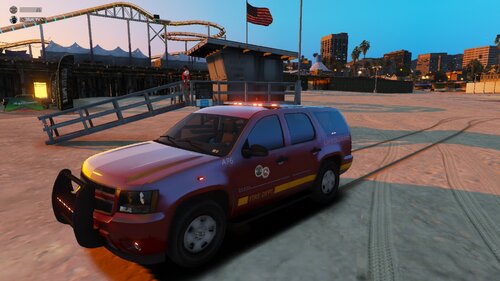 FRANCAIS Tous les modèles 3D des véhicules ont été réalisés par Medic4523. Seul les skins sont fait par moi. Merci de vouloir me demander en MP sur discord pour pouvoir les utiliser sur un serveur FiveM à ce nom: ⚡ŽĒŲŞ_ŦV⚡#4762 /!\Requiert/!\ Packs de véhicules de Medic4523: https://modification-universe.com/forums/index.php?/files/file/36-els-vg-pierce-arrow-xt-pack/ Batallion Chief vehicle: https://www.lcpdfr.com/downloads/gta5mods/vehiclemodels/14626-els-lsfd-battalion-chief-tahoe/ Installation: 1- Ouvrez OpenIV 2- Allez dans le dossier "Vehicles.rpf" Mods/update/x64/dlcpack/medic4523/dlc.rpf/x64/levels/gta5/vehicles/vehicles.rpf 3- Ensuite, ouvrez le fichier .ytd et tapez "sign" avec l'"edit mode" 4- Remplacez le fichier par le nouveau 5- Cliquez sur "Save", enlevez l'"edit mode" 6- Amusez-vous ENGLISH All 3D models of the vehicles were produced by Medic4523. Only the skins are made by me. Thank you for asking me in MP on discord to be able to use them on a FiveM server with this name: ⚡ŽĒŲŞ_ŦV⚡ # 4762 /!\Requires/!\ Medic4523 vehicle packs: https://modification-universe.com/forums/index.php?/files/file/36-els-vg-pierce-arrow-xt-pack/ Batallion Chief vehicle: https://www.lcpdfr.com/downloads/gta5mods/vehiclemodels/14626-els-lsfd-battalion-chief-tahoe/ Installation: 1- Open OpenIV 2- Go to the "Vehicles.rpf" folder Mods / update / x64 / dlcpack / medic4523 / dlc.rpf / x64 / levels / gta5 / vehicles / vehicles.rpf 3- Then open the .ytd file and type "sign" with "edit mode" 4- Replace the file with the new one 5- Click on "Save", remove the "edit mode" 6- Have fun