BirryL
Members
-
Joined
Files posted by BirryL
-
NEW QUESTION GROUPS
If you want more charges install CompuLite+| PINNED Charges | Specific Warrants | KM/H + MPH
Better Searches When everyone is breaking the law, it feels like no one is breaking the law.
- Easy to reconfigure now that everything has been categorized and sorted.
- Fewer peds will carry illegal weapons.
- Unlike other packs, peds won't usually carry two or three pistols on them.
- Find large, and small amounts of drugs.
- Plenty of brand new items.
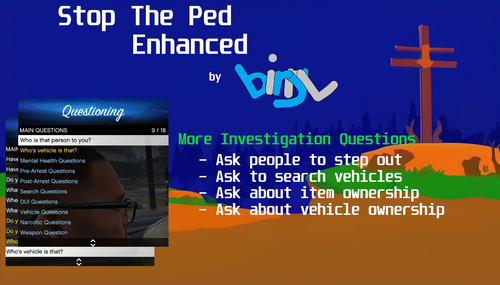
More Investigation Opportunities
Better Questions
- Aims to make the Q&A less repetitive by adding more answers to pre-existing questions (by default STP questions usually only have 3 or 4 answers).
- Adds new questions to further facilitate RP and Investigations.(Leave a comment with a question you want added!)
- Fixes a lot of typos in vanilla STP.
**This REQUIRES StopThePed by Beijoijo to work**
All credit for StopThePed, CompuLite, and Ultimate Backup Belongs to Beijoijo.
Thank you Beijoijo for keeping us entertained for all these years.
Check out my other files; CompuLite+ | PINNED Charges | Specific Warrants | KM/H + MPH
Join me on Discord to make suggestions, for support or to have general LSPDFR discussionsJoin me on Discord to make suggestions, for support or to have general LSPDFR discussions
PLEASE LEAVE SUGGESTIONS FOR ITEMS AND QUESTIONS
- 784 Downloads
- 2 Comments
Updated -
BirryL's CompuLite+ Revamps warrants, charges, and fines.
PLEASE LEAVE SUGGESTIONS FOR MORE CHARGES AND CITATIONS
Tired of charging Peds with the generic "Warrant for Arrest"?
Tired of every warrant having the same outcome in court?
Filling in the Gaps in Charges
- Adds quick access tab for frequent and some new charges.
These are only some of the charges added
- There's now a difference between illegal gun possession and a stolen gun, nice!
- Charge for tampering with the serial number on a firearm.
- Charge for producing fraudulent prescriptions.
- Send erratic peds away for a psychological evaluation or detox.
- Tell me if you find any gaps or missing offences, and I'll be happy to add them.
New Narcotics System -more realistic case outcomes
- Adds a tab filled with more lenient charges for less severe offences, and a tab of harsher ones for the worst offenders.
Expanded and Enhanced Warrants
- Adds two tabs of in and out of state warrants to send Peds off with.
- Sentences based off of offences, and a renamed blanket warrant charge to fit in. (Renamed "*State of LS Unspecified Warrant*" and "*Out of State Unspecified Warrant*"
- Config sorted in Alphabetical Order for easy editing and adding.
Join me on Discord for discussions and general LC/LSPDFR support!
Optimized for ENHANCED STP SEARCH ITEMS, QUESTIONS HERE
**This REQUIRES CompuLite by Beijoijo to work**
All credit for StopThePed, CompuLite, and Ultimate Backup Belongs to Beijoijo.
Thank you Beijoijo for keeping us entertained for all these years.
- 1,159 Downloads
- 13 Comments
Updated