



EvanGaming2022
Members
-
Joined
-
Last visited
Everything posted by EvanGaming2022
-
yea no problem! I know how it feels for lspdfr to not work so just hang in there. Otherwise best of luck to you in the future!
-
well when you have a clean directory with no mods there stands a better chance of lspdfr working rather then keeping your directory as is right now. So I would highly recommned that you reinstall it but its your choose.
-
try reintalling gta 5 and after installed dont add any mods that use scripthookv.
-
-
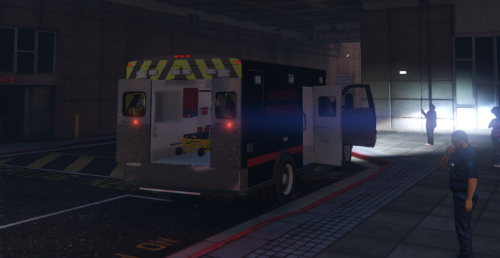 when I install the truck and turn the lights on they work but they are not attached to the truck to they are floating.
- 17 comments
- 4 reviews
-
set the threshold timeout to 50000. that should at least let you play
-
try setting the threshold timeout to 50000
-
I will thank you!
-
Charlie guess what? I fixed the problem im not sure why I did not do this before but I verfiyed my game data and when I launched the game with 50,000 threshold it worked. Gosh man you are the best thank you a bunch for helping mee! Evan
-
its still crashing 😞 and now when I try to play with out lspdfr it crashes even more
-
wait if I remove the plugin's folder from my directory would that help?
-
sure!
-
when I set it to 50000 the game crashes faster then it did on 10000. could it be the amount of storage that I have?
-
ok ill try that by the way thank you so much for helping me!
-
correct and let me try that now! in the past when I set the threshold to 60000 the game would crash so ill see if this works alright when I load the game it makes three beeping sound then the screen turns black and crashes.
-
here they are RagePluginHook_05102020_220751.logRagePluginHook_05102020_224514.logRagePluginHook_05102020_221759.log
-
ok lemme send you it!
-
ok so when I went to logs there was nothing in it, I might have explained the crash a bit wrong, basiclly what happends is I can play the game about 5 minutes and the game crashes lspdfr doesnt just the game it self. After the game crashed I ran gta 5 without rph or lspdfr and for a few minutes it worked but then it did the same thing and crashed, this is after I reinstalled the game with a clean directory. im not sure if this has anything to do with gta 5 but when gta 5 does crash an error pops up on my screen saying either please reboot or something about my directx 10 or 11 or something about chrome.exe and then sometimes it just crashes with no error.
-
jeff faviano is pretty good but my favorite is firstthirtyminutes
-
sure!
-
Hello Iv been playing gta 5 for about 3 months now and its been working ok, a couple of days ago I was playing lspdfr and it was working like a breeze. A day later when I loaded up the game I was able to play for about 5 minutes intill the game just froze and crashed. Later that day I reinstalled gta 5 with no mods besides lspdfr and real sirens. I was able to play for about 10 minutes and then game just froze and crashed again and on top of that it was a clean directory. Im not sure if this matters but after it crashed the screen turned black for a few seconds and then it said this error "0ex00000008" iv ran gta 5 as admin and it still crashed. Can somebody help me Thank you Evan
-
wait if you reinstall the asi loader what happends?
-
yea I just wished it would work 😞 but I guess it is what it is. yea I had 2 real cars but other than that no wait did you actully get in game or where you stuck on the loading screen?
-
I was able to play twice and then it started having problems.
-
yea its happening to me again to and this time its not even loading into the game it gets stuck on the loading screen yes me too


