
ChyknYT
Members
-
Joined
-
Last visited
Files posted by ChyknYT
-
This is an original livery designed by myself. It's nothing revolutionary, but I felt proud enough of it to upload. One thing I'm not particularly proud of is the size of the seal on the rear of the explorer but it's not a game breaking issue so I don't care enough to change it. If you have any tips, suggestions, or the such then please leave a comment. I don't do free skins. If you want a custom skin then DM on discord: Chykn#8466
Here's the models.
Thanks for taking a look.
- 110 Downloads
Updated -
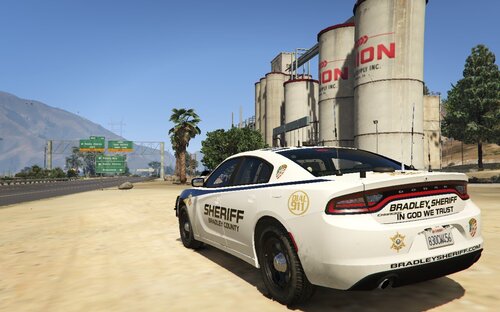
This is a skin for a 2018 Dodge Charger. It's the best model I could find for the skin. This is my first uploaded skin so don't be too harsh. Constructive Criticism is welcome as I haven't been skinning too long. One issue I know is that the center antenna gets in the way of the badge on the back. I won't move the badge because it's part of the official livery.
Model : lcpdfr.com/files/file/20360-els-2018-unmarked-charger/
- 218 Downloads
- 16 Comments
Updated