Karl B
Members
-
Joined
-
Last visited
Files posted by Karl B
-
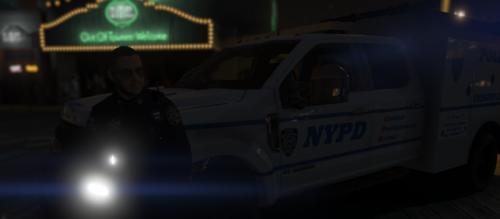
This is an NYPD ESU Livery for @JackTheDev ESU Truck , public Release
You can download the vehicle here:
How to install: Drag the YTD into openiv -> enable edit mode -> import the livery and replace it -> save and replace the YTD in the folder and your done!
- 263 Downloads
Updated -
This Texture Pack is made, by myself, which consists of 5 skins total, one for each car, for Washington Police Department, for Warren M's 5 car Sheriff Pack (Public Release)
Link To Models:
You do NOT have permission to reupload this anywhere else
How to install:
Download Warrens Models -> Open the YTD file in OpenIV -> Import the sign files into the YTD -> click ok -> replace the YTD and that's it, your done.
I will update the file with the valid invite link once @WarrenM re-releases the pack. Also so shout out to him for making some amazing cars!!!
- 198 Downloads
Updated -
This Texture Pack is made, by myself, which consists of 3 different departments: Blaine County Sheriffs Office, Los Santos Police Department and San Andreas Highway Patrol, for Warren M's 5 car Sheriff Pack (Public Release)
Link To Models:
You do NOT have permission to reupload this anywhere else
I am aware of the textural issue on the 2018 charger LSPD skin and it will be updated soon 😉
How to install:
Download Warrens Models -> Open the YTD file in OpenIV -> Import the sign files into the YTD -> click ok -> replace the YTD and that's it, your done.
- 35 Downloads
- 3 Comments
Updated -
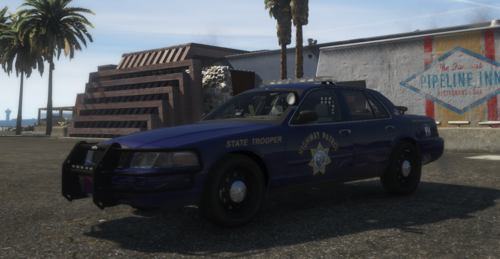
This is a livery that I have made for Jacob/Zeakors 2018 Dodge Charger - Non-ELS.It is a SASP livery which is Nevada based. I do not claim to own the vehicle, I have just reskinned it.
Link to Model:
How to install:
Download Jacobs Model -> Open the YTD file in OpenIV -> Import the chgr_sign_1 into the YTD -> click ok -> replace the YTD and that's it, your done.
- 96 Downloads
Updated -
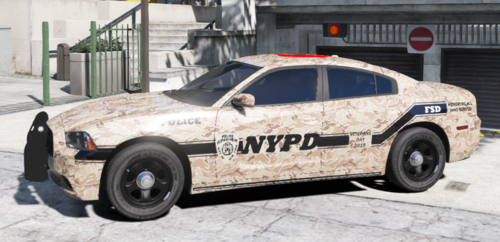
This is a livery for the 2019 Veterans Day/ Remembrance Day based on NYPD's 2018 texture that I have made for JackTheDev's 2014 - Non-ELS - Fivem- Ready - Dodge Charger. I do not claim to own the vehicle, I have just reskinned it.
Link to Jacks Discord:https://discord.gg/ckSKxV
Link to Model:https://www.lcpdfr.com/files/file/23936-2014-dodge-charger-non-els-fivem-ready/?do=findComment&comment=213315
How to install:
Download Jacks Model -> Open the YTD file in OpenIV -> Import the chgr_sign_1 into the YTD -> click ok -> replace the YTD and that's it, your done.
- 33 Downloads
- 4 Comments
Submitted -
This is a livery that I have made in thought of suicide awareness month for JackTheDev's 2014 - Non-ELS - Fivem- Ready - Dodge Charger. I do not claim to own the vehicle, I have just reskinned it.
Link to Jacks Discord:https://discord.gg/ckSKxV
Link to Model:https://www.lcpdfr.com/files/file/23936-2014-dodge-charger-non-els-fivem-ready/?do=findComment&comment=213315
How to install: Download Jacks Model -> Open the YTD file in OpenIV -> Import the chgr_sign_1 into the YTD -> click ok -> replace the YTD and that's it, your done.
- 57 Downloads
- 2 Comments
Updated