




Officer Weeb
Members
-
Joined
-
Last visited
Everything posted by Officer Weeb
-
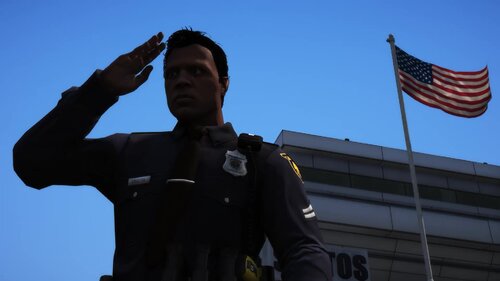 Protecting the Alamo City I made EUP uniforms to go with my SAPD livery pack! Remember to read the Read Me! If there's anything I forgot, then let me know!
 -
-
-
.thumb.png.f79d6b14ef43b44ffc3010054c6572cc.png) Protecting the Alamo City. This is my first ever upload so I hope you like this skin pack! The 2014 explorer is meant to be used with t0y's Fort Worth pack. The crown vic, charger, 2016 explorer, and 2020 explorer are for Ripple's LSPD Legacy Pack.
Protecting the Alamo City. This is my first ever upload so I hope you like this skin pack! The 2014 explorer is meant to be used with t0y's Fort Worth pack. The crown vic, charger, 2016 explorer, and 2020 explorer are for Ripple's LSPD Legacy Pack.- 13 comments
- 1 review
-
-

- 2
-
-
I installed Jurisdictions + and that solved the problem for me. My backup always responded without holsters on their belt but once I installed this mod, they looked like the ambient peds in front of police stations.

.thumb.png.f79d6b14ef43b44ffc3010054c6572cc.png)