Skip to content
View in the app

A better way to browse. Learn more.

LCPDFR.com

A full-screen app on your home screen with push notifications, badges and more.

To install this app on iOS and iPadOS
  1. Tap the Share icon in Safari
  2. Scroll the menu and tap Add to Home Screen.
  3. Tap Add in the top-right corner.
To install this app on Android
  1. Tap the 3-dot menu (⋮) in the top-right corner of the browser.
  2. Tap Add to Home screen or Install app.
  3. Confirm by tapping Install.

Jake P.

Members
  • Joined

  • Last visited

Files posted by Jake P.

  1. This project is about 2 years old now, So no support will be given, Well i give to you a 2013 Unmarked explorer.

    Discord: https://discord.gg/unNW4rSFNx
    • 2,635 Downloads
    • 5 Comments
    Updated
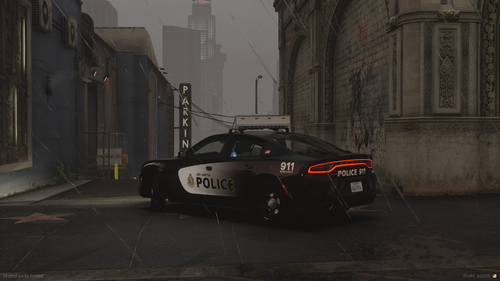
  2. This is not 100% accurate to the VPD Chargers
    this charger is old and support will not be giving


    Skins by Skin Works
    You Can NOT Unlock This Car  You Can NOT Claim It as your own
    • 2,093 Downloads
    • 1 Comments
    Updated
  3. I bring you a Vespucci Police Department Car Pack
                                                                                                                               Enjoy!!!
                                                                                                                       
                                                                                                                             Discord - https://discord.gg/bdn4NqqgAy
           Vehicles
    2016 Ford Police Interceptor Utility (Marked) 2016 Ford Police Interceptor Sedan (Marked)                                                                                                 2018 Dodge Charger (Marked)                                                  


            Terms of Use:
    You Can NOT Unlock This Car  You Can NOT Claim It as your own
    • 5,022 Downloads
    • 9 Comments
    Updated

Account

Navigation

Search

Search

Configure browser push notifications

Chrome (Android)
  1. Tap the lock icon next to the address bar.
  2. Tap Permissions → Notifications.
  3. Adjust your preference.
Chrome (Desktop)
  1. Click the padlock icon in the address bar.
  2. Select Site settings.
  3. Find Notifications and adjust your preference.