
Kasper Lostic
Members
-
Joined
-
Last visited
Everything posted by Kasper Lostic
-
-
Hello 🙂 So I just installed Elmo's PD pack using Albo's modding DLC. I am however having an issue. I cannot performe trafic stops with said vehicles. I press shift, like I normally would, but I do not get the blip, and they just drive straight for hours. Did I do something wrong in the Meta files or in the Carvariation files? Or did I do something else wrong? Kind regards - Kasper
-
where do you download it?
-
 Same, especially the "panic call" where you just see the cop dead. Took me like 15 calls to figure out there was a person you needed to find
- 200 comments
- 27 reviews
-
 update this please!
 -
-
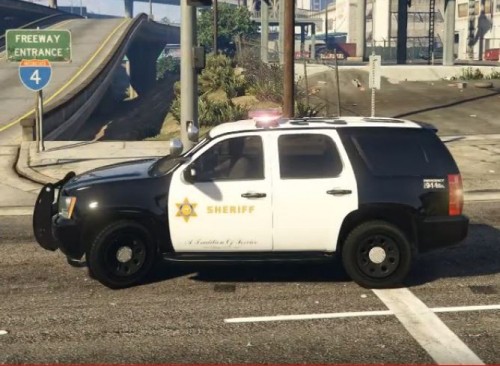 Nice Skin, definitely gonna down that 😄
 -
 I needed this callout pack. This has really changed my way of playing LSPDFR, thank you so much for adding this 😄
- 57 comments
- 4 reviews
-
-

- 2
-
-
-
 When I started LSPDFR I always yelled at the vocal dispatch, because it didn't know any of the 10 codes. Then I stumbled across your mod. This mod changed my way of playing this game. Before I rarely used vocal dispatch, now I do it all them time. This has added so much realism into my game, and it's so nice to finally have 10 codes in the game. I really hope you keep updating this, because this is at MUST HAVE mod, and I cannot play without it. - Kasper Lostic
- 132 comments
- 26 reviews
-
-
- 2
-
-
-
Giving you five start was not a hard decision. You have put so much time and effort into this lovely Calloutpack, and you have listened to all the suggestion there has been to make this something very unique. This callout pack is the best I have seen so far, and I enjoy going on duty and respond to one of your callouts. It's a true pleasure to see all the good details, and how many different callouts are in this pack. You have really done a great job with this. Keep up the good work, I cannot wait to see new callouts being added to this. - Kasper Lostic
- 200 comments
- 27 reviews
-
-
- 1
-
-
This is one of the best callout mods I have ever seen. Great work! Everyone should really consider downloading this.
- 200 comments
- 27 reviews
-
-
- 1
-
-
-
Maybe you need to adjust your PTT To adjust your plugin timeout threshold you need to go into the RAGE Plugin Hook settings. The quickest way to open this is to hold the Left Shift Key and double click on your RagePluginHook.exe. Once the settings screen opens you can let go of the shift key. On this screen, you'll see a box that probably says 10000 and is called 'Plugin timeout threshold'. Change this value to 60000 and save. Maybe you need to adjust your PTT To adjust your plugin timeout threshold you need to go into the RAGE Plugin Hook settings. The quickest way to open this is to hold the Left Shift Key and double click on your RagePluginHook.exe. Once the settings screen opens you can let go of the shift key. On this screen, you'll see a box that probably says 10000 and is called 'Plugin timeout threshold'. Change this value to 60000 and save.
-
LSPDFR IS THE BEST
-
Oof, I did not see that. Thanks for the headsup
-
So I had the same issue as many of you. I saw this video on youtube and tried it out, and it actully worked.
-
You can also see in the log, that no attemt to load any mods has been made, prior to the crash, so it has to be RPH
-
I'm having this issue, where my RPH does not load probarly. I have tried everything, but nothing helps. Anyone got a solution? RagePluginHook.log
-
I am having the same issue, it's not LSPDFR causing it, it is RPH that is not loading probarly.