
F0r3sT
Members
-
Joined
-
Last visited
Everything posted by F0r3sT
-
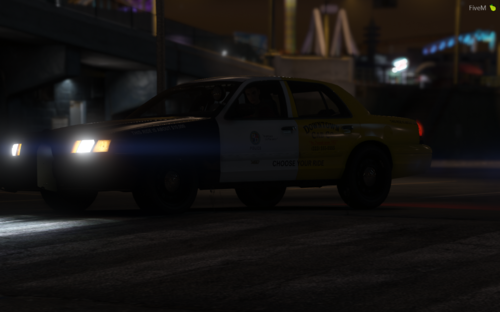 Here is my CVPI Choose Your Ride Work! --- I made couple of LSPD Vehicles Before. Wanted to make something different today! If you see any bugs and if you have any suggestions make sure to write it down below! --- This Livery Includes -2011 Crown Victoria Police Interceptor. ---
 -
 It's a private release made by a buddy.
 -
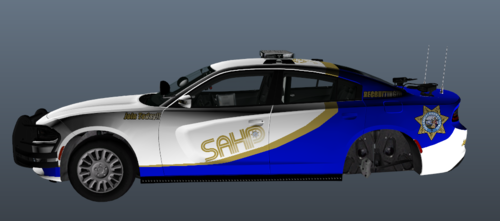 This is actually a good skin to use when training new recruits! Didn't see one in LCPDFR ever I think, unique work!
 -
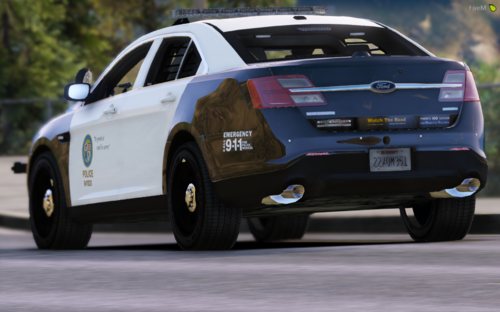
Here is my Los Santos Police Department Mini Pack for Grand Theft Auto V. --- I made a 2016 LAPD Tahoe before and I decided to do 3 more vehicles for LSPD this time! I'm new at GTA V Livery Developing, so it might not be the best. Leave your suggestions in comment section! --- This Livery Mini Pack includes Los Santos Police Department Liveries for: -2018 Dodge Durango -2018 Dodge Charger -2016 Ford Taurus.
-
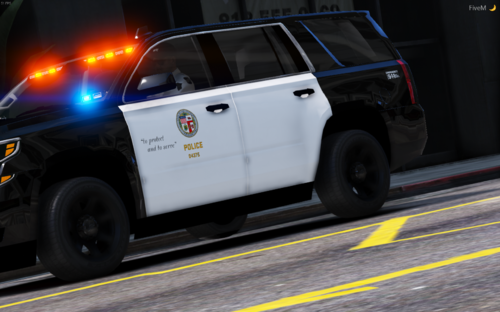 I will do one soon!
 -
I was looking for some beautiful liveries to do. I came out with a idea, making a LAPD 2016 Tahoe. I started looking for some newer models from LCPDFR, I found Joshua's model. I downloaded the file, and started it editing it, and here it is. I might do a LAPD pack in the future. Have a safe patrol. Screenshots are taken personally by me.