


Josh.
Members
-
Joined
-
Last visited
Everything posted by Josh.
-
@locdog So, still cant get it to work. Did you upgrade from 0.4.2 and this issue started happening, or did it happen before you upgraded to LSPDFR 0.4.2?
-
You're fine, just go into LSPDFR 0.4 Support and post your problem. Make a new topic.
-
@MurkSquadGaming You cant go on every single support topic and post your problem. You need to make a brand new topic explaining your issue. We are all trying to get support...
-
Did you by any chance keep loading LSPD First Response? If so just load all your plugins or what not once and send me that RPH log. (just quote me here)
-
It was worth a try, still having the same issue. I'm quite curious as to why this is the last thing before it crashes. Maybe I'm onto something or maybe it's just a normal thing and my game is crashing from something else. Imma continue to dive into the OpenIV files to make sure I didn't mess anything up there when I was editing stuff. Another thing I completely forgot to mention and went right over my head. I recently got the new update for PeterUCallouts, AND installed 0.4.2 both around the same time, and then it started getting this issue, so I don't know if it's something having to do with PeterUCallouts but it's just something worth to mention. I know in the past there has been some crashing issues happening to youtubers with audio folders with certain callout packs, and I've tried removing the PeterUCallouts audio but it doesn't seem to do much.
-
Still having the same issue. I've spent the last two days putting skins on cars, changing ELS lights from blue to red and blue, and changing carcols & carvariations inside of a DLCPack. Everything worked fine, I decided to get on LCPDFR before I went to bed. 0.4.2 came out, installed it, and went to bed. Woke up today and I've had this issue. I can remove the dlcpack just to see if it is something with what I edited yesterday but other than that I have no more idea's. I also tried to load all plugins on startup, and that didn't do anything. I did notice something different though. It loads all plugins, and wants to load me into the game. You can see it starts to zoom in on Michael or what not then fades to black and that's kinda when the issue occurs.
-
It's always been set to the 60,000, changed it when I saw PNWParks suggest it in his discord server, so I tried it, and haven't had any issues with it in the past. I recently changed it to 30,000 (by recently I mean today) but I could try changing it back 60,000 or try putting it lower. I'll try 60,000 again and if that doesn't work I'll let you know.
-
The title may be a bit confusing, so let me explain further. I start RPH, all goes fine. I type ReloadAllPlugins in console to load all of my plugins. Everything loads fine except LSPD First Response. Loads the apartments, then it crashes, but instead of giving me a notification or something, the "LSPDFR" in the bottom right corner just keeps loading. I'm on the newest version of LSPDFR (0.4.2). Worked fine until I updated it. RPH Log: RagePluginHook.log I'd appreciate it if someone could figure out the issue. I've also tried to remove all of the plugins, and it still crashes without any plugins except LSPD First Response.dll. Here are my plugins (I have quite of bit of plugins so I'll just list them here:
-
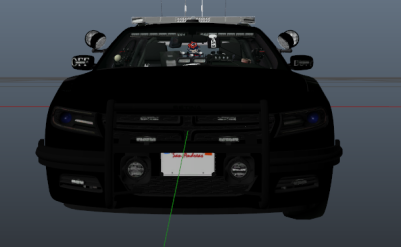 The Off Duty Admin charger has an admin driving it but the admin is on duty yet the charger says off duty, and my admin is on duty, so is my admin on duty or off duty? this is a very :thonk: moment
- 4 comments
- 1 review
-
Off Duty Admin Charger but an admin is on duty while driving the off duty charger but he is also on duty...
- 4 comments
- 1 review
-
-

- 1
-
-
-
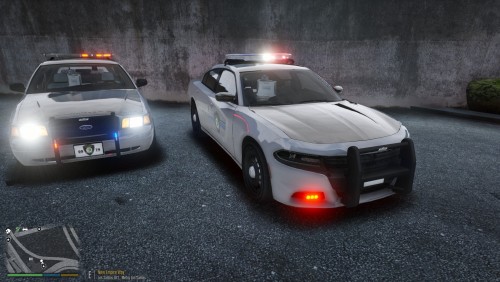 The pack is great, although I think you should organize the file a bit more. Put the Crown Victoria in a "crown Victoria" folder, and so fourth with the other vehicles. Only will take like 5 minutes, and helps anyone who doesn't want to replace all their LSPD vehicles or just wants to add one specific vehicle as an addon.
- 10 comments
- 1 review
-
-
- 1
-
-
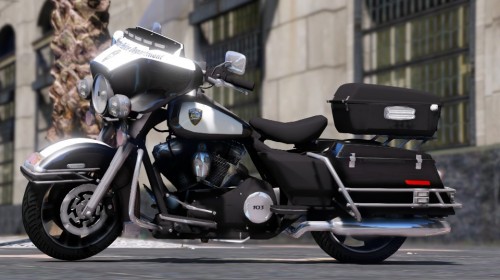 Thanks! I look forward to using the pack soon in my game.
 -
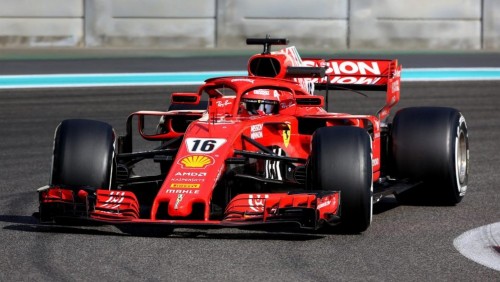 I love it, It's unique. No one ever would've thought of it. Nice job. Somehow it actually feels like it would fit in with the radio...
- 5 comments
- 1 review
-
-
- 1
-
-
Might want to put them down in the description ^ People don't usually look in credits. Just makes it easier for us.
-
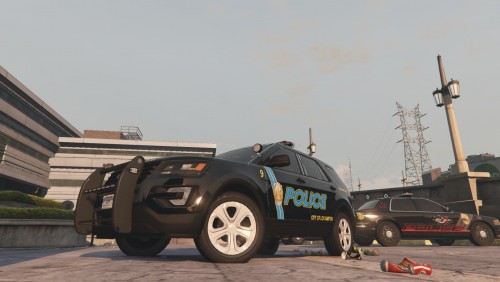 As a person who currently lives in Ohio, and once lived in Akron, it's a pretty good texture pack.
 -
-
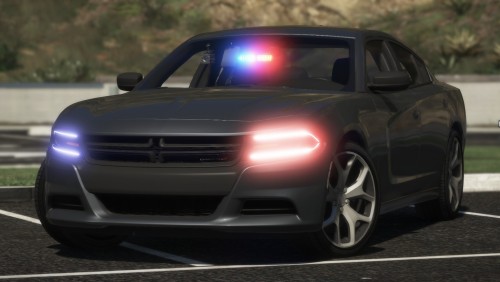 @volten8720 You download it, Open the folder, open "replace", open "SXT Wheels" or "SE Hubcaps" and replace.
- 43 comments
- 14 reviews
-
-
-
.thumb.jpg.182dedb1a55dea252c1853d35d4d1e3c.jpg) K So I'm back on here answering and stuff! So, lets get started First off he's working on an EUP 8.1 pack for this exact thing. Nothing will change, all he is doing is remapping them, etc. EUP 8.1 changed a lot so he has to do all of this, you can follow his progress here: https://discord.gg/v7sqAPV (This is my link I created to his discord, there may be others.) Second, To get the belt and bodycam, if you were wondering, I will attach screenshots so you can get the exact same uniforms he gets when he updates it. This is also another thing that EUP 8.1 has changed, so you will need to go to different locations. Also, if you've been on for LSPDFR no longer than a minute and question why you aren't looking in the vehicle models section, you should get OpenIV. You will need OpenIV to install mostly everything on this website. That includes EUP Uniforms, Vehicle Textures, Vehicle Models, etc. Make sure you have edit mode on, or you will not be able to replace the files. EUP Belt Replacement & Holster Your sizes and everything will not look mine, but for the Belt, you want to go into ComponentPeds.rpf, and replace the textures in the following folders: mp_m_freemode_01 mp_m_freemode_01_male_freemode_hipster EUP Bodycam & Mic Same location as last time: Mods>Update>x64>dlcpacks>eup>dlc.rpf>x64>eup_componentpeds.rpf Now replace the textures inside of the folders: mp_m_freemode_01_male_apt01 mp_m_freemode_01_mp_m_luxe_01_ You want to make sure these are the male versions, and not the female versions. As far as I'm aware, there is no female versions yet. That is something you can handle with the developer. Hope this helped clear up a lot of things you had questions about.
K So I'm back on here answering and stuff! So, lets get started First off he's working on an EUP 8.1 pack for this exact thing. Nothing will change, all he is doing is remapping them, etc. EUP 8.1 changed a lot so he has to do all of this, you can follow his progress here: https://discord.gg/v7sqAPV (This is my link I created to his discord, there may be others.) Second, To get the belt and bodycam, if you were wondering, I will attach screenshots so you can get the exact same uniforms he gets when he updates it. This is also another thing that EUP 8.1 has changed, so you will need to go to different locations. Also, if you've been on for LSPDFR no longer than a minute and question why you aren't looking in the vehicle models section, you should get OpenIV. You will need OpenIV to install mostly everything on this website. That includes EUP Uniforms, Vehicle Textures, Vehicle Models, etc. Make sure you have edit mode on, or you will not be able to replace the files. EUP Belt Replacement & Holster Your sizes and everything will not look mine, but for the Belt, you want to go into ComponentPeds.rpf, and replace the textures in the following folders: mp_m_freemode_01 mp_m_freemode_01_male_freemode_hipster EUP Bodycam & Mic Same location as last time: Mods>Update>x64>dlcpacks>eup>dlc.rpf>x64>eup_componentpeds.rpf Now replace the textures inside of the folders: mp_m_freemode_01_male_apt01 mp_m_freemode_01_mp_m_luxe_01_ You want to make sure these are the male versions, and not the female versions. As far as I'm aware, there is no female versions yet. That is something you can handle with the developer. Hope this helped clear up a lot of things you had questions about.- 256 comments
- 29 reviews
-
-
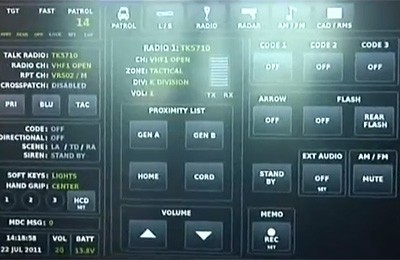 To have 101 downloads and not one review or comment... That's quite messed up. Honestly, for your first skin its a start. It's nice to see people like you take time out of their day to learn how to make skins and edit it, etc. Nice job.
 -
Just went on Modification Universe and saw 3 new outfits. That's what I like to see, that's great. Keep up the phenomenal work GreatTheftPD!
- 256 comments
- 29 reviews
-
 @CodeyWynne Update for EUP 8.1? (also wanted you to update the Bodycam for EUP 8.1, just wanted to not spam you with mentions for a simple update. Btw, They're great addons, just would like it updated for EUP 8.1 🙂) Right, I've had this issue before. I've completely forgot how I fixed it, If you both PM me I could try and link you the Original EUP files for the peds & all that stuff
- 124 comments
- 37 reviews

.thumb.jpg.182dedb1a55dea252c1853d35d4d1e3c.jpg)

