


Lukaz
Members
-
Joined
Everything posted by Lukaz
-
Any LSPDFR plugins like Stop the Ped, Ultimate Backup or Traffic Policer go into your plugins>LSPDFR folder. Any plugins that load with rage like Cop Holster or EUP go into your plugins folder. Any plugins that load with GTA it's self like ELS go in your main folder.
-
Check if it's still in your plugins folder. And try to reloadallplugins using the F4 menu in game.
-
Reinstall the policesmart radio.
-
Do you have 'enhanced vehicle actions' if so remove it.
-
Try running rage as an admin and disabling your anti-virus or add your GTA folder to the anti-virus exceptions list.
-
 Ask bejoljo to make his roadblocks effective first lol
 -
Wait until you get shot at lol, I’m trying to work out how to stop the solider from exiting the tank Yea it was a good conversation!
-
We need it! I don’t have the skills to make the helicopter fly!
-
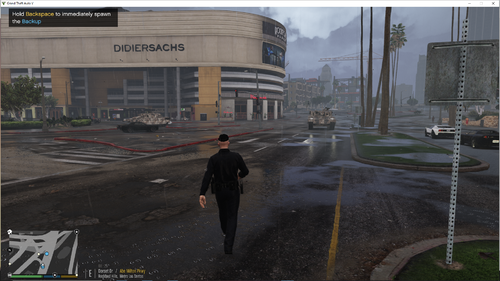
Hello all! This file adds the option to call a literal tank in LSPDFR! What might you possibly need this for? Well.... the only time I think you'll need it is on a ''Pursuit of a tank'' callout! Takes one to beat one! I recommend only calling it on a pursuit because just a tank coming in code 3 is a bit pointless tbh. Question 1: Why did you make this ? It all started in Bejoljo's discord server! We were talking about Ultimate Backup's 1% effective roadblocks and someone mentioned a roadblock that refused to stop a tank, and since the user would have no way to stop a tank I said ''Bet you would want to call a tank to help then'' and then I got the ridiculous idea to make this plugin for no good reason. 2: This is trash you're dumb go die Thanks for the comment! Now please go back to your mothers basement and don't bother me again! Support: For support with this file or anything GTA/LSPDFR related you can join This discord server How to install:
-
Please post your rage plugin hook log, it's a text file named ragepluginhook
-
Anything that's verison 4+ should be fine.
-
 Can you add the option to disable the naked girl callout for people making youtube? Thanks.
- 255 comments
- 16 reviews
-
Root.
-
It won't undoubtedly fix it, stop the ped is the issue because it can't find ragenativeUI. And a 10000 plugin timeout threshold will break your game soon enough. Best place to get rage native is with the stop the ped download.
-
Change your rage plugin timeout threshold to 60000 and install ragenative UI.
-
Please attach your rage plugin hook log and make sure you have arrest manager and traffic policer installed.
-
Please send your rage log for me to look at sir.
-
Makre sure you have arrest manager and traffic policer installed as these are needed.
-
Try removing Xscanner and Roadincident
-
Stop the ped is a good replacement here
-
If it's still not working, send a screenshot of your plugins> lspdfr folder.
-
Send a screenshot of your GTA folder. If it says the game is already launched go into task manager and end it.
-
Yea, something from that is overwriting any subtitles from interaction+ and stp.
-
Try launching GTA first then once the sirens appear open rage.
-
Try using forced window mode


