Ryan Miller
Members
-
Joined
-
Last visited
Files posted by Ryan Miller
-
DISCLAIMER:
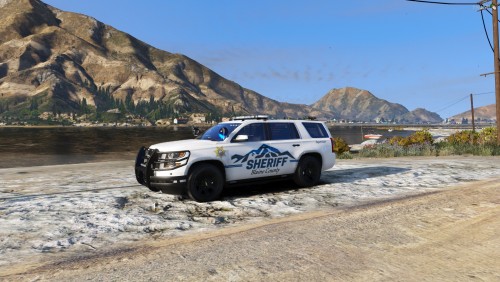
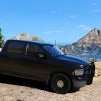
This is a skin not a model. The model is McGinlays 2015 Non-ELS Tahoe. I do not take credit for his work, just the skin I take credit for.
ABOUT THIS SKIN
The livery is based off of Blaine County Idaho, however somethings are different/changed up a little bit. Please keep in mind, this is my first skin that I have released. Feel free to message me on discord Miller103#0924 . This model is NON-ELS
INSTALLATION
This is a addon vehicle, so you are have to go to the following file location: C:\Program Files (x86)\Steam\steamapps\common\Grand Theft Auto V\mods\update\x64\dlcpacks\patchday3ng\dlc.rpf\x64\levels\gta5\vehicles.rpf\ USING OPENIV drag and drop the ytd. and yft. files in the vehicles.rpf folder, and just replace the skins in the texture editor. If you would like a more detailed explanation feel free to dm me.
- 94 Downloads
Submitted