Skip to content
View in the app

A better way to browse. Learn more.

LCPDFR.com

A full-screen app on your home screen with push notifications, badges and more.

To install this app on iOS and iPadOS
  1. Tap the Share icon in Safari
  2. Scroll the menu and tap Add to Home Screen.
  3. Tap Add in the top-right corner.
To install this app on Android
  1. Tap the 3-dot menu (⋮) in the top-right corner of the browser.
  2. Tap Add to Home screen or Install app.
  3. Confirm by tapping Install.

DietTrooper

Members
  • Joined

  • Last visited

Files posted by DietTrooper

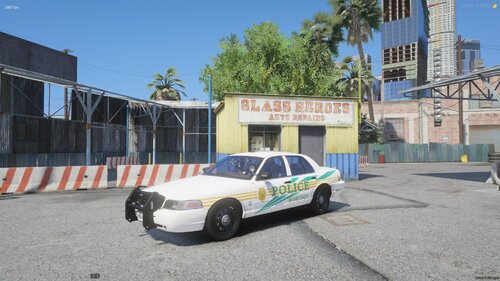
  1. I made this pack for a FiveM community I was apart of a few years back and I'm now releasing it as the community has shut down its FiveM platform and went their separate ways. The pack is no means perfect, but I'm still incredibly proud of what I made a few years ago as one of my first PD Packs. 
     
     
    - This release is exclusively available on LSPDFR.com & Modification Universe.
    - Feel free to use this pack on your FiveM server. 
    - Please refrain from claiming my work as your own or reuploading it to any website or forum.
    - If you lack the basic knowledge to install this pack, please consult YouTube, the LSPDFR forums, or the CFX Forums.
    • 227 Downloads
    Updated

Account

Navigation

Search

Search

Configure browser push notifications

Chrome (Android)
  1. Tap the lock icon next to the address bar.
  2. Tap Permissions → Notifications.
  3. Adjust your preference.
Chrome (Desktop)
  1. Click the padlock icon in the address bar.
  2. Select Site settings.
  3. Find Notifications and adjust your preference.