


iRagingNinja
Members
-
Joined
-
Last visited
Everything posted by iRagingNinja
-
Hi all, I am still in the process of modeling my first CVPI for private use, and hopefully eventually a public version/release. However, I am having problems adding mirror lights. When I import the model, they are too close together, and I can't figure out how to spread it out so they fit on each mirror. I've tried scaling, but they become too big once they're aligned with the mirrors. (I am using these: http://gtapolicemods.com/downloads.php?do=file&id=2063) Thanks! P.S I'd be happy to post pictures, if that helps.
-
The title may seem confusing, but this is what I mean. After you initiate a traffic stop, LCPDFR v1.0 (and 1.0a) requires you to get uncomfortably close to the vehicle, before it gives you the "go ahead" or "Exit your vehicle" message. If you park any farther away, and exit your vehicle without first receiving that message, the subject's vehicle will take off on you like you never stopped them in the first place. My question is; is if there is any way to customize/change that distance? In real life (from my own Law Enforcement experience, and talking to many deputies/officers) they will usually not park that close to the stopped vehicle unless the road structure forces them to. Is there a way to either change the distance to a fixed amount, or to turn it off completely?
-
I noticed playing with a clan member online, the traffic stops were working just fine, every single time. If they took off, it was because of a failure to yield, not because it bugged out. I also notice, when the stops DO work, the subject slams on their brakes, skidding for 1-2 feet, then calmly pulling to the side of the road. Where as if they are calm/normal driving from the point of initiation, that's when they take off. I have no idea if that is relevant.
-
I am an admin on my computer, so it shouldn't make a difference. I will try it that way though. The strangest thing, when v1.0a came out, it seemed as though the problem was fixed, temporarily at least. I tried using the keyboard to initate a stop, and not forcing duty. That did not help, every single stop resulted in the same outcome no matter how many times I tried, and it seemed that every time I initiated the stop again, it bugged up the driver/vehicle even more so. I will try the solution of running as admin, I appreciate your input. Any more tips would be greatly appreciated.
-
Hi, I am still running into the traffic stop issue. Is anyone else experiencing the same? Even after updating to 1.0a the problem still presists. Not quite as often, but the majority of the time it does. Here's what happens in a nutshell, I initiate the stop by pressing X on my controller (and or L Shift), the officer does the pull over megaphone command, and the car puts on it's blinker and starts pulling over. The engine shuts off for a moment, but then turns back on before the vehicle stops, and continues rolling. Here's a video of the process and my LCPDFR/AdvancedHook logs. LCPDFR Log: AdvancedHook.log https://www.youtube.com/watch?v=nLkk6fBTcFg
-
Came across a strange Internal Server 500 error I have not yet encountered with LCPDFR v1.0 While playing Multiplayer (LIVE, not LAN) I got this error. After reloading scripts twice, trying to fix the the problem of not being able to start LCPDFR after still existed. Any solutions? LCPDFR.log AdvancedHook.log And if you need them... AdvancedHookInit.log Thanks! Also, I am still having the issue that subjects are not pulling over during a traffic stop. They pull over slowly (like in real life) and turn off their engines for a split second, then back on and keep rolling. The only way I can get them to stop, is to wail my siren immediatly after pressing the pull over key, but they stop in the middle of the street, and sometimes not even then.
-
Hi, I am coming across a strange issue. When I press Shift (Or X on my controller)) to initiate a traffic stop, the vehicle starts to slow down, and for a split second it turns off it's engine, then turns it back on and keeps rolling. I wail my siren, and use my airhorn several times in an attempt to stop the vehicle, but with no luck. The only way I have gotten the vehicle to stop, is try several times by canceling the stop, and initiating again. Most the time, it results in a pursuit, which also doesn't work properly and is buggy. Any solutions? Also, the taser is not working. I placed the taser in the trunk of my vehicles (added Handgun_Glock, Misc_Unused0, among others) to the trunk of my cars. But when I open the trunk, it equips my taser but gets rid of my handgun. I've tried pressing T (and ALT+T) several times, with no luck again. LCPDFR.log AdvancedHook.log
-
-
We looked at several CHP vehicles. One made by aznairsoftdude (I believe) was near perfect. But it had a weird looking pushbar we didn't like, and it also featured an external siren amplifier/speaker we also did not like. We MAY have found one, a RCMP Crown Vic. Thank you all for you insight, and offers. Much appreciated.
-
Hi, I am in search of a Crown Vic meeting specific parameters. Here they are... - Setina Pushbar (PB-400) (Doesn't particularly matter if it has a wrap-around, preferably not though) - Mirror Lights - 1-4 lights in the rear deck - Whelen Liberty or Code 3 Defender - Lightbar NEEDS to have a traffic advisor built into it. Preferably 4-6 of the rear LED modules to be amber/secondary lighting. If no one knows of a Lighbar on a Crown vic meeting all the other criteria, do you know of one with a Whelen Liberty or Code 3 Defender with a separate traffic advisor? Thanks so much!
-
So I'm somewhat new to modeling, however I am having some strange issues when I try to export the model I've put together. I've searched all over the internet, and I see many people are having this issue, but no solutions have been found. I followed this tutorial exactly. I've watched it about ten times, and I haven't been able to fix my issue. (
-
-
Inspired by my local Police Department, these ped textures imitate the Woodburn Police, and their uniforms. Unfortunately, due to available images, the patches may not be very high quality. These peds were made to go with my Woodburn Police Pack. Woodburn Police Pack: Agency: Woodburn Police Department Location: Woodburn, OR U.S.A. Credits: Textures: iRagingNinja Model: F5544 - Model is original by Rockstar Games and modified by F5544. The external speaker is from Maze 426. The police badge and arm badge are from Captain 528. Thanks to Custo and Cp702 for some of his heads, help and assistance. Thanks to BroCop for the normal maps, specmaps, and beta testing. Thanks to Escobar for beta testing. Video by fsrGTAIV Baseball Cap: NickieB Not real to life details: - Uniforms textures do not have the Woodburn Police Officer badge. - Trench coat (Woodburn PD do not use trench coats) - External Vest/Plate carrier is not the same as Woodburn PD, as some officers use different types. Installation: - Use OpenIV or Spark IV - Drag and drop (import) the ped model files into your componentpeds.img - Drag and drop (import) the pedprops file into your pedprops.img Save & Rebuild (SparkIV) Voila! You're done!
- 5 comments
- 6 reviews
-
Oregon State Tooper By iRagingNinja These textures are inspired by the Oregon State Police. From the campaign hat, to the name tags. These are the closest I could get them, they are not 100% accurate. These textures are made for F5544's Improved State Trooper Ped Textures feature... - Gloves for all models *NOTE* Campaign hat, model (wft, wtd, wdd), and vehicle NOT included. (OSP car added just for the screenshots) Credits: Oregon State Trooper textures - iRagingNinja Model is original by Rockstar Games and modified by F5544. The external speaker is from Maze 426 skinned over by F5544. Thanks to Custo and Cp702 for some of his heads, help and assistance. Thanks to BroCop for the normal maps, specmaps, and beta testing. Thanks to Escobar for beta testing. Thanks to Ridgerunner for helping and assistance. Campaign Hat - Ridgerunner Not real to life details: - Pant and shirt colors may not be 100% accurate - Campagin hat (Oregon State Trooper's campaign hats have a badge/symbol on the front) - Troopers have their badge/star on their uniform. (Due to model texture method, a clear crisp image of the badge was not possible to implement) - External/Tactical vest. To my knowledge, OSP does not wear external vests - Jacket may not be 100% accurate. Installation: Use OpenIV or SparkIV - Extract contents from the "Oregon State Trooper - LCPDFR.zip" file. - Use one of the two programs mentioned above, to insert the ped files into your componentpeds.img - Do the same with the campaign hat in your pedprops.img - Save, Rebuild (SparkIV) Voila! You're done!
- 6 comments
- 7 reviews
-
I think I've tried that before. But I just tried again, and no luck. :/ Maybe for those it works for, if you could tell me your PC specs? Nevermind, I found this fix. Here it is in case anyone else is wondering... Navigate to "Local Disk (C:)>Users>*user*>AppData>Local>Rockstar Games>GTA IV>Settings and DELETE/MOVE (backup first) the "SETTINGS>CFG" file. Worked first time for me. Note* AppData is a hidden file by default, so you will need to go ALT>Tools>Folder Options>View> and check the box "Show hidden files, folders, and drives" option if you don't see AppData. Thanks!Very odd, whenever I use the Improved State Trooper ('?do=embed' frameborder='0' data-embedContent>>) and I try to change my model to it in-game, it always crashes giving me a RESC10 fatal error. Which to my understanding, is a insufficient memory error regarding VRAM. However, my video card has 1GB of GDDR5 RAM (HD Radeon 7750 to be precise). Should that not be plenty to simply spawn this model? This also happens when I play multiplayer and someone ELSE spawns as that model. I've tried every version since v1.0 (to current v1.3) and still the same error. Is anyone else experiencing this issue, or knows a solution? ThanksI seem to have run into an odd issue. Probably a user error on my part. When I aim the radar gun at a moving vehicle, I get no reading, or any indication of an attempt to read. When I pull the trigger it just does the animation used for the taser/loading a handgun. Then people start screaming, and get out of their vehicles and run. Tips?Dealing with an armed suspect http://www.youtube.com/watch?v=iRvQJU2_gSIOn Patrol #3 http://www.youtube.com/watch?v=8I3gBbHRQ4EOn Patrol #2 http://www.youtube.com/watch?v=cwAsUJPMiOUhttp://www.youtube.com/watch?v=IaQd06zgSQcHaving fun in the new LAPD Clan http://www.youtube.com/watch?v=hruktWT9HrU As well as responding to Armed Suspects http://www.youtube.com/watch?v=Q78PGIx7fWA MODERATOR NOTICE Link removed -- cp702
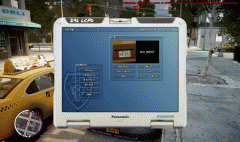 That truly looks amazing! I can only assume that this is for an upcoming mod/computer system that will be separate from the existing on in LCPDFR? :)Hey all! Detective Lieutenant iRagingNinja here from the LC Police. A roleplaying clan for GTAIV/LCPDFR. Proud to present you with one of our most recent videos, particularly with our newly released car pack (LC Police Exclusive). Take a look to see how we operate on a multiplayer shift with the rest of the department. Here, I'll be running as Echo 1 (Emergency Response Unit, or ERU). However I am running in a Traffic uniform and car. Enjoy! http://www.youtube.com/watch?v=2_-fxhlIUH4 If any other LC Police members (ONLY) have videos to post, please post them here! (Guidelines to be met on www.lc-police.com)

