


iRagingNinja
Members
-
Joined
-
Last visited
Everything posted by iRagingNinja
-
-
-
-
-
-
.thumb.jpg.1dc0a3bf48da8af28564a3bde4fb671e.jpg) Ford Taurus Police Interceptor (Slicktop) Oregon Ford Taurus Police Interceptor (Fictional) v1.0 **Note** Two versions included. One with a Setina PB200 Pushbar and one without. Please do not re-upload without giving proper credits. Custom Lighting Stages. Here is how they work... Lighting Stage 1: All Rear-Facing Lights Lighting Stage 2: All primary lights, minus Wig-Wags/Takedowns (Only Extra 1 and 4. It's suppose to be 1, 2, 3 and 4. But ELS doesn't work that way) Lighting Stage 3: All lights. Installation: - Pretty simple install. Use OpenIV or SparkIV to replace "police" in your vehicles.img (or whichever other vehicle slot you wish to use this Taurus in. - I recommend using the flash patterns included in the download pack. Pre-configured to reflect the real life patterns used by MCSO.
Ford Taurus Police Interceptor (Slicktop) Oregon Ford Taurus Police Interceptor (Fictional) v1.0 **Note** Two versions included. One with a Setina PB200 Pushbar and one without. Please do not re-upload without giving proper credits. Custom Lighting Stages. Here is how they work... Lighting Stage 1: All Rear-Facing Lights Lighting Stage 2: All primary lights, minus Wig-Wags/Takedowns (Only Extra 1 and 4. It's suppose to be 1, 2, 3 and 4. But ELS doesn't work that way) Lighting Stage 3: All lights. Installation: - Pretty simple install. Use OpenIV or SparkIV to replace "police" in your vehicles.img (or whichever other vehicle slot you wish to use this Taurus in. - I recommend using the flash patterns included in the download pack. Pre-configured to reflect the real life patterns used by MCSO.- 3 comments
- 2 reviews
-
-

- 1
-
-
.thumb.jpg.1440f181607dcab22479deb8c504c628.jpg) I'm sorry you feel that way. Just to clarify though... you understand this is Marion County, right? Not Multnomah.
I'm sorry you feel that way. Just to clarify though... you understand this is Marion County, right? Not Multnomah.- 7 comments
- 3 reviews
-
-
Marion County Sheriff's Office Oregon 2015 Mustang (Traffic Team) v1.0 Identically modeled after the Marion County Sheriff's Office Traffic Safety Team 2015 Mustang. Custom modeled by iRagingNinja. Please do not re-upload without giving proper credits. Custom Lighting Stages. Here is how they work... Lighting Stage 1: All Rear-Facing Lights Lighting Stage 2: All primary lights, minus Wig-Wags/Takedowns (Only Extra 1 and 4. It's suppose to be 1, 2, 3 and 4. But ELS doesn't work that way) Lighting Stage 3: All lights. Installation: - Pretty simple install. Use OpenIV or SparkIV to replace "fbi" in your vehicles.img (or whichever other vehicle slot you wish to use this Mustang in. - I recommend using the flash patterns included in the download pack. Pre-configured to reflect the real life patterns used by MCSO.
- 7 comments
- 3 reviews
-
.thumb.jpg.68025adb638b4db6e80dd46dfb0cd355.jpg) That's the plan! Originally I wasn't planning on this being CCSO... it just sorta turned out that way. Hopefully I'll have time in the future to put in the fog lights, Whelen Liberty, etc.
That's the plan! Originally I wasn't planning on this being CCSO... it just sorta turned out that way. Hopefully I'll have time in the future to put in the fog lights, Whelen Liberty, etc.- 5 comments
- 1 review
-
Clackamas County Sheriff's Office Oregon Charger v1.0 Modeled after the Clackamas County Sheriff's Office Dodge Charger PPV. Custom modeled by iRagingNinja. **Note** Lightbar model is not exactly the same as CCSO. No fog lights, and Whelen IONs in the window are also not true to life Please do not re-upload without giving proper credits. Custom Lighting Stages. Here is how they work... Lighting Stage 1: All Rear-Facing Lights Lighting Stage 2: All primary lights, minus Wig-Wags/Takedowns (Only Extra 1 and 4. It's suppose to be 1, 2, 3 and 4. But ELS doesn't work that way) Lighting Stage 3: All lights. Installation: - Pretty simple install. Use OpenIV or SparkIV to replace "noose" in your vehicles.img (or whichever other vehicle slot you wish to use this Charger in. - I recommend using the flash patterns included in the download pack. Pre-configured to reflect the real life patterns used by CCSO.
- 5 comments
- 1 review
-
-
- 2
-
-
So I actually got the front plate to work. Now I get an RC20 error when adding the rear plate, the same way.
-
Hmm... I must be doing it wrong. Here's what I tried. Material Editor (paint3) set the top material to UV 2. Mapped the license plate, and I got an error on exporting (also crashed with RC20 error in-game). I tried setting the top material back to UV1, same result.
-
I'm trying to add/import a license plate from another model. Then map it to the vehicle livery/texture. The reason for adding/importing from a different vehicle, is because the model I'm working on doesn't have license plates to begin with.
-
Hello, I am having issues adding a front and back license plate to a vehicle I'm modeling (can upload pics if necessary). I take a license plate form another vehicle, export it as a wft, and import it into the project I'm working on (better way?). I create a new texture, and map it to that, because I can't figure out how to map it to the regular car livery. It shows up in OpenIV, but won't show up in-game. I'm not that great with technical terms in Zmod... could use some help. Thanks!
-
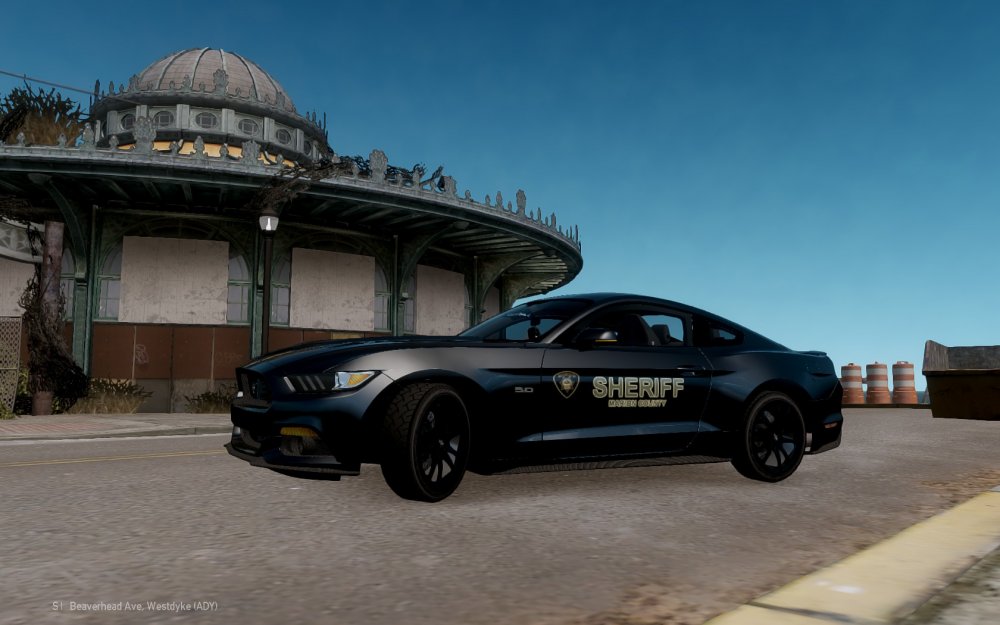
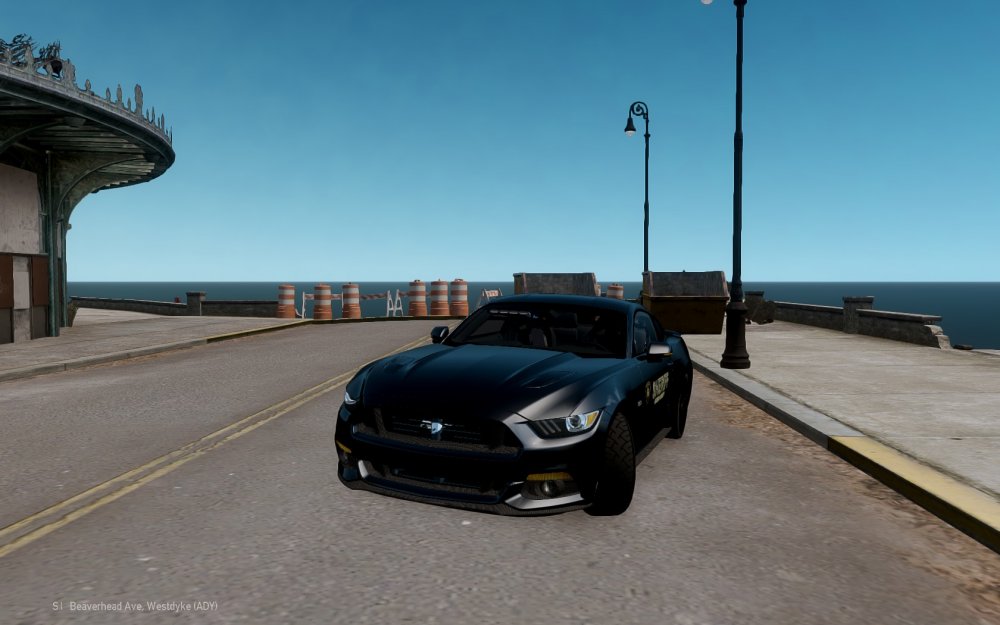
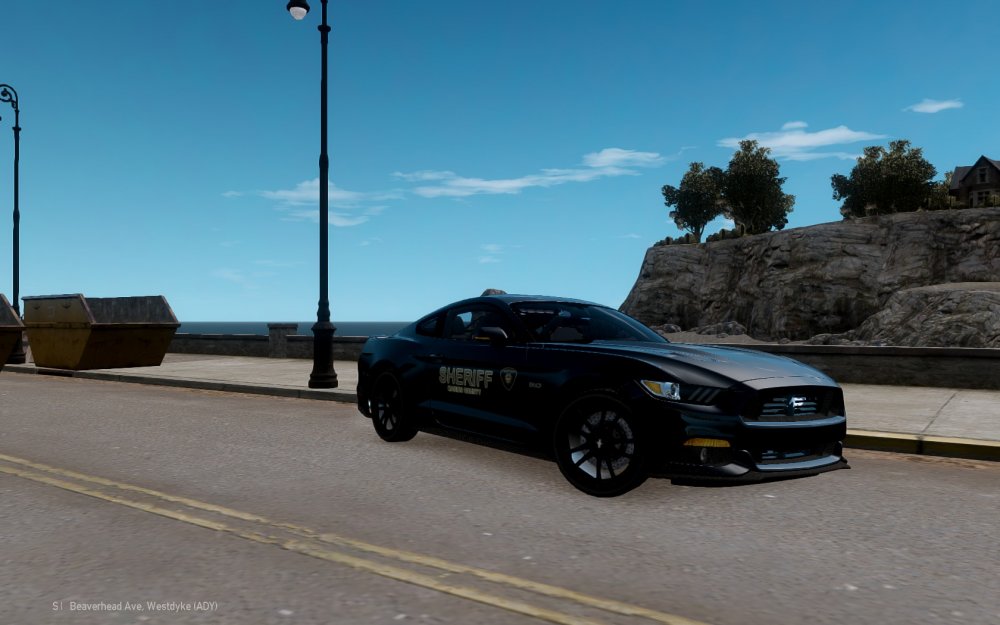
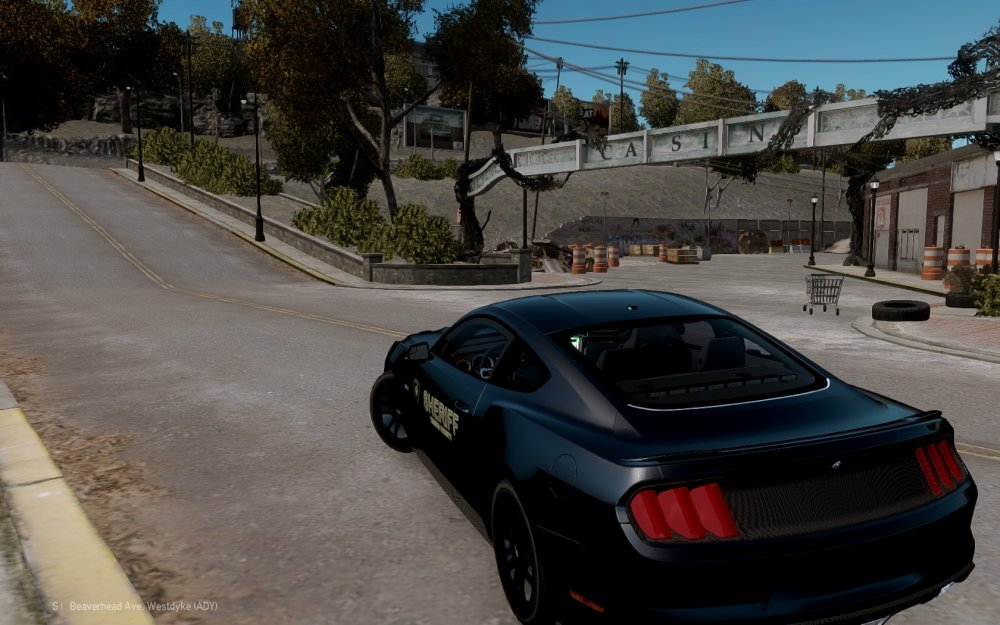
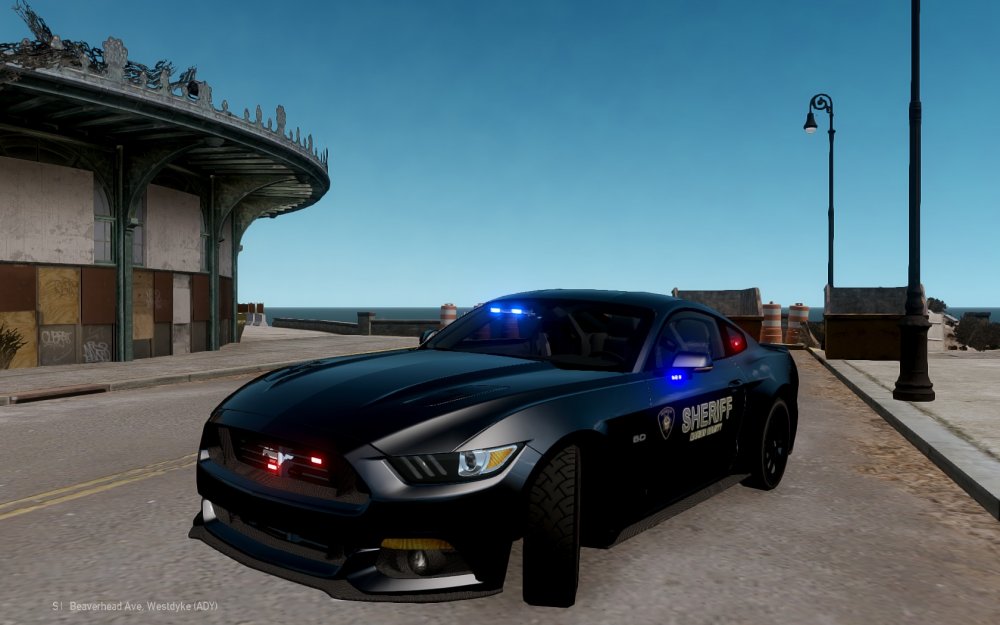
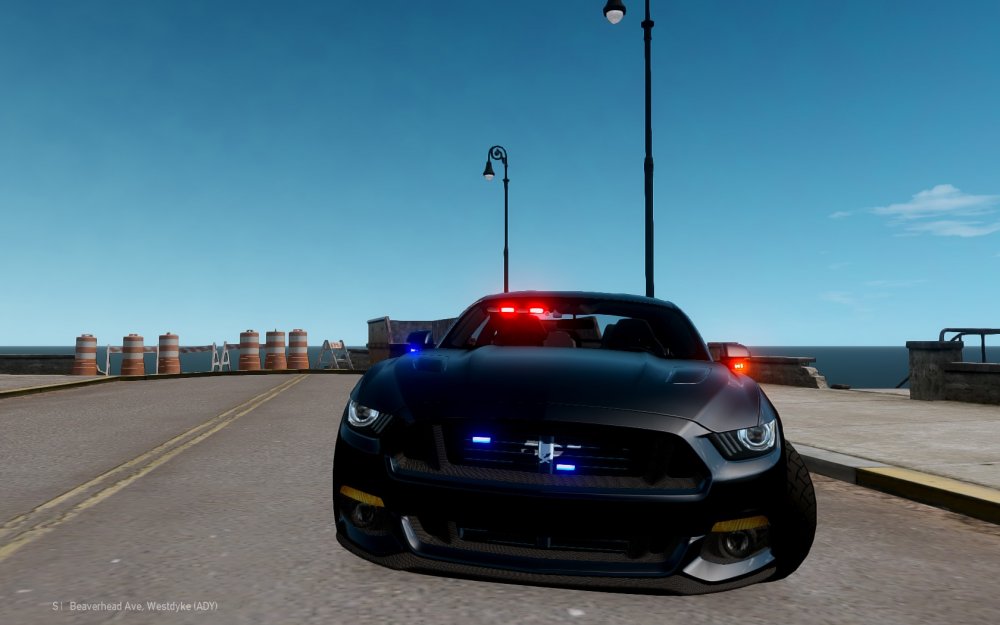
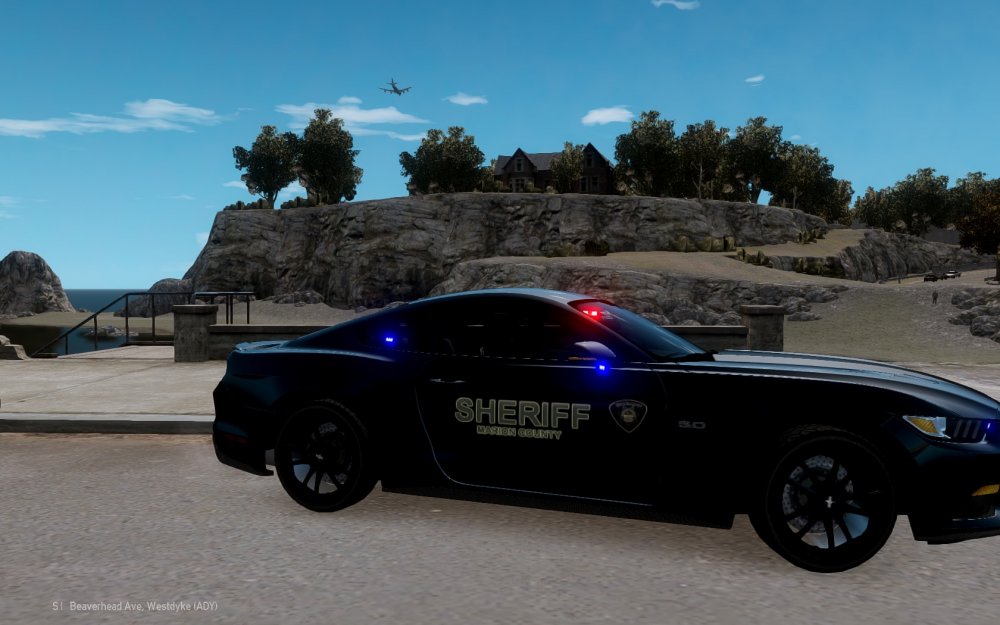
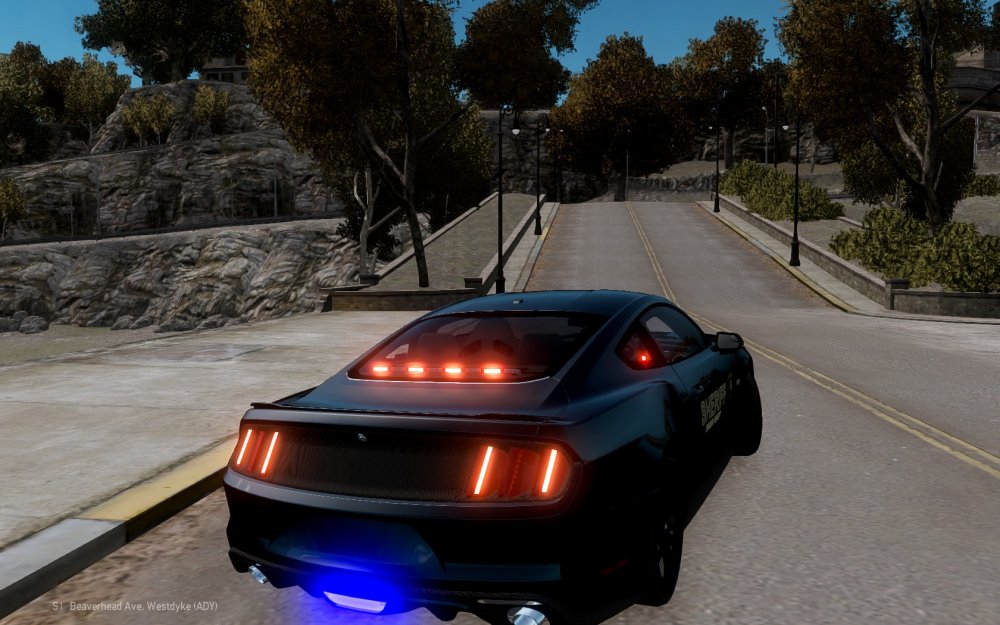
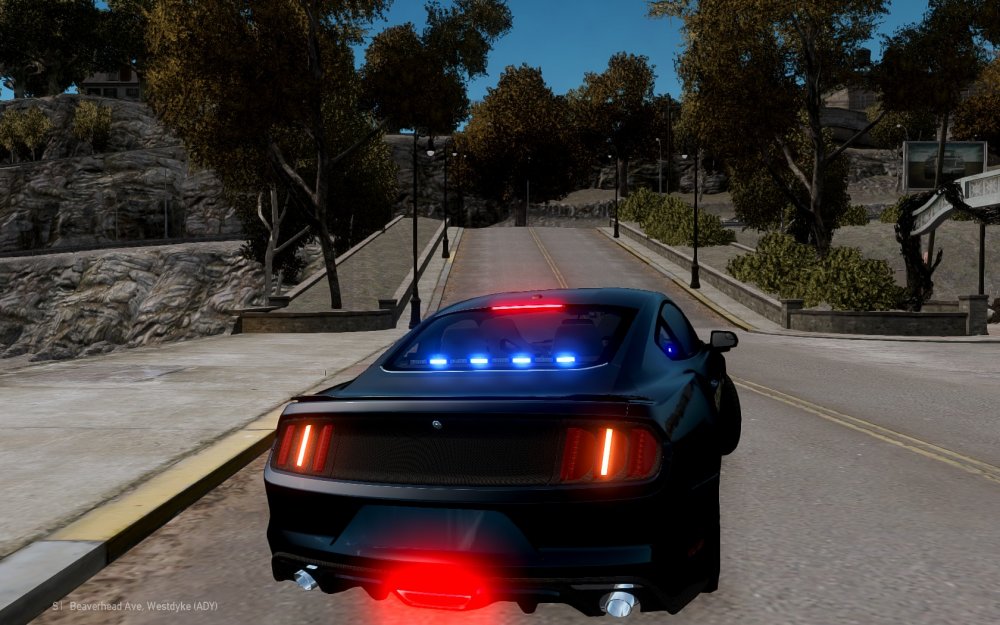
Folks, Working on a 2015 Mustang. Modeled after the real life counterpart, which is part of the Marion County Sheriff's Office - Traffic Safety Team. Still a few lights to add, and small things here and there... but just a little preview. Video Preview: https://www.youtube.com/watch?v=pIIzY9_lLAA
-
Marion County Sheriff's Office Oregon Tahoe v1.0 Identically modeled after the Marion County Sheriff's Office Chevy Tahoe PPV. This is my first publicly released vehicle. Custom modeled by iRagingNinja. Please do not re-upload without giving proper credits. Custom Lighting Stages. Here is how they work... Lighting Stage 1: All Rear-Facing Lights Lighting Stage 2: All primary lights, minus Wig-Wags/Takedowns (Only Extra 1 and 4. It's suppose to be 1, 2, 3 and 4. But ELS doesn't work that way) Lighting Stage 3: All lights. Installation: - Pretty simple install. Use OpenIV or SparkIV to replace "polpatriot" in your vehicles.img (or whichever other vehicle slot you wish to use this Tahoe in. - I recommend using the flash patterns included in the download pack. Pre-configured to reflect the real life patterns used by MCSO. Video Preview https://www.youtube.com/watch?v=u7QwSrleC90
- 2 comments
- 2 reviews
-
-

- 1
-
-
Hi folks, I'm back again, this time with a strange problem I've never encountered. While modeling a Charger, I am using the front turn signals as red/blue LED's. The red LED works perfect, but the blue for some reason is flashing a dark green (more of a black with a hint of green). It shows as green/black in Zmodeler, but shows as blue (like it's suppose to do) in OpenIV. But once I get in-game, it flashes green/black. Here's some pictures. What it' looks like. What it's SUPPOSE to look like.
-
So I fixed the error by removing the EL3SN's all together. Now I need to figure out how to import them back again, and actually get them to work without causing errors, etc. There was never a manual to read when I started modding... so I probably missed a lot of the basic "rules".
-
I can't say I completely understand you. Most things I've got to work (in previous models as well) is mainly by luck and minimal knowledge. Also, depending on what I do to the model (trying different ways to fix the rear deck lights) I get an RC20 error. Occasionally after some changes I can fix it. But now I'm not even sure what's going on anymore.
-
That's what the hierarchy was like (aside from added components) when I imported it. So any ELS lights should be ABOVE any vehicle parts that have glass in them?
-
Let me know if you need anything else. I can also PM you the actual model if you want to take a look... (By the way - thanks for the help. I really apprecaite it. I still have lots to learn. I'm horrible at editing DEV models, then importing them into a car)
-
What exactly do you need pictures of? The Default material? Or all the meshes?
-
Hi folks, Having a strange issue I haven't had before. So I'm modeling a crown vic model, and the lights aren't showing up in game. I don't just mean the ELS isn't working, the light module isn't showing up at all. But in Zmodeler (and OpenIV) the ELS lights and light module itself show up just fine. Here's a picture of it in OpenIV and the hierarchy. In-game there's nothing in the rear window like there's suppose to be. The lights that aren't showing up, are the SoundOff EL3SN in the rear window. The lightbar works perfectly fine, as it should. But the entire light module/head/everything isn't showing up in-game for teh EL3SN's. Thanks so much!
-


.thumb.jpg.1dc0a3bf48da8af28564a3bde4fb671e.jpg)
.thumb.jpg.1440f181607dcab22479deb8c504c628.jpg)
.thumb.jpg.68025adb638b4db6e80dd46dfb0cd355.jpg)


