
Flo1008
Members
-
Joined
-
Last visited
Files posted by Flo1008
-
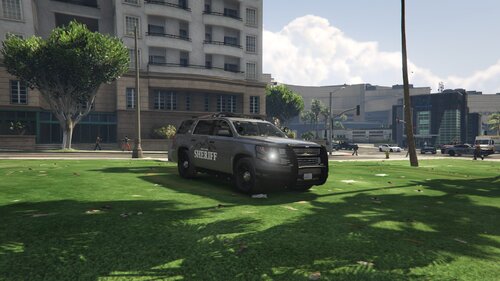
I only made the Skin, not the car itself!
The original car is from Steve6645, you can download it here:
https://www.lcpdfr.com/files/file/25487-els-2017-chevy-silverado-unmarked-wip/
Installation:
After you have downloaded the original mod, just put the file from the file folder in C:\Program Files (x86)\Steam\steamapps\common\Grand Theft Auto V\mods\update\x64\dlcpacks\patchday22ng\dlc.rpf\x64\levels\gta5\vehicles.rpf\
After this you are done and you can enjoy the mod!
If you have ideas or suggestions for this or future mods, leave them in the comments!
FOR THE PERFECT EXPERIENCE AS COAST GUARD; YOU CAN DOWNLOAD THIS AWESOME USCG CALLOUTS MOD:
- 171 Downloads
Updated -
Skins by Flo1008
THIS IS A WORK IN PROGRESS SKIN PACK; OTHER SKINS WILL BE UPLOADED WITH THE TIME:
If you have ideas for skins leave a comment
This pack contains only skins, I didnt create the cars!
Original Cars by: Frost88
Installation:
Download the original Car Pack:
> follow the instructions
> replace the .ytd files in openiv
> done
IF YOU DONT LIKE IT; DONT WRITE HOW BAD IT IS; JUST DONT DOWNLOAD IT!
- 24 Downloads
Updated