



Steve6645
Members
-
Joined
-
Last visited
Everything posted by Steve6645
-
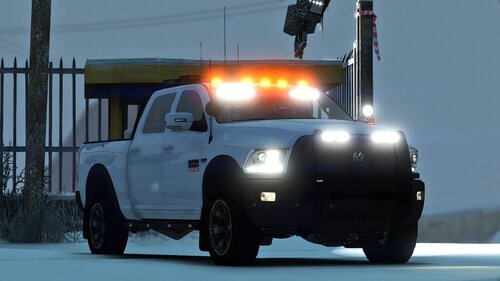
 At the request of another player and others I've uploaded the none Halloween version as the main file. If you still want the Halloween version they have been uploaded as extras on this file. The date should be available however please check later if not. I've created these two vehicle over the last couple years for Simulator Liam and a couple other LSPDFR creators. They are quite old in terms of when I made them so I thought I may as well release them now. There is some issues with the vehicles, such as the dials not wanting to work. Make sure to join my discord for future work and updates: https://discord.gg/atpTS4z Videos with this vehicle: Bugs: -Dials don't work Testing wasn't incredibly in-depth, please report any issues to myself. Disclaimer: -Don’t re-upload to any other sites without permission from me. -If you want to make a skin. Just link the model in the description -If you use ELS on FiveM. Feel free to use it. -Don’t Rip any parts off this vehicle. -If you make a video with this, please consider linking it in the description or comments.
 -
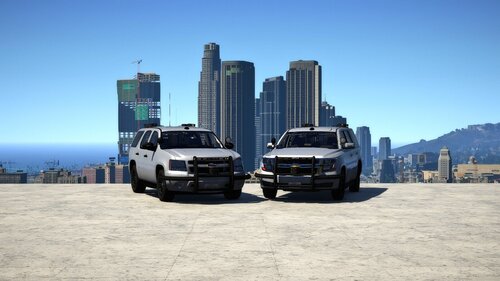 Hey, I'm not sure about that issue. I don't support these models anymore. I also don't even think I have the original model files. I will say I have a remake of the Tahoe made and it'll be getting released likely in about 4 weeks time. By bullbar do you mean the wrap or the entire pushbar setup?
 -
 It's planned. I've not made it yet though. I got another 3 releases to post first.
 -
It's my bad. I've fixed the issue and uploaded the fixed version.
-
Dam I’ve forgotten to change the siren settings in the variation file for the add-on. I’ll post an update as soon as I can. In the mean time you can edit this yourself. If you scroll down it’ll say something like siren settings then likely the number will be 0. You can swap this to 1 and it should work. It’ll likely be Sunday before it’s fixed.
-
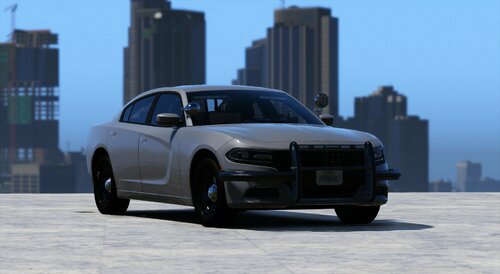
I've been busy for a few weeks but before that I managed to complete a few vehicles to release. This is one of them ready to go. It follows the same theme as the overs that I've released so far. Make sure to join my discord for future work and updates: https://discord.gg/atpTS4z EXTRAS: Extra 12- ALPRs Extra 10- Radar Videos with this vehicle: Vehicle's from Series: Bugs: -No known issues. Testing wasn't incredibly in-depth, please report any issues to myself. Disclaimer: -Don’t re-upload to any other sites without permission from me. -If you want to make a skin. Just link the model in the description -If you use ELS on FiveM. Feel free to use it. -Don’t Rip any parts off this vehicle. -If you make a video with this, please consider linking it in the description or comments.
-
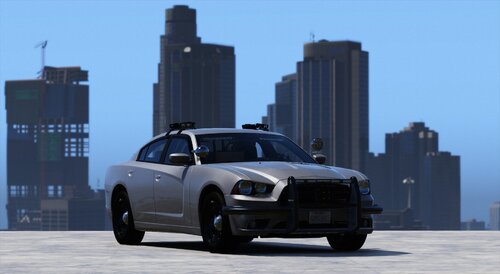 It'll probably say 2014 Dodge Charger. But the actual name is Un14Chrg.
 -
 Yeah my bad. I do the replace first then do the add-on, so I tend to copy the credits etc over. I've just forgot to edit the readme for the add-on. It's not urgent but I'll update it when I get the time.
 -
 Hey this was a me issue. I've uploaded a fix now. It's just waiting approval. It should be available soon. Thanks for letting me know. This has now been fixed.
 -
 You should be able to spawn it via the vehicle garage in LSPDFR. Or you can spawn it using the simple trainer. It takes up the police buffalo slot. 'police2'
 -
Are you sure you’re in edit mode doing that? I’ll double check If I uploaded the correct all blue file soon. I may have spelt something wrong. Those tires are fitted as standard. If you want the black rims then add the textures to the YTD. You’ll find these in the ‘Optionals’ folder.
-
Use the metas provided alternatively use the ‘Sadler’ handling or ‘sandking’. You can also play around yourself and find a handling you like.
-
 At the time of typing this message, the file hasn't been approved yet. But it has been uploaded.
- 33 comments
- 10 reviews
-
-

- 1
-
-
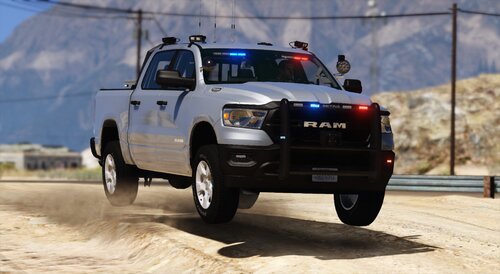
Been working on some vehicles recently and I thought about doing another truck. It's in the theme of my recent Unmarked releases and it also has some inspiration taken from my old 2018 RAM 2500. I've given some customization options to choose what color rims you'd prefer for the vehicle, as opinions were mixed between black and silver. Make sure to join my discord for future work and updates: https://discord.gg/atpTS4z EXTRAS: Extra 12- ALPRs Extra 10- Radar Videos with this vehicle: Vehicle's from Series: Bugs: -No known issues. Testing wasn't incredibly in-depth, please report any issues to myself. Disclaimer: -Don’t re-upload to any other sites without permission from me. -If you want to make a skin. Just link the model in the description -If you use ELS on FiveM. Feel free to use it. -Don’t Rip any parts off this vehicle. -If you make a video with this, please consider linking it in the description or comments.
-
-
Nope.
-
It'll be a replace and an add-on version. Then people can choose. Thing is the replace will likely be in replacement of this one, Pranger. I'll try think of a better slot to replace but I'm not sure as I already have plans for the other vehicle slots.
- 33 comments
- 10 reviews
-
-

- 1
-
-
Idk how I only just seen this message but you'd need to install the all blue textures into the vehicle YTD. I'm actually working on a new 2023 Ram Tradesman now. If you like RAMs keep an eye out. I'm not sure if it'll beat this one, It'll not feature the running board on the bottom due to the vehicle height; but I've tried to keep it within the theme of the vehicles I've been doing recently and some throw back to this one. It'll be released potentially in 2 weeks.
- 33 comments
- 10 reviews
-
If you want these to be regular PD cars I recommend searching through the vehicle textures on this website. You'd need them to fit GeorgieMoon's Ford Taurus and Chevy Tahoe.
-
The gameconfig shouldn't need to be updated. It has nothing to do with my vehicles or pack. A recent update messed it up. Download the "AdvancedHookV.dll" and add to the gta folder
-
I've now released that pack.
-
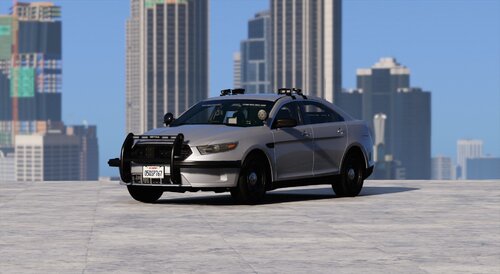
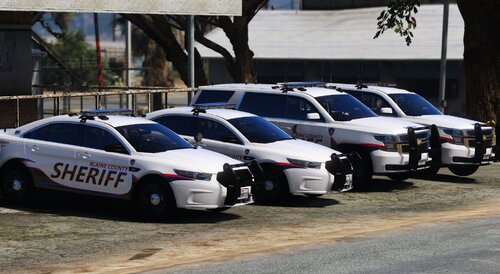
BCSO Mini Pack: I created this mini pack about a year ago as I wanted something to replace the stock cars that patrol Sandy Shores. The lighting on these cars is kept kinda minimal to match the BCSOs budget. The pack contains a Ford Taurus and a Chevy Tahoe as it keeps the kinda of cars Sandy already has but more up to date. I've not been able to take any new pictures, I'll update the file when SciptHook updates. Make sure to join my discord for future work and updates: https://discord.gg/atpTS4z EXTRAS: Extra 12- ALPRs Bugs: -No known issues. Testing wasn't incredibly in-depth, please report any issues to myself. Videos with this vehicle: Disclaimer: -Don’t re-upload to any other sites without permission from me. -If you want to make a skin. Just link the model in the description -If you use ELS on FiveM. Feel free to use it. -Don’t Rip any parts off this vehicle. -If you make a video with this, please consider linking it in the description or comments.
-
I would do one but I don't have a decent base model to do one with.
-
Yeah if you want the lights to turn off you can edit the ELS file. Scroll down to "WRNL" then change <OutOfVeh Enabled="true" Pattern="3" /> from 3 to 1.
-
Hey, Yes I was referring to the lights under the mirror. They shouldn't be turning off when you exit the vehicle. If you are having this issue then make sure you install the ELS file again. I do plan to do a lightbar version but I'm gonna do some more vehicles before I release them as a pack with a lightbar. It'll probably be a Federal Signal Valor since the entire set up is federal signal.



