Skip to content
View in the app

A better way to browse. Learn more.

LCPDFR.com

A full-screen app on your home screen with push notifications, badges and more.

To install this app on iOS and iPadOS
  1. Tap the Share icon in Safari
  2. Scroll the menu and tap Add to Home Screen.
  3. Tap Add in the top-right corner.
To install this app on Android
  1. Tap the 3-dot menu (⋮) in the top-right corner of the browser.
  2. Tap Add to Home screen or Install app.
  3. Confirm by tapping Install.

ShibainuAviation

Members
  • Joined

  • Last visited

Files posted by ShibainuAviation

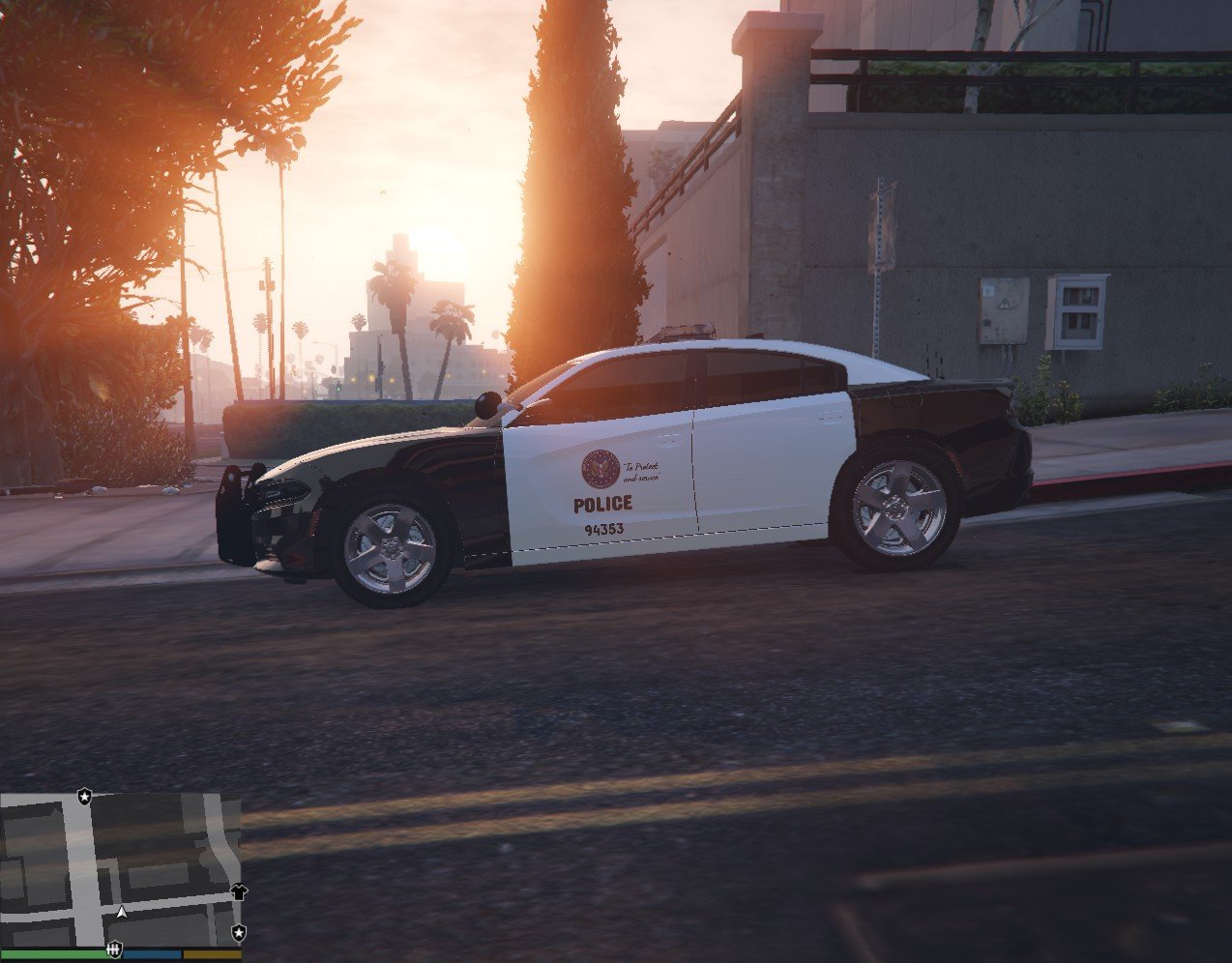
  1. hey, guys! I made da LSPD in LAPD skin way, I hope you guys like it!   
     
    WARNING  
    '' DO NOT RE-UPLOAD MY WORK WITHOUT MY PERMISSION ''
     
    SPECIAL Thanks to da owner of da CAR MODEL @SCLEDNoah
    DIS CAR SKIN WORKING ONLY FOR
    [ELS] South Carolina Highway Patrol Pack 
     by @SCLEDNoah


    • 113 Downloads
    • 1 Comments
    Submitted
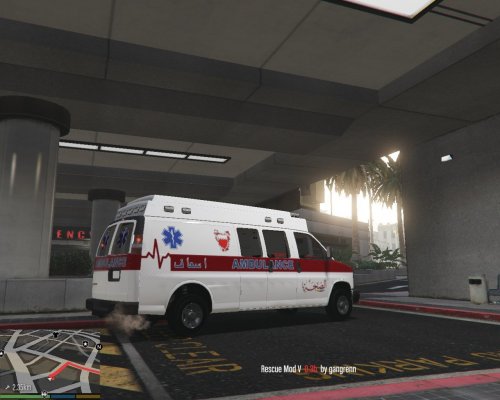
  2. This SKIN was requested by a requester. You can request me what kind of skin you want me to do. 
     
    WARNING 
    '' DO NOT RE-UPLOAD MY WORK WITHOUT MY PERMISSION ''
     
    SPECIAL Thanks to da owner of da CAR MODEL @medic4523
    DIS CAR SKIN WORKING ONLY FOR
    [ELS] Ambulances | Dodge Ram Regular Cab, Chevy Van
     by @medic4523


    • 202 Downloads
    • 1 Comments
    Submitted
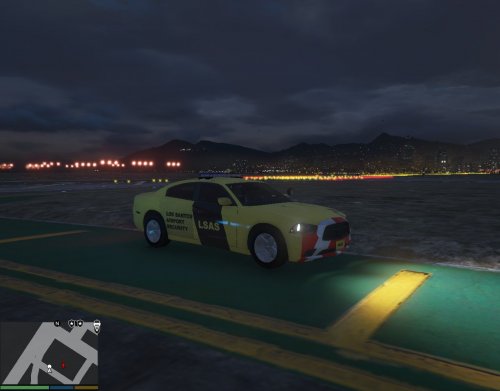
  3. Eyy guys welcome to my first CAR SKIN 😄 I really hope you guys like it! 
     
    Q: Why its not working?
    A: Make sure you read the installition.
     
    Q: What should I use for this skin?
     A: ISP - 2014 Dodge Charger
     
     
    WARNING 
    '' DO NOT RE-UPLOAD MY WORK WITHOUT MY PERMISSION ''
     
    SPECIAL Thanks to da owner of da CAR MODEL @officerpudding78
    DIS CAR SKIN WORKING ONLY FOR ISP-2014 DODGE CRGER by @officerpudding78. 


    • 69 Downloads
    • 5 Comments
    Updated

Account

Navigation

Search

Search

Configure browser push notifications

Chrome (Android)
  1. Tap the lock icon next to the address bar.
  2. Tap Permissions → Notifications.
  3. Adjust your preference.
Chrome (Desktop)
  1. Click the padlock icon in the address bar.
  2. Select Site settings.
  3. Find Notifications and adjust your preference.