


GeorgeJ
Members
-
Joined
-
Last visited
Everything posted by GeorgeJ
-
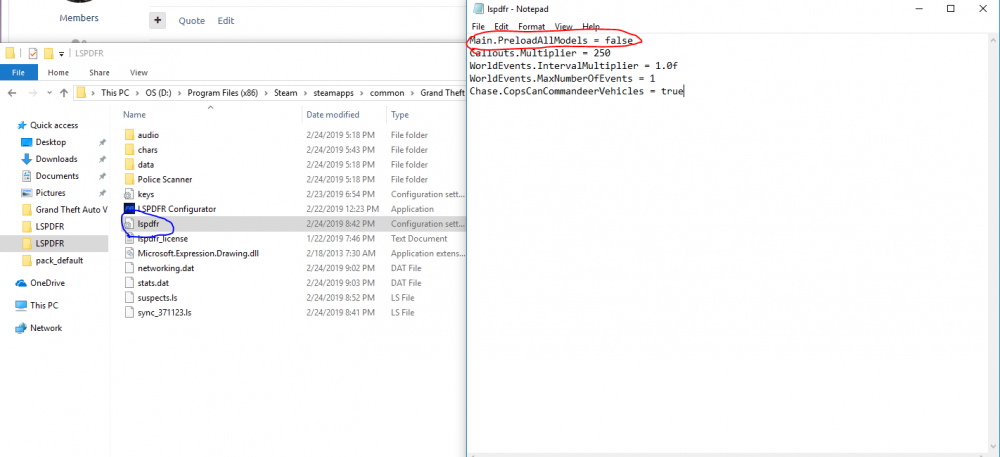
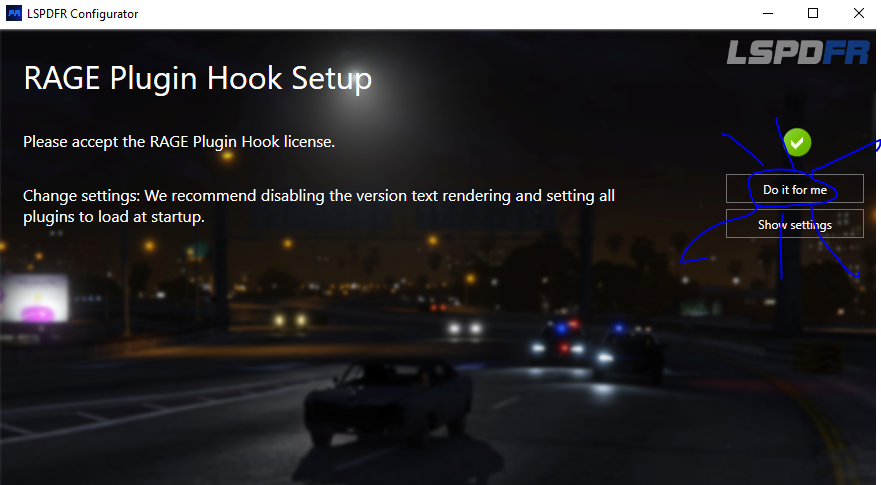
Hello everyone, I know that some people are having issues with the texture loading in the new 0.4 update. After many hours of trial and error, the error is one of the settings of LSPDFR. The path to fix this is Program Files (x86)\Steam\steamapps\common\Grand Theft Auto V\LSPDFR then find the lspdfr.ini and change the Main.PreloadAllModels setting from true to false and launch the game. Another fix is to go to the LSPDFR configurator and there is a setting that it disables for you! all you have to do is press the button that says "do it for me" and it will 😉 if anything is confusing just ask lol cause i wrote this pretty late. Alternative
-
 i cant find the car anywhere! can you please send a link?


