Skip to content
View in the app

A better way to browse. Learn more.

LCPDFR.com

A full-screen app on your home screen with push notifications, badges and more.

To install this app on iOS and iPadOS
  1. Tap the Share icon in Safari
  2. Scroll the menu and tap Add to Home Screen.
  3. Tap Add in the top-right corner.
To install this app on Android
  1. Tap the 3-dot menu (⋮) in the top-right corner of the browser.
  2. Tap Add to Home screen or Install app.
  3. Confirm by tapping Install.

slidinfifthwheel

Members
  • Joined

  • Last visited

Files posted by slidinfifthwheel

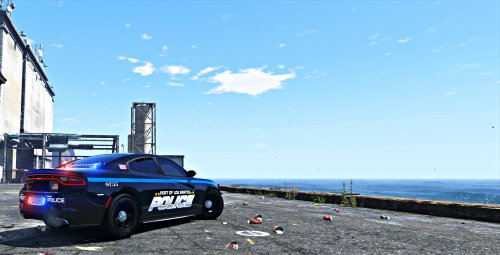
  1. Here is a Port Police texture I created. Let me know what you guys think.
     
     
    • 41 Downloads
    • 1 Comments
    Submitted
  2. Here is something unusual. Its based off the US Forest Service Law Enforcement. Thanks for checking out my work and if you like it leave a comment below 🙂 
     
     
    • 80 Downloads
    Submitted
  3. Howdy ,
     
    Created a fictional Mount Chiliad Regional Police skin. Just wanted to try something different. Their are two variations, one of which is a supervisor unit. Thanks and hope you guys enjoy!
     
     
    • 34 Downloads
    • 1 Comments
    Submitted
  4. Thanks for checking out a texture I made. Let me know if you guys want me to make more..
    • 22 Downloads
    • 2 Comments
    Submitted
  5. Hello and thank you for checking out my textures. I made a University Police and a Transit Police skin. Both are created via PS. Both are completely fictional.  The Transit Police skin vehicle model used was part of the LSPD pack. The University Police skin vehicle model used was part of the NHP pack. Thanks again and I hope you enjoy!


    • 106 Downloads
    • 2 Comments
    Submitted

Account

Navigation

Search

Search

Configure browser push notifications

Chrome (Android)
  1. Tap the lock icon next to the address bar.
  2. Tap Permissions → Notifications.
  3. Adjust your preference.
Chrome (Desktop)
  1. Click the padlock icon in the address bar.
  2. Select Site settings.
  3. Find Notifications and adjust your preference.