Choppy
Members
-
Joined
-
Last visited
Files posted by Choppy
-
So yea, We hit 200 members on my discord so I thought I might give something back! If you want to contribute to me hitting 300 members you can join here: https://discord.gg/RDYta3sN6Y
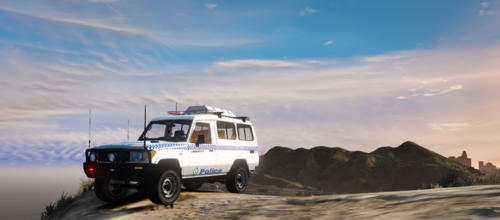
Its a car used buy the Australian Federal Police to protect embassies and airports.
TERMS OF SERVICE:
Blue Sky Development does not have anything to do with your technology if it breaks or fails during the installation of products. When downloading the model you agree to not be involved or associated with model rippers/leakers. You do not have permission to rip/unlock this vehicle and you do not have permission to claim or resell this work as yours.
By downloading you agree to all of the above.
- 641 Downloads
- 1 Comments
Updated -
First time with zmod. Idc what people think it took to long and I got it sorted now.
Bluesky Designs: https://discord.gg/RDYta3sN6
I do not take the blame for you breaking your game. If there is a problem please contact me.
- 3,260 Downloads
- 8 Comments
Updated -
On @tobizzle troopy found in Patricks Discord.
To Add livery:
Open IV must be downloaded and the directory of where your GTA 5 is located.
Edit Mode Must be on.
Open The YTD file and right click on the existing livery and click "replace."
Locate the PNG that I have provided and click open.
Save your work.
**NOTE**
**I DO NOT CLAIM OWNERSHIP OF EITHER OF THESE VEHICLES AND ARE USED FOR THE LIVERY. ON TOP OF THAT I DO NOT TAKE THE BLAME OF ANY DAMAGE DONE TO YOUR GAME, IF YOU REQUIRE SOME ASSISTANCE CONTACT ME VIA Choppy#0101 AND SEND ME A DM ON WHAT THE ISSUE IS. IF IT IS BECAUSE OF THE VEHICLE CONTACT THE DEVS OF THEM AND THE LINK OF THAT IS IN THE ABOUT PAGE OF THE CARS**
Please do not claim the livery as yours, if caught and asked to take down and fail to do so legal action could occur.
Do not add this into any packs without contacting me also.
- 126 Downloads
- 1 Comments
Updated -
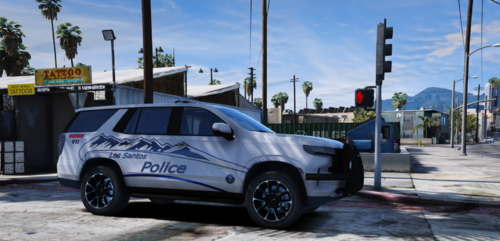
First American Livery, hopefully you guys like it.
To Add livery:
Open IV must be downloaded and the directory of where your GTA 5 is located.
Edit Mode Must be on.
Open The YTD file and right click on the existing livery and click "replace."
Locate the PNG that I have provided and click open.
Then delete all of the files that start with vehicles_generics...
Once that is all done.
Save Your work.
Make sure to follow the install instructions of the cars below as well to get it into your game.
Original Models:
**NOTE**
**I DO NOT CLAIM OWNERSHIP OF EITHER OF THESE VEHICLES AND ARE USED FOR THE LIVERY. ON TOP OF THAT I DO NOT TAKE THE BLAME OF ANY DAMAGE DONE TO YOUR GAME, IF YOU REQUIRE SOME ASSISTANCE CONTACT ME VIA Choppy#0101 AND SEND ME A DM ON WHAT THE ISSUE IS. IF IT IS BECAUSE OF THE VEHICLE CONTACT THE DEVS OF THEM AND THE LINK OF THAT IS IN THE ABOUT PAGE OF THE CARS**
Please do not claim the livery as yours, if caught and asked to take down and fail to do so legal action could occur.
Do not add this into any packs without contacting me also.
- 101 Downloads
- 1 Comments
Updated -
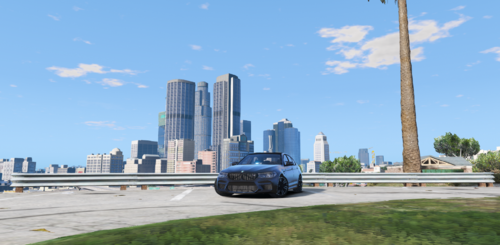
All download instructions are in readme once downloaded
Tobizzle's Model: https://www.lcpdfr.com/downloads/gta5mods/vehiclemodels/33893-non-els-qps-subaru-levorg/
DO NOT EDIT OR REDISTRIBUTE AND CONTACT ME VIA DISCORD IF YOU ARE USING IN A FIVEM SERVER
Choppy#9557
- 103 Downloads
Submitted