WarDoG
Members
-
Joined
-
Last visited
Files posted by WarDoG
-
Credits
- NAME: 2008 Chevrolet Suburban Stealth
- VERSION: SUB v1.33 ELS v6
- LIGHT BAR: 911EP Galaxy Lightbar
- OTHER LIGHTING EQUIPMENT: Whelen Dominators, Whelen Dominator traffic advisor,
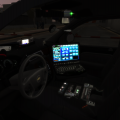
- OTHER EQUIPMENT: inside police equipment, TomTomGPS, Antannas,
- EXTRA PARTS: N/A
- MULTIPLE LIVERIES: Yes skin + Extra Licences Plates to match your skin/texture
- OPTIMIZED FOR: Polpatriot
- CREDITS: Bxbugs123, WarDoG (see Additional Notes)
- MOD STATUS: Open
ADDITIONAL NOTES
- MAKE SURE TO READ INFO FILE FOR INSTRUCTIONS BEFORE USE.
- This model possesses 4 skins which will appear randomly + 4 Licences Plates to match the skin/texture
- Is ELSv6 enabled.
- Custom dirt visuals by LtCaine
- Model is original "Chevrolet Tahoe" by 4x4 Full Driver - Hummer H2, converted to GTAIV by Stiopa, converted in to a 2008 Chevrolet Suburban By Bxbugs123, modified by LtCaine
- antennas, rambar, Cage, inside police equipment, etc by BxBugs123 and WarDoG
- Rims made by Bxbugs123 textured & converted by LtCaine
- laptop by Bxbugs123
- Lightbar by Boatinman, converted to gta iv by WarDoG
- SKINS by Fartknockr "DO NOT EDIT THEM WITH OUT PERMISSION"
- All new VisualSettings by bxbugs123 optimized for bxbugs's ELS v4-v6 cars.
- interior lighting dash lights / speedometer lights up with headlights
- 2,329 Downloads
- 28 Comments
Updated -