Tyler Pickstock
Members
-
Joined
-
Last visited
Files posted by Tyler Pickstock
-
*Disclaimer*
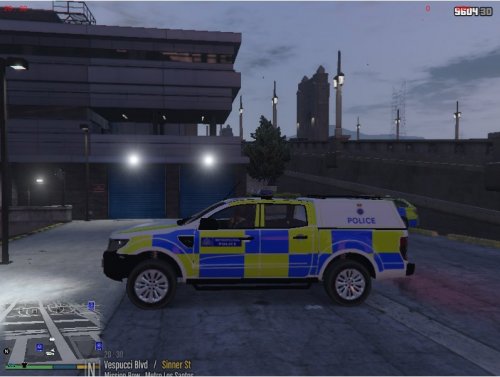
This is not my vehicle!
*Note*
This is my first upload! 🙂
There is no ELS file within this vehicle you have to put the ELS file in yourself!
PC isn't the best at the moment so screenshots arn't the best, sorry.
The dot and the number on top of the car are orange and blue on the skin i haven't updated it in my game.
Find your patchday what you installed the vehicle in the open the .ytd and click car_sign_1 and then click replace at the top and find the .jpg and double click it.
Then launch GTA V and you have the park ranger skin installed.
Not rocket science to do, dead dead easy to do.
You want anymore skins creating drop me an email and i will get back to as soon as i can. No later than a day
Email: tylerpickstock@hotmail.com
- 49 Downloads
- 2 Comments
Submitted -
This file includes
Met Police Forensic Skin
Forensic Van
How to install.txt
Any suggestions of skin creations drop me an email: tylerpickstock@hotmail.com
- 26 Downloads
Submitted