




Mags
Community Team
-
Joined
-
Last visited
Everything posted by Mags
-
-
All you need to do is go to your program files which is in your C drive. It will be \Rockstar Games\Grand Theft Auto IV\pc\models\cdimages Then you have - vehicles.img - componentpeds.img etc.. just copy them to another location. That's it you have your backup Or you can back up your whole \Rockstar Games\Grand Theft Auto IV\ that's what I do and I usually do it monthly so If i install something I can go back to the previous version to avoid uninstalling and reinstalling the whole game.
-
 yea it seems to be that way lol
 -
No Georgia
-
hmm. seems like he did. But what the heck he was trying to make I have no clue.
-
That is really neat looking! Good Job
-
Yea if there was a way in GTA IV I would do it. I made a trooper ped for GTA SA that had the drill sgt. hat it looked really good.
-
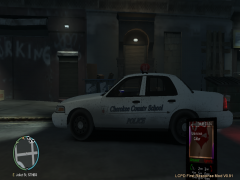
From the album: Mag's Album
This is a Cherokee County School Police Crown Victoria Picture 3 of 3 -
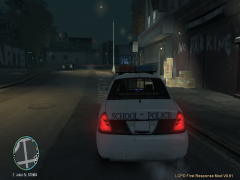
From the album: Mag's Album
This is a Cherokee County School Police Crown Victoria Picture 2 of 3 -
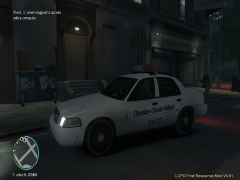
From the album: Mag's Album
This is a Cherokee County School Police Crown Victoria Picture 1 of 3 -
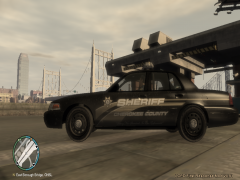
From the album: Mag's Album
This is a Cherokee County Sheriff's Office Crown Victoria Picture 2 of 2 -
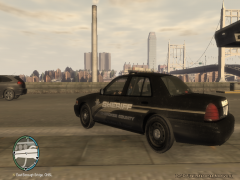
From the album: Mag's Album
This is a Cherokee County Sheriff's Office Crown Victoria Picture 1 of 2 -
 No Schaefft made the vehicle.
 -
Because its a pain in the arse to get it all packed up for release. Then yes have to get permissions etc... Plus when I make a car I make it the way I see it, the way I like it, and what I am feeling not a lot of people may like the way I have it set up.
-
Did you uninstall 0.95 before you installed 0.91?
-
Both 0.95 and 0.91 will not work without v.: 1.0.7.0. You will have to decide which mod you really want :tongue:
-
Yes I have noticed that too when I first started to play GTA IV. I thought it was a neat feature. Also with the random traffic stops. Both though are not LCPDFR scripted.
-
The Disappearing affect that you are getting is because the car is not for the version ELS that you have. You have to be sure when you download the vehicle you read the readme to see what ELS it is outfitted for. This is the link to the most updated ELS.: But most people like to use ELS V5.: Both of them will work with most of the newer made vehicles.
-
The Crown Victoria itself NO I did not make it. I merely added the pushbar, perp cage, lights etc..
-
Haha very true!
-
Rockwell Extra Bold Edit: Sorry Break me and you posted at the same time
-
-
Yea you should just be able to open up FRAPS then open up GTA IV. It should work just fine. Make sure you know what key you have programed to record a video. Then you can get the video file from the designated folder FRAPS has the video saved too.
-
Now that you said something about it. I just looked and mine is at 0 too and I have been in a butt load of pursuits. Strange.. I'm sure the devs are already looking into it.
-
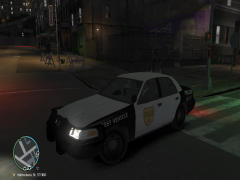
![Crown Victoria I'm Working On... [PICTURE 2]](//s3-gallery.int-cdn.lcpdfrusercontent.com/1311292739/sml_gallery_3593_76_368514.png)
From the album: Mag's Album
This is just one of the many Crown Vic's I am working on! PLEASE NOTE: NOT FOR RELEASE!! THESE VEHICLES ARE FOR PERSONAL USE ONLY!

![Crown Victoria I'm Working On... [PICTURE 2]](http://s3-gallery.int-cdn.lcpdfrusercontent.com/1311292739/sml_gallery_3593_76_368514.png)