



LeXin11
Members
-
Joined
-
Last visited
Everything posted by LeXin11
-
 Dude you really don't have a brain or what? You're saying it's fake, then why wouldn't you just try it yourself?? Man your logic is like a little baby.... Before you say something be make sure you're 100 % sure what you're talking about! Best regards, Lexin Stop commenting, or I'll ban you from my mods!
- 68 comments
- 9 reviews
-
Well than why don't you try out the mod yourself? + Updated pictures coming soon! Before you comment some mad comment because your pissed of something make sure you test it out and know what you are talking about! Best regards, Lexin How about this one? Also fake ? LOL
- 68 comments
- 9 reviews
-
VERSION 1.5 ? [ New Big Update ] I thought that I released a lot of releases every week so now I will release the next one in 20 May. Well the question is why? Answer is: Because I will take a deeper look into the files and MAYBE make a little plugin for it! I will release 1.4.1 with bug fixes and I will release only bug fixes & small changes up to 1.4.5 and then I'll take a break and take a deep look. The "1.4.1 and so on will be released here: http://www.lcpdfr.com/files/file/18520-better-emergency-lights-14/ Best regards, Lexin
- 68 comments
- 9 reviews
-
-
Yeah, but remember nothing is impossible! As I said, I'll try my best to find a solution.
- 68 comments
- 9 reviews
-
I'll try to fix it, if not I'll contact the makers of ELS and fix it together!
- 68 comments
- 9 reviews
-
-

- 1
-
-
-
-
-
New big update / more description new releases and more out now! Best Regards, Lexin There is now a fix on the taxi sign (but not on metro sign tho) and more screenshots & a video/and metro sign fix is coming out in the next or newer versions! Best Regards, Lexin
- 68 comments
- 9 reviews
-
-
- 1
-
-
 I want to disable wig-wag lights on my swedish vehicles how do I do that ? I want no wig-waging in the brakes or front. I want to disable wig-wag lights on my swedish vehicles how do I do that ? I want no wig-waging in the brakes or front.
- 246 comments
- 45 reviews
-
-
Sorry xD I will do that as fast as I finsish version 1.1 and it's probably coming next week. I will upload some SS tho :) And no I don't think so. For me it doesn't change they're still bright. But Just try not to drive near that place or something till I found a new file or something to fix it. It depends on which car you use. I use swedish police cars and the lighting is bright as yours.
- 68 comments
- 9 reviews
-
Download the readme.txt in description or down here. I'm sorry for putting them in wrong places (This is my first time, I would be appreciated if someone showed me how to upload the whole folder that I made). Download VisualV or this wont work, link is here: https://www.gta5-mods.com/misc/visualv DOWNLOAD VisualV !!!!!!.txt ReadMe.txt ExtraReadMe.txt
- 68 comments
- 9 reviews
-
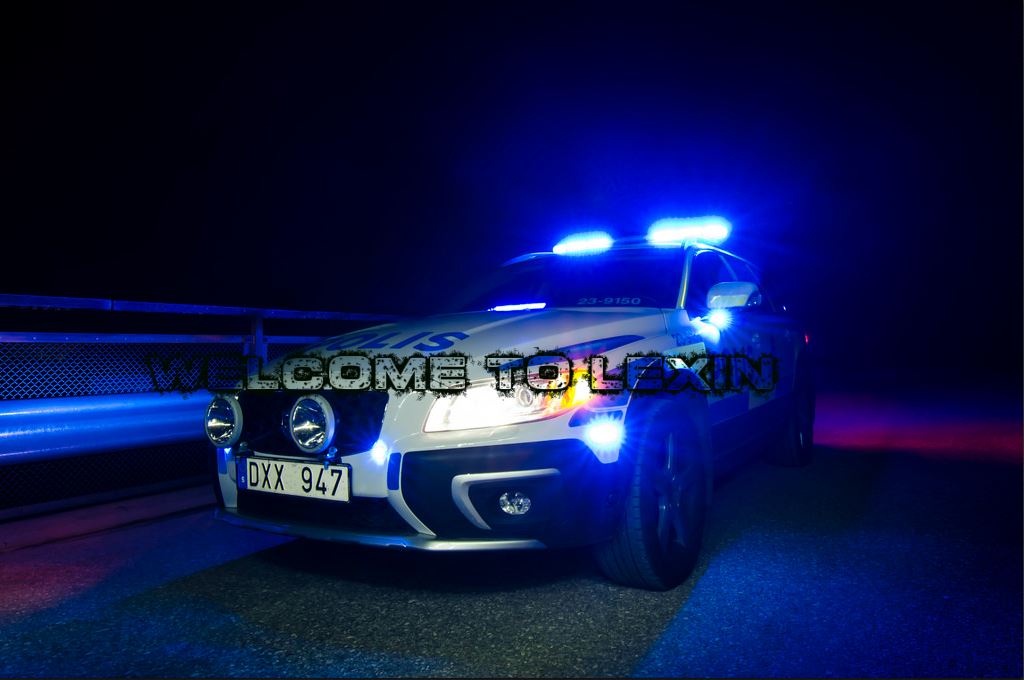
𝓣𝓱𝓲𝓼 𝓶𝓸𝓭 𝓱𝓪𝓼 𝓻𝓮𝓪𝓬𝓱𝓮𝓭 𝓸𝓿𝓮𝓻 15 000 𝓭𝓸𝔀𝓷𝓵𝓸𝓪𝓭𝓼! (𝓛𝓢𝓟𝓓𝓕𝓡 & 𝓖𝓣𝓐 5 𝓜𝓞𝓓𝓢) What is this mod all about ? - This mod/files makes the car headlights and brakelights/backlights/tail lights dark and at the same time makes Emergency Lights bright, as many people have requested. - I have now (in version 1.3) fixed the taxi sign so it is no longer bright! - Version 1.4 added 2 options "Emergency lights on wall/buildings" and "No Wig-Wag Lights". ---------------------------------------------------------------------------------------------------------------------------------------------------------------------------------------------------------------------------------------- What do this mod replace ? - It replaces these lines in visualsettings.dat: "car.headlight.day.emissive.on 10.00 TO car.emissiveMultiplier 2.00" -It also replaces the taxi.ytd file to make the sign dark! ---------------------------------------------------------------------------------------------------------------------------------------------------------------------------------------------------------------------------------------- What's new ? - Taxi Sign is now fixed and no longer bright! - Added optional folders "Very Bright" and "Bright" - Added a file called "Screenshots" / now able to see the ss of the beaty visual. - Added more installation.txt for those who skipp the long readme.txt - Fixed some bugs and more! ---------------------------------------------------------------------------------------------------------------------------------------------------------------------------------------------------------------------------------------- INSTALLATION (ALWAYS MAKE A BACKUP OF ORIGINAL FILES) For The VisualV.oiv File: - VisualV: https://www.gta5-mods.com/misc/visualv 1. Install OpenIV - http://openiv.com/WebIV/guest.php?get=1 2. Run OpenIV, click Tools -> ASI Manage and install ASI Loader and OpenIV.asi. 3. Click Tools -> Package Installer and choose VisualV.oiv. 4. Choose Install to mods folder. 5. Run GTA 5 and have fun 😄 For The Visualsettings.dat File: 1. Run OpenIV -> mods -> update -> update.rpf -> common -> data 2. Press " Edit Mode " and Replace the old visualsettings.dat (drag and drop). 3. Press " Edit Mode " again to make sure everything saves. 4. Run GTA 5 and have fun 😄 For The Taxi Sign FIX: 1. Grand Theft Auto V> Mods > x64e.rpf > levels > gtav > vehicles.rpf 2. Locate and open taxi.ytd 3. Replace the taxi_signs_2 with the taxi_signs_2.dds file I have provided. 4. Run GTA 5 and have fun 😄 For The Emergency Lights On Walls And Buildings: 1. Drag & drop the Scripts folder and the ELS.ini file in your main GTA V directory. 2. Run GTA 5 and have fun 😄 ---------------------------------------------------------------------------------------------------------------------------------------------------------------------------------------------------------------------------------------- CREDITS Huge thanks to _CP_& robi29 and JayManLive12! VisualV.oiv file: _CP_& robi29 Visualsettings.dat: LEXIN11 ELS Better Settings: JayManLive12 ---------------------------------------------------------------------------------------------------------------------------------------------------------------------------------------------------------------------------------------- VERSION 1.0 This mod/files makes the car headlights and brakelights/backlights/tail lights dark and at the same time makes Emergency Lights bright, as many people have requested. If you have any questions, leave a comment down bellow. This is my first mod btw. Version 1.0, and I've planned more files and more coming 🙂 Don't forget to download VisualV : https://www.gta5-mods.com/misc/visualv VERSION 1.1 Added more pictures and now able to download with readme.txt ( ZIP FILE AVAILABLE NOW ) Tell me in the comments if there is something that I missed or something wrong so I can fix it. VERSION 1.2 Fixed the taxi sign (the taxi sign is no more bright) & fixed some bugs. VERSION 1.3 Added options "Very bright" and "Bright" for you to choose which one is the best for you. Also added a folder called "Screenshots" to see difference & fixed some bugs and more! VERSION 1.4 Added option "No wig-wag lights", for those who live in europe that doesn't like the taillight coronas. Also added now option called "Emergency Lights On Walls And Buildings" for better emergency light looking. Also fixed some bugs in the "Very Bright" option. VERSION 1.5 - Fixed some bugs and now not required to have VisualV! - Also included a swedish version! - And more! VERSION 1.6 - Updated pictures and fixed some bugs. ---------------------------------------------------------------------------------------------------------------------------------------------------------------------------------------------------------------------------------------- THANKS FOR DOWNLOADING! If you have any questions email me: lexinthegamer12@gmail.com or send a message in the mod page/comments 🙂
- 68 comments
- 9 reviews
-
-
-

- 2
-

