Skip to content
View in the app

A better way to browse. Learn more.

LCPDFR.com

A full-screen app on your home screen with push notifications, badges and more.

To install this app on iOS and iPadOS
  1. Tap the Share icon in Safari
  2. Scroll the menu and tap Add to Home Screen.
  3. Tap Add in the top-right corner.
To install this app on Android
  1. Tap the 3-dot menu (⋮) in the top-right corner of the browser.
  2. Tap Add to Home screen or Install app.
  3. Confirm by tapping Install.

miliku

Members
  • Joined

  • Last visited

Everything posted by miliku

  1. yay finaly a pdates to this 🤩
  2. of course that's possible but I'm just curious given that they are there
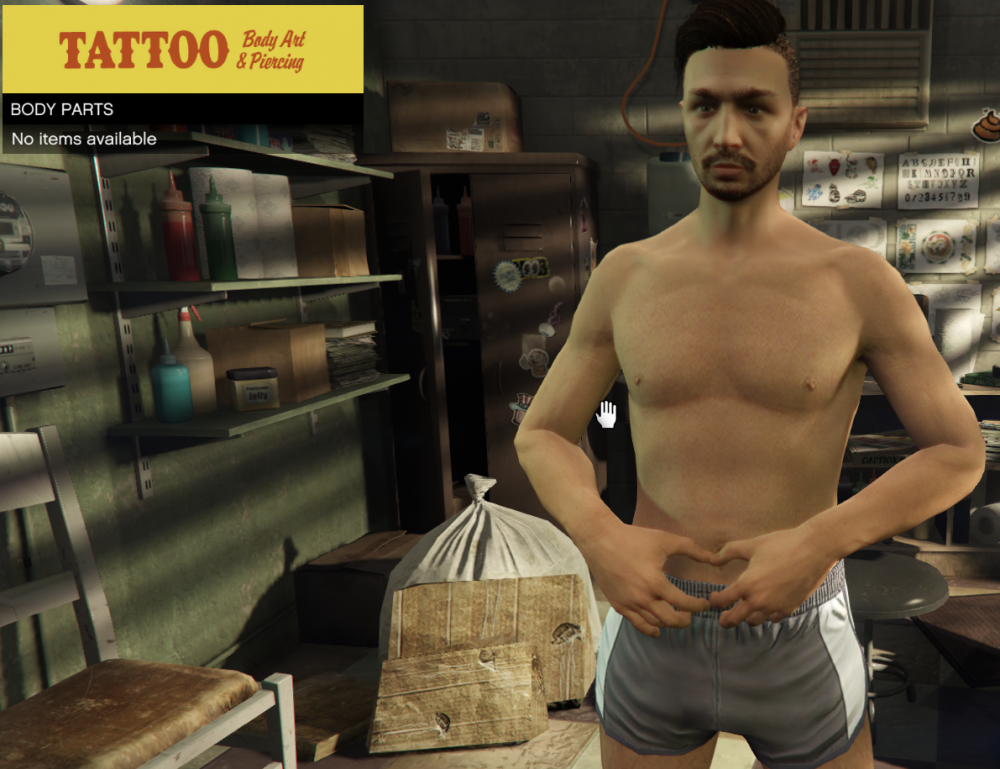
  3. so I noticed the tattoo shops on the map but when I go into them it says no bodyparts is this an upcoming feature? or is something wrong whit my game? sorry if this has been answered before but I could only find one forum post about tattoos and it didn't answer my question
  4. cmon we can't wait anymore 😃 😃 😃
  5. cmon its February dammit, 😉we need this yesterday! ❤️

Account

Navigation

Search

Search

Configure browser push notifications

Chrome (Android)
  1. Tap the lock icon next to the address bar.
  2. Tap Permissions → Notifications.
  3. Adjust your preference.
Chrome (Desktop)
  1. Click the padlock icon in the address bar.
  2. Select Site settings.
  3. Find Notifications and adjust your preference.