


OfficerMacMillan
Members
-
Joined
-
Last visited
Everything posted by OfficerMacMillan
-
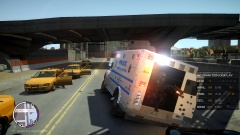
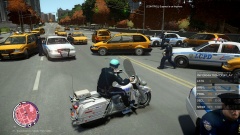
From the album: NYPD ESU
in a pursuit, Emergency Service Unit officers open the back doors of their vehicle and fire upon the suspect. Should I release the skin? -
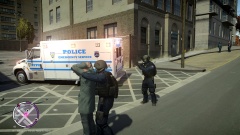
From the album: NYPD ESU
Should I release the skin? -
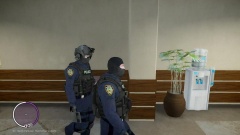
From the album: NYPD ESU
Should I release the skin? -
 pls relese tha bananer
 -
 idk man uhh that looks pretty spot on '>
 -
-
oops you're right
-
this is really just a joke-- not to be taken seriously guys
-
-
From the album: NYPD
-
From the album: NYPD
-
From the album: NYPD
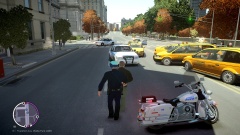
Custom helmet -- Should i release? -
From the album: NYPD
download the skin on my page! -
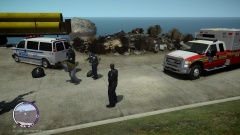
From the album: NYPD
-
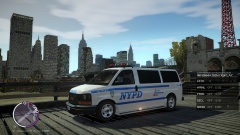
From the album: NYPD
-
From the album: NYPD
Custom Helmet -- Should I release? -
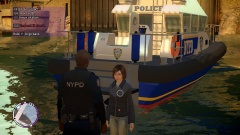
From the album: NYPD
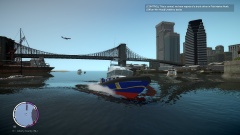
Download the boat skin on my page! -
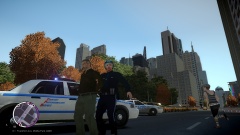
From the album: NYPD
Custom helmet designed by me-- should i release? -
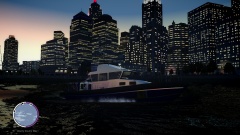
From the album: NYPD
Download skin at my page! -
-
This is a skin for MrScheckske's Police Boat. Originally, it was LCPD, this is a simple one without the model uploaded. I am not, repeat am not uploading any stuff that is not mine. You can download the awesome, accurate model at: http://www.gta4-mods.com/vehicles/police-boat-f22292 Check out the skin, and feedback is welcome! I'll update it if someone has any advice, go ahead. Its quite accurate, thanks LCPD:FR!
-
Traffic Fix will crash your game! uninstall it! see my post in this forum.
-
Sometimes I remember I could only play if I pressed "play offline" im not sure if that will help you. Additionally, after it says GTA has stopped working, is the window still up? (meaning there is a dialouge box saying your game has crashed but you can still click the game and play) Thats happened to me in the past. What other mods do you have installed, if any? Do you have Games for Windows Live Installed? What operating system are you running, and if its 7, or 8 you should right click GTA.exe and run it in XP service pack 3 compatibility mode.
-
Hello everyone im not sure if this is the correct place. I saw a while back Sam i think it was commented on the error "LCPDFR calls on an object that doesnt exist" or something of that nature". He was attributing this to people with bad computers, not enough RAM whose systems didnt meet the requirements, to spawn objects fast enough for LCPDFR to call on them in its code. When i read that post, I was puzzled because my system specs are pretty good: 660ti factory oc'd i5 5750k 16mb RAM 1tb HDD So i wondered what could cause GTA to do this type of thing for me. I was an idiot and had a traffic loader installed. Any sort of traffic loader WILL conflict with LCPD:FR. It just will. The concept of the traffic loader is to spawn traffic, vehicles, peds even into existence, and then when the camera is away from them, they de spawn because they are viewed non essential to free up memory space for those with bad systems. The fact of the matter is, we cannot be mad at LCPDFR devs over and over again for these crashes. We need to problem solve on our own and look at our logs and see which of our things are conflicting. These guys spend hundreds (if not thousands?) of hours coding quite professionally for an unstable game that we ALL know will have problems in the end if each individual cannot sort things out. So, a little Public Service Announcement for everyone that has a traffic loader or any script that calls upon the spawning of any object (besides the trainer) without your manual help. It WILL crash your game. Uninstall dat. Another Public Service Announcement for everyone with windows 8 or 8.1 . I know some people crash with this, install ALL microsoft redist packages, (i know we have 3/4 included in our updates from microsoft, but the visual studio c++ is NOT, install that bro!). And ANOTHER PSA follow all advice in the quick and common fixes. if you have a second Xliveless.dll delete it. Run the LCPDFR diagnostic tool. If you are someone with a bad system, try using low-poly cars. If this was a crappy post mods, you can delete it, I just thought since i got extremely frustrated not being able to play this awesome mod, I would share there is hope, and what I did to fix it. Thanks!
-
Hello everyone, I downloaded BxBugs123's unlocked tahoe, mapped all the textures and whatnot, but out of all of them, there were none for the tail light glass, and no object attatched to the chassis as glass for the textures to be applied to. Am I missing something? In his screenshot of the unlocked tahoe, the textures are there, and the glass is there. My problem: (No red taillight glass) Also attatched: BxBugs123's screenie of what its supposed to look like Nevermind, all solved. The problem was I had not mapped tah_vehglass as I should have, I thought that was for the windows. It was actually mapped to the tail lights, and I fixed that :P

