TheLegendary
Insiders
-
Joined
-
Last visited
Everything posted by TheLegendary
-
Hello, try to chance the keybinds in lspdfr/keys.ini.
-
Hey, do you install Microsoft Framework? Update to newest RPG
-
Hey, try to install the newest Microsoft Framework. Worked for me often. Update your RPH. Greetings
-
Yes, i know. I do this for me. 1. Install LSPDFR And install one plugin, and play, when a plugin crashed, i delete from plugin folder. When you invest this time, you get a stable lspdfr. Good luck
-
Hey, you can change the respond models in the directory Grand Theft Auto V/lspdfr/data/agency.xml
-
[5/29/2020 2:14:04 PM.675] Version: RAGE Plugin Hook v1.74.1261.16020 for Grand Theft Auto V - Update your Rage Plugin Hook -You installed many plugins, i think its not compatibility, with one plugin.
-
Hey, use the new "Vocal Disptach"
-
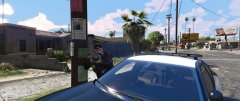 Great pictures! What are your specs?
 -
-
Hello, which mods youre install? Can you post the Ragepluginhook.log from your GTA root directory.
-
Hello, can you post the RageHookPlugin.log in the root GTA directory. Which mods?
-
Hello, can you post your complete log file?
-
Great! Have fun
-
Hey, try to update Rage Native UI Error in RPH.log is = System.AccessViolationException
-
Hello, which mods youre install?
-
I dont know it possible that your performance. Use you Steam, or Epic Launcher?
-
Did I need a patch, Rde and Lspdfr work together?
-
Go into the path C:\Program Files\Epic Games\GTAV\LSPDFR\Data\Custom, what is in this path? Any files?
-
Hello mqcah, 1. Press "F4" and type reloadplugin LSPD First Response.dll Enter 2. Press "ESC" go into the tab "LSPDFR and choose "Go to the next police station. Than you dont restart your game, when only LSPDFR crashed 1. You used a old RPH Version, download the newest 2. Have you installed outfit mods? --1. Uninstall all outfit mods, and reinstall LSPDFR, without outfit mods. And try again
-
Hey MrDonutsPlay, we can try it together. Can you post a picture from your GTA 5 directory? Try this steps 1. Delete LSPD:FR. 2. Download LSPD:FR Automatic installer, maybe interrupted download. 3. Install with the Automatic Installer LSPD:FR 3. When the Installer is finished, extract this Download in the GTA V folder When you started RagePluginHook the first time, the config window open. Go to the tab "Plugins", and choose "Load all plugins on startup", than "Save and launch" I hope it work
-
Hello officer's, i install LSPDFR and RDE with the tutorial from @mikaelgranli I can play 10 Minutes, than crash GTA V. Mods installed RDE LSPD:FR RagePluginHook ScriptHookVDotNet ScriptHookV HeapAdjuster PackfileLimitAdjuster GTAV Config v20.0 (replaced gameconfig.xml) Files: ScriptHook.log ScriptHookVDotNet.log Asiloader.log OpenIV.log RagePluginHook.log commandline.txt What I do? -Install on clean, new folder -Install only RDE (no crash), only crash together with LSPDFR( No additional Mods) -Re-install Framework My specs: System Model: HP Pavilion Power Desktop 580 OS Name: Windows 10 Home Processor: Intel(R) Core(TM) i7-8700 CPU @ 3.20GHz, 3201 Mhz, 6 Core(s), 12 Logical Processor(s) Installed Physical Memory (RAM) 16.0 GB NVIDIA GeForce GTX 1060 6GB Thanks for help. Sorry for my bad english, im a german person. Good time ScriptHookV.log ScriptHookVDotNet.log asiloader.log OpenIV.log RagePluginHook.log commandline.txt
-
Sounds very good.
-
-
I can play GTA4 ;) Thx for help Supermario
-
Hello , i have a big problem . I start GTA4 with Admin right ,but the Game crashed after the Loading Screen . I reinstaliiering the Game 4-6 .I start gta after reinstalliering but its crashed . I install Patch 1.0.0.4 . Thanks for help Supermario PS:I hope you understand me (I am come from Germany ;) )