



RangerZ
Members
-
Joined
-
Last visited
Everything posted by RangerZ
-
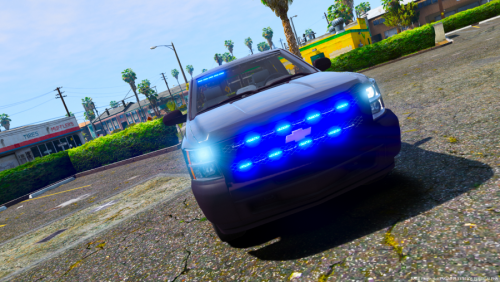 Hello everyone. This is my first pack. It may have some bugs. If there is something that needs to be fixed please let me know and ill fix it. Instal: Simple Bugs: >sometimes the takedowns flood backwards >May have to spawn models through F4 Five M: Allowed Credits: > Model is 2010 Chevrolet Silverado from The Crew, converted to GTA V by Dimon > Heavily modified, templated, and optimized by Izick > Underbody by Shadydk311 > Miscellaneous textures from Assetto Corsa, dial textures by HDGamerzPC > Miscellaneous edits by Matt > Wheels by Carper, tire textures by EVI, and converted to GTAV by Carper >Whelen Inner edge xlp scratch modeled by Five0 converted to gta 5 by Five0 >Whelen ION Series Super-LED scratch modeled, textured, and converted to GTA V by HDgamerzPC >Whelen TADF8 Traffic Advisor 1.1 by Twurtleee Model Credits >Base model extracted by DMN from Forza Horizon 2 >Converted and textures by Thehurk >Converted to PPV By Thehurk >AWD Rims scratch modeled and converted By RoegonTV >AWD Logo by IronicRainbow\ Disclaimer: -Do not re-upload this vehicle if you have made a tiny edit to it. -Do not upload this file to any other site, claiming it as your own. -Do not attempt to make a profit off this model in any way shape or form. -I am not responsible for any damages to your game/computer.
- 17 comments
- 6 reviews
-
-

- 4
-
-

