
Officer Revez
Members
-
Joined
-
Last visited
Files posted by Officer Revez
-
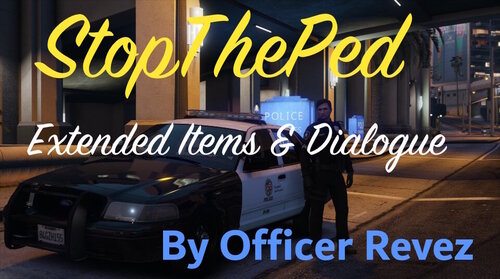
StopThePed Extended Items & Dialogue by Officer Revez
After a while of playing LSPDFR with StopThePed installed, I thought that StopThePed lacked more dialogue and items, so I spent some time figuring out how to modify and use the code in the .xml files and .ini, and then created this modification to add some more realism and immersiveness when using StopThePed with LSPDFR.
This wouldn't of course be possible without the coding already done by Bejoijo, he makes some fantastic LSPDFR plugins, so please go show him some love and download his plugins!
https://www.bejoijo.com/
This modification of course requires:
Bejoijo's StopThePed
Highly recommended plugins:
CompuLite
Charges and Citations+ for CompuLite
Feel free to rate my mod, I would really appreciate it 😁
This is currently a WIP, so I'll continue adding new things down the road!
Features:
- More ped answers (Yes, even sovereign citizens!)
- More questions, this includes:
More ped questions
More vehicle questions
More narcotics questions
More weapon questions
More traffic stop questions
New question categories
- More items, this includes:
More guns & weapon related items
More illegal & crime related items
More drug items
More suspicious items
More normal items
- Changed and corrected grammar and spelling on some questions, answers, and question categories
Installation:
Simply drag the included Plugins folder into your Grand Theft Auto V folder, and replace all files when prompted to.
Disclaimer:
I do NOT allow anyone to modify and re-upload, or simply re-upload this modification to any website.
If done so, I will not hesitate to take it down.
I am also not responsible for any damage caused to your GTA V installation, or computer.
Read the description before leaving feedback.
Thank you for understanding.- 5,627 Downloads
- 12 Comments
Updated