



MrMook
Members
-
Joined
-
Last visited
Everything posted by MrMook
-
From the album: MrMook's Lore Friendly Adventures
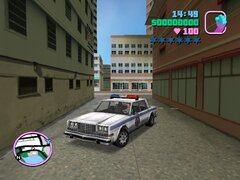
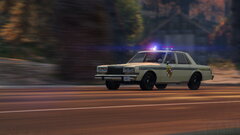
been wanting a lore friendly Dodge Diplomat for as long as i can remember. though i was never alive to see these cars in service my father has owned several AHBs and i currently drive a Gran Fury. i was pleasantly surprised to find this diplomat based off the greenwood for vice city. -
 been wondering how do i effectively replace single vehicles in this mod and have the lights work correctly without affecting the other cars in the pack. i haven't been able to find a good tutorial on this. i want to replace some of the cars with models with argent light bars and replace the gresleys with scout but the last time i replaced cars in the pack i couldn't get the lights to work and i couldn't figure out what dictated that. can anyone help me out?
- 1,515 comments
- 85 reviews
From the album: MrMook's Lore Friendly Adventures
Tanner has joined the LSPD.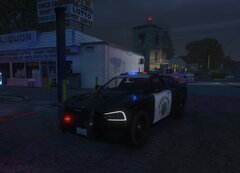
From the album: MrMook's Lore Friendly Adventures
been wanting a lore friendly version of the 2015+ charger for a long time now. sas994 has delivered the closest thing we're gonna get for now. an SAHP/LSPD, and unmarked version of the Buffalo S with 2015 esque headlights by LamboFreak. looks really good! i'd love to use Bravo-One-Charlie's Buffalo but unfortunantly his doesn't have black steelies and center caps like real LAPD.what i truly want if for someone to add lights to the police cars at least. yes cop cars at that time used steady burns. makes no sense that rstar didn't give them lights!how unfortunate. i'd have loved lspdfr 1947 editionnice. just wondering, are your cars compatible with the template used by RDE cars? and how hard would it be to replace the cars from RDE with these. i know they mess with the carcols and that can be a pain in the ass to mod. without that the lights don't work. videos i've seen on the matter were quite unhelpful.i've noticed L.A Noire is now available on PC via rockstar launcher. i'm wondering if anyone has thought of creating mods for that game. i'd love to see lights added to the ford police car and other emergency vehicles in the game. perhaps an availability to drive the PCC Streetcar. i know the game is nowhere near as popular as the GTA and RDR series but i believe it really deserves some love.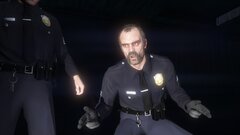
From the album: MrMook's Lore Friendly Adventures
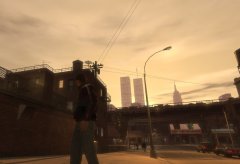
From the album: MrMook's Lore Friendly Adventures
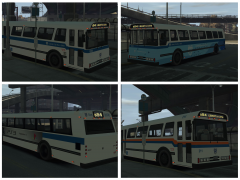 anyone still have this bus or any of Caines old mapped cars? i'd love to have is old non els fire truck
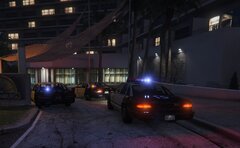 https://www.gta5-mods.com/vehicles/vapid-police-cruiser-retro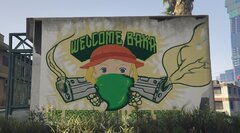
From the album: MrMook's Lore Friendly Adventures
got bored and was sifting through the game files when i came across the grove street mural. somehow in my garbled up mess of a mind, i decided to replace the skull with Annette from My Annette: The Alps Story. its funny to me at least.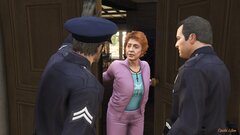
From the album: MrMook's Lore Friendly Adventures
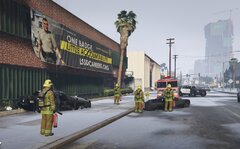
From the album: MrMook's Lore Friendly Adventures
an Entity XF speeding through Davis wrecked into an LSSD Stanier parked in front of the Sheriff's station resulting in an explosion. Entity driver was killed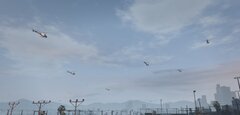
From the album: MrMook's Lore Friendly Adventures
 alright cool.
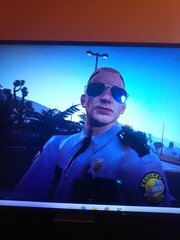 hit F12. takes screenshots and saves em in steam/steamapps/userdata. then you don't have to take pictures of your computer screenversion 1.7.3.0 has fixed the issue.
i like this but the MSP used box chevys in the 80s. Impalas and Caprices, not Diplomats. Balto County and PG County used Dips. good work thoughwas on version 1.7.1.0. gonna try version 1.7.3.0 as it looks like he may have fixed the issue. i only replaced the dll the first time then deleted everything and did a fresh install of 1.7.2.0. same issue, no traffic stop backup. i'll see how the update works.replaced only my dll. no traffic stop backup. i really don't want to full reinstall since i did a lot of tweaking to the configs. sucks that he made it to so you can't just use the old version, hell you can't even use his mods while you have no internet! kinda assholeish if you ask me..
hit F12. takes screenshots and saves em in steam/steamapps/userdata. then you don't have to take pictures of your computer screenversion 1.7.3.0 has fixed the issue.
i like this but the MSP used box chevys in the 80s. Impalas and Caprices, not Diplomats. Balto County and PG County used Dips. good work thoughwas on version 1.7.1.0. gonna try version 1.7.3.0 as it looks like he may have fixed the issue. i only replaced the dll the first time then deleted everything and did a fresh install of 1.7.2.0. same issue, no traffic stop backup. i'll see how the update works.replaced only my dll. no traffic stop backup. i really don't want to full reinstall since i did a lot of tweaking to the configs. sucks that he made it to so you can't just use the old version, hell you can't even use his mods while you have no internet! kinda assholeish if you ask me..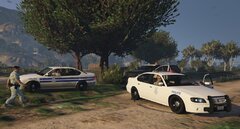
From the album: MrMook's Lore Friendly Adventures
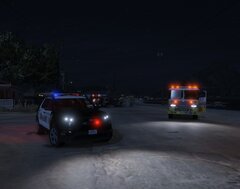
From the album: MrMook's Lore Friendly Adventures




