
Drifty349
Members
-
Joined
-
Last visited
Everything posted by Drifty349
-
Try to remove traffic policer and try without it and if it runs smooth that's good, you can try to reinstall traffic policer. If you need any help lemme know.
-
Use this visual mod and your lights will be fixed If you need any help lemme know.
-
I just recommend say this cause.. eh.. well you know police radio that sometimes messes with the game on first try, so I recommend to do those first so game doesn't crash or anything. send your log file
-
You can use computerlite it's a pretty good and stop the ped also provides good questioning system for some more realism you can use this to but it requires stop the ped:
-
reinstall LSPDFR without any other plugins
-
Please send ragepluginhook.log in your game directory.
-
Please install LSPDFR without any other plugins and if you're still getting that error, please send ragepluginhook.logs which is available in your directory.
-
From my perspective you can still use those plugins without problems. Use this link to know which plugins work on 0.4
-
Please send your ragepluginhook.logs they can found in your game directory.
-
Please use lspdfr without plugins it is highly recommended, and if it does show that error again lemme know.
-
um, It seems like a computerplus getting some errors I recommend to reinstall computerplus with clean original copy. If you're still getting the error I recommend using computerlite https://bejoijo256.wixsite.com/bejoijo/post/compulite
-
Please sent a ragepluginhook.log it's in your game directory. also sent a screenshot of your plugins folder
-
Try restarting your PC it sometimes crashes and make sure all your plugins are up to date, ex:United callout got updated so make sure everything is good to go. If it still crashes lemme know. Make sure to download this: https://dotnet.microsoft.com/download/dotnet-framework/thank-you/net472-web-installer
-
Could you send a screenshot of your plugins folder.
-
-
You need arrest manager to call transport! Here is the link
-
 Brother there is some kinda problem with your plugin I think, Here are the logs.RagePluginHook (2).log
- 1,007 comments
- 63 reviews
-
SuperCallouts making the problem please try to del it and try the game.
-
I'm not much sure about this error but logs does say due to some memory corrupt maybe try to reinstall the plugins and lspdfr folder by deleting them.
-
Please provide your Ragepluginhooklogs
-
I don't really think so, but you can make new chars with same name or different name from switch char option.
-
@salieri101 Hi and I'm really sorry for the late reply. I left lspdfr for quite a while due to recent crashes and all, but lspdfr 4.7 is now stable you can use hella mods you like it's all good now. If it's still making problems lemme know about it. I'II do my best to help you out. (I was more interested into rdrfr lmao sorry)
-
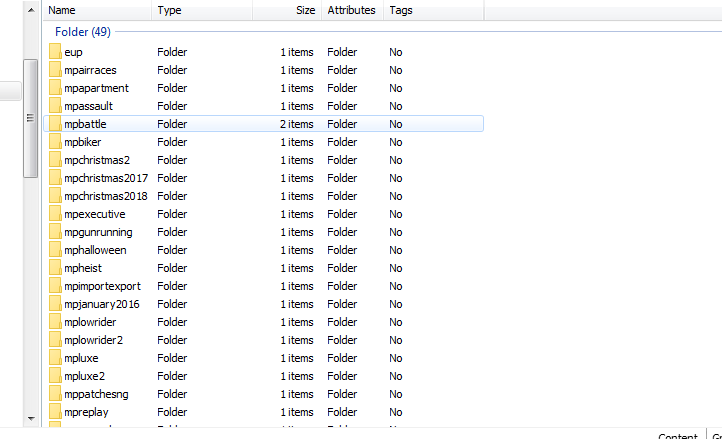
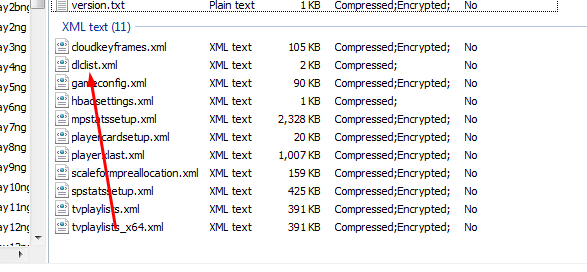
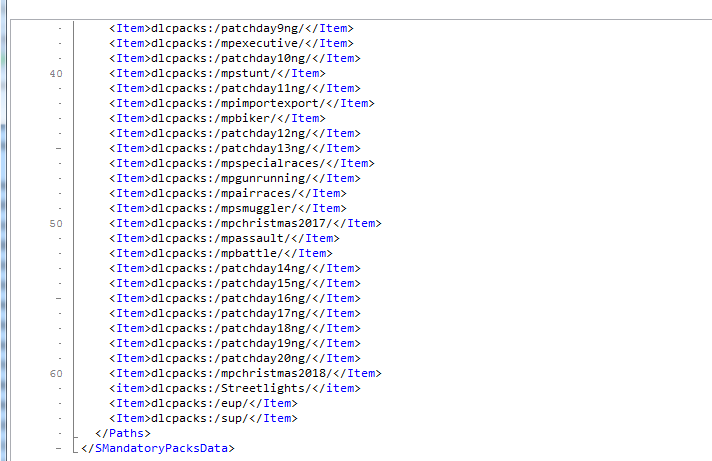
new for the patchday stuff u can actually create a different folder for your vehicles just to be ez but there are some steps follow my screenshots and u will understand ***Remember to Turn on edit mode Step 1. go the following location where the 1 screenshot shows u Step 2. create a new folder with any name u like but remember the name of the folder u gonna need it later step 3. then follow the 3 screenshot location Step 4 . check 4 screenshot there u will see a file name right click on it and click edit. Step 5. check the 5 screenshot u will see something like that now Step 6. Copy & paste this command <items>dlcpacks:/PUTTHENAMEOFTHEFOLDER</items> put the name of the folder which u created and gave name and u be done go inside spawn a car and enjoy


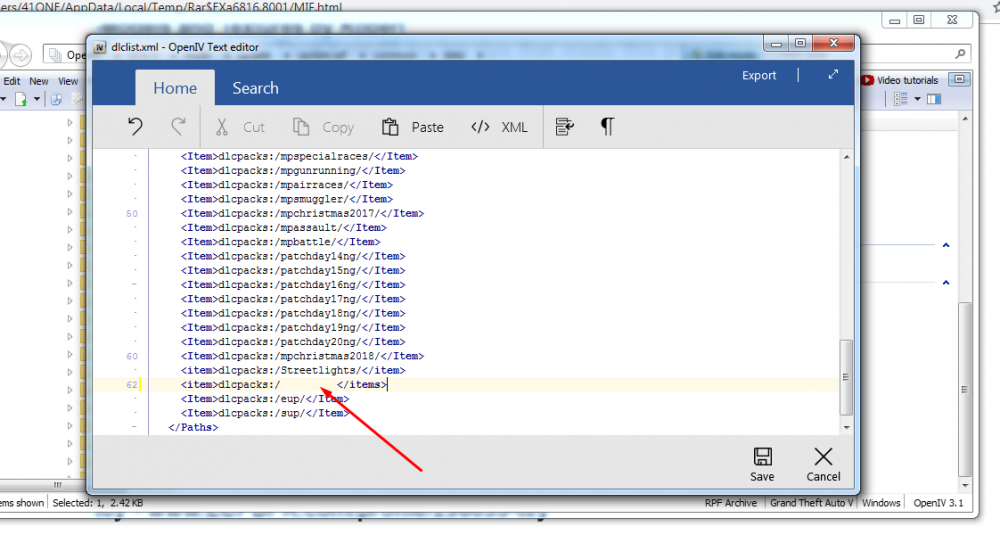
-
did u try pressing your upper key buttons like 1,2,3. because after selecting turning on lights u have to press upper keys like 1,2,3,4,5 till 5 is the max
-
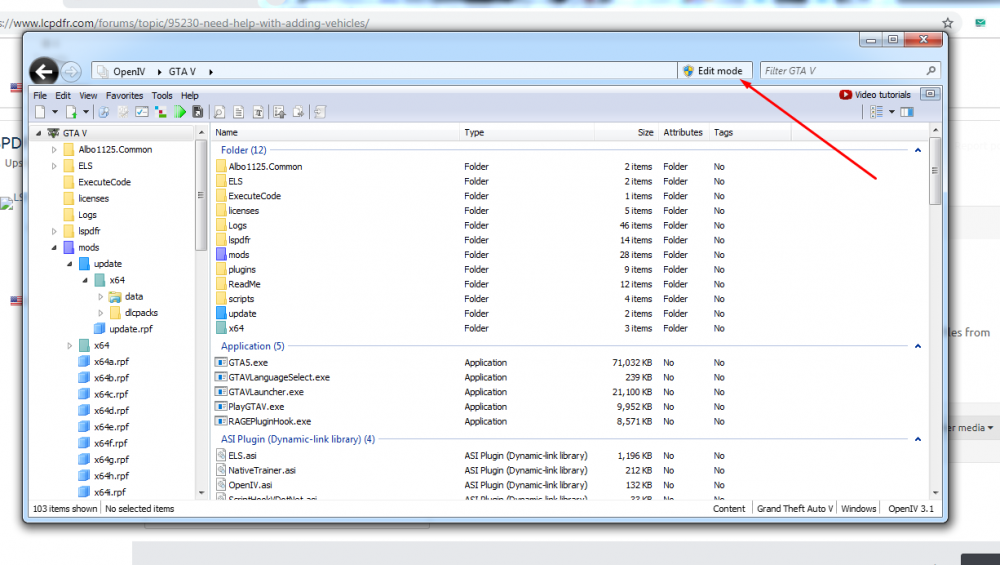
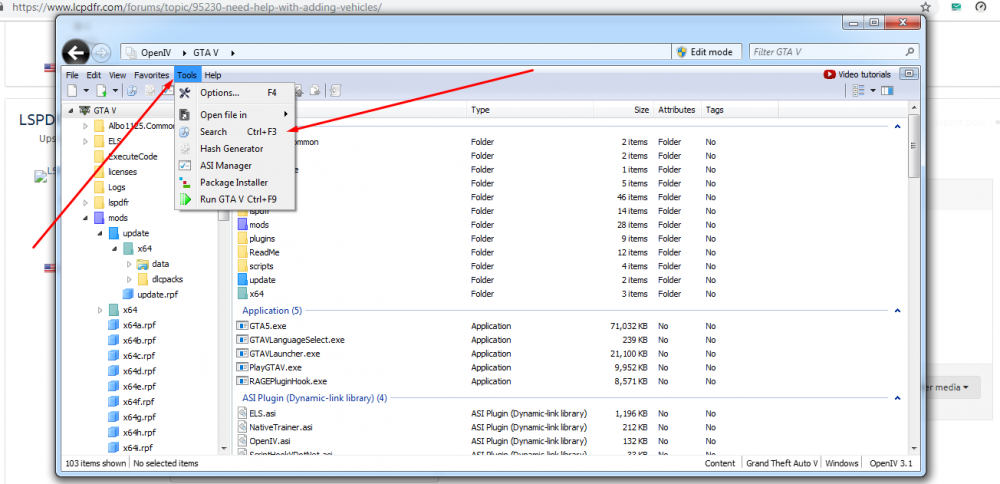
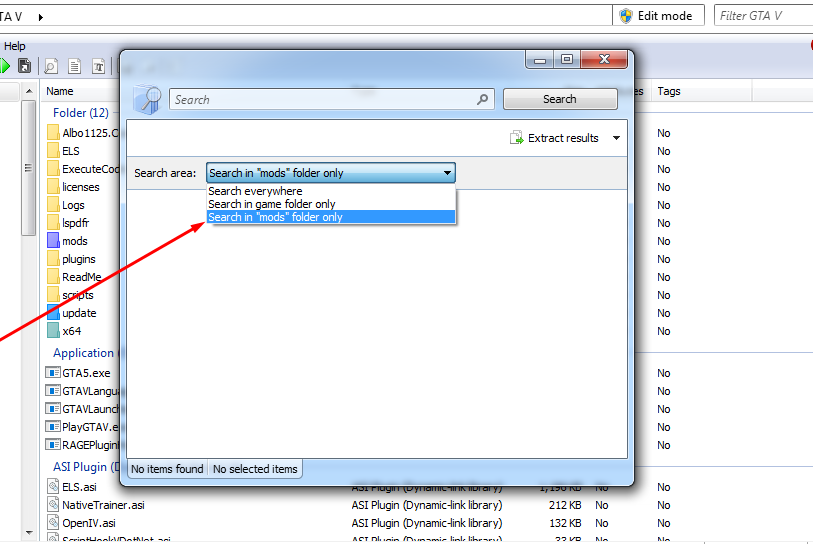
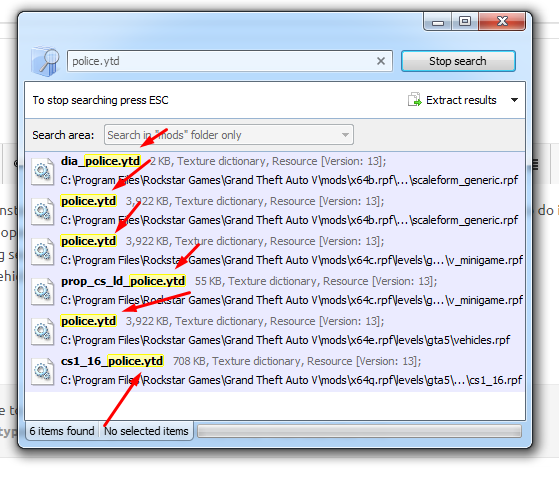
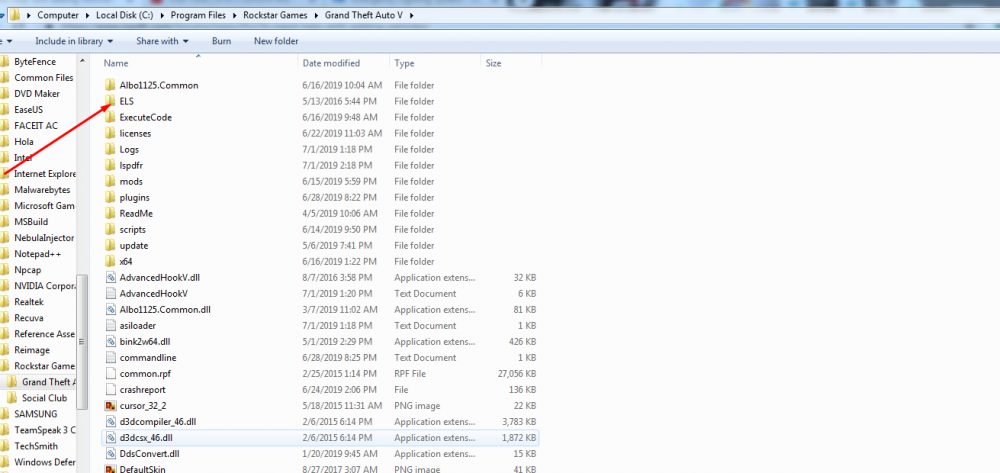
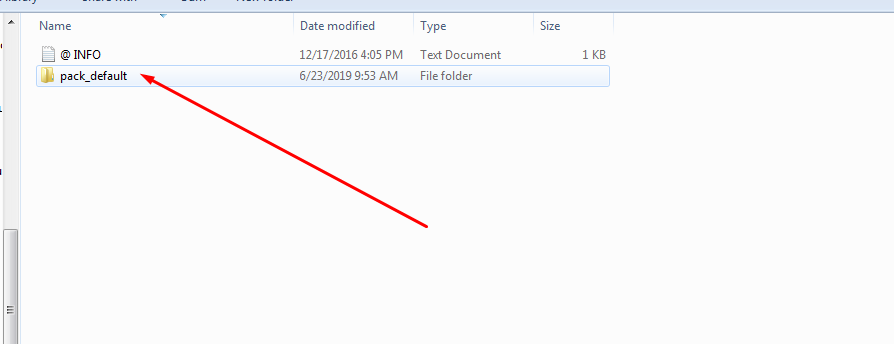
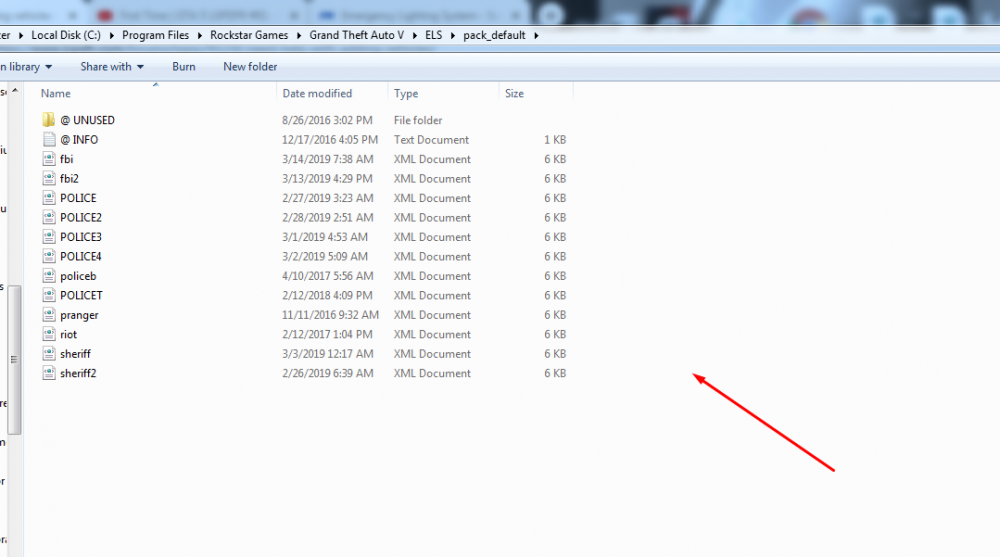
**follow them in sequence each screenshot is based on each step** use open iv. once u install open iv and copy and paste it i am going to screenshot and write some steps to do it. Step 1.Open iv and turn on Edit mode Step 2. open search box Step 3.After opening search box remember to select the mods only folder search. Step 4. choose the vehicle u want to install (ex:police.ytd) copy all the files of the vehicle usually there are 3 and 4 is maximum just drag and paste those files from winrar and they automatically be pasted remeber to do them in all shown files replace everything. and your vehicle is in game. but we are not done yet we need to do lights of custom vehicle here how u do it. Step 5.download this mod and paste it into your gta directory Step 6.check in winrar almost all models have xml if not then u can download another vehicle model but no need to replace it u just need xml of the same vehicle just get the xml and copy it and paste it into pack_default folder see all my screenshot and u be all good and done 🙂