JuanBonX
Members
-
Joined
-
Last visited
Files posted by JuanBonX
-
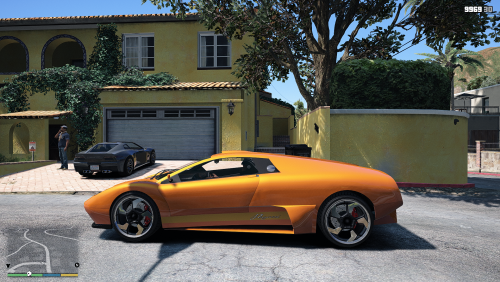
The screenshot do not show the current effect quality.
Description: The post-processing effects of Reshade + JBX Settings v1.9.13 offer more realistic graphics and compatibility with many Games.
Features:
- Better Lighting
- Better Color
- Better Contrast
- No Pure White
- Sharpness and Focus
- Better Color Temperature
Adjustments required* in the Game
Display:
- Brightness: By Default (*) See screenshot
Graphics:
- Resolution: The Maximum of the Monitor (*)
- Fullscreen: ON
- Anti Aliasing FXAA: OFF (*)
- Anti Aliasing MSAA: x8 (*)
- Anti Aliasing TXAA: OFF (*)
- Population Density: Maximum
- Population Variety: Maximum
- Distance Scaling: Maximum (*)
- Texture Quality: Very High (*)
- Shader Quality: Very High (*)
- Shadow Quality: Very High (*)
- Reflection Quality: Ultra (*)
- Reflection MSAA: x8 (*)
- Water Quality: Very High (*)
- Particles Quality: Very High (*)
- Grass Quality: Ultra (*)
- Soft Shadows: The softest
- Post FX: Normal (*)
- Motion Blur Strenght: OFF (*)
- Depth of Field DOF: OFF (*)
- Anisotropic Filtering: 16x (*)
- Ambient Occlusion: OFF
- Tessellation: Very High (*)
Advanced Graphics (Optional):
- Long Shadows: ON
- High Resolution Shadows: ON
- High Detail Streaming While Flying: ON
For better visual quality apply all the graphic settings I recommend. It affects the performance*
Compatible: Con la mayoría de los juegos - With most games
Credits: JuanBonX (JBX Settings), CeeJay.dk (SweetFX), Crosire (Reshade and eFX)
You can not use any JBX settings or copy part of them in other modifications without my authorization and credit.
Facebook Page: https://facebook.com/TruckSimulator.pa
The screenshot do not show the current effect quality.
- 236 Downloads
- 1 Comments
Updated