
AdamsTheDev
Members
-
Joined
-
Last visited
Everything posted by AdamsTheDev
-
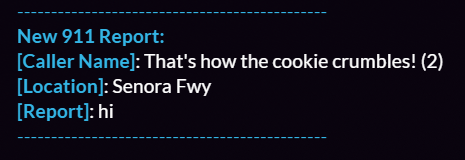
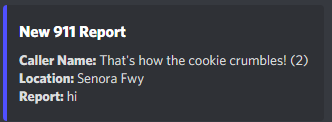
What is 911Improved? 911Improved is one of my newer scripts and was put out pretty quick so if there are bugs, please let me know. It is a 911 system where you can do /911 [report] in-game and you can call for LEOs or whoever to your location. It also uses a webhook where you can setup in your server.lua and it sends the 911 call to your discord server. Also, when you do /911 [report], it shows up with a circle around the general area for a more realistic look and feel! Download: Download here! Discord: Click here!
-
What is AdvancedJail? AdvancedJail is one of my favorite scripts i've created. What it does is you execute a command and you can send other players to jail or can send yourself to jail by a usage of a command! There is a config at the top of server.lua and client.lua if you feel the need to edit those. The following commands that are being added from this are: /jail (pswd) (id) (time) /unjail (pswd) (id) /jailme (time) Download: Download here! Discord: Click here!



-
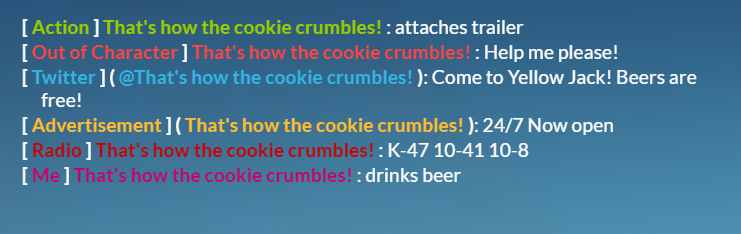
What is CommandsPlus? CommandsPlus consists of many commands that can help you throughout your roleplay experience. It is very beneficial and it is my first script! I hope you guys enjoy and let me know what issues you guys have! The following commands the script has is: /do (action) /me (action) /ooc (out of character) /radio (talk on radio) /tweet (twitter) /ad (advertisement) Download: Download here! Discord: Click here!