
Sherlockk
Members
-
Joined
-
Last visited
Everything posted by Sherlockk
-
We all know about the big update that happened today but i doubt LSPDFR players don't want to update so we can still play. I was wondering if there is anyway to get past this? Any help would be appreciated, thanks. streamable.com/floi7
-
I don't know how i did this but it was amazing. Thank god i do the most random things and record them.
-
-
-
-
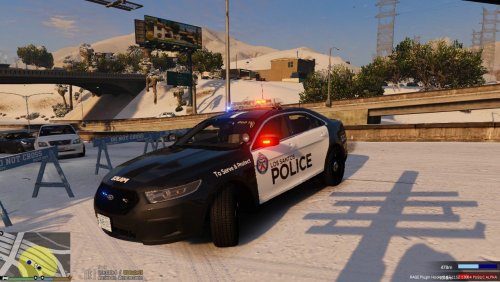 I hope you all enjoy this new TPS Taurus texture! I would've made it sooner but i expected a lot more people to make em'! I made these textures because there wasn't any realistic looking textures for the new TPS Taurus. Any feedback would be very appreciated! Features - High Quality textures for both TPS and LSPD! - Symmetrical textures - Textures for Computer+ plugin Made for but not limited to ↓
 -
Hey dudes and dudets of all shapes and forms, i'm looking for a way to remove the trash that's scattered all over the roads. Is there any mod or any WAY to do it? Anything would be great! Thanks!
-
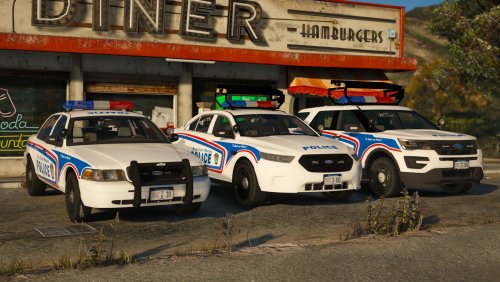 I love this pack! Is there any chance you will be making one in the future were it's all rotators like the Toronto Police Service?
- 55 comments
- 17 reviews
-
One more thing, Jeff Favignano has a list of the mods he uses in this video, i use 98% of them (i find the rest by browsing this website) https://youtu.be/o8tcfxRjCoI edit: Nvm, my bad Oh and i forgot to mention, the other guy had a warrent also. edit 2: Dammit, I didn't mean for those to merge while searching vehicles with PoliceSearch you have to go to every door and the trunk, with SearchWarrant you just have to go to one side and it will search it all. It really depends if you're looking for realism or not.
-
I am using PoliceSearch by @FtDLulz and Police Search Item Improvement by @XxTechMad24xX I bet you already know this, but you can go into the PoliceSearch.ini and change your keys to your liking. That's with most plugins actually, it's all in the .ini files. If you have any more question ask away!
-
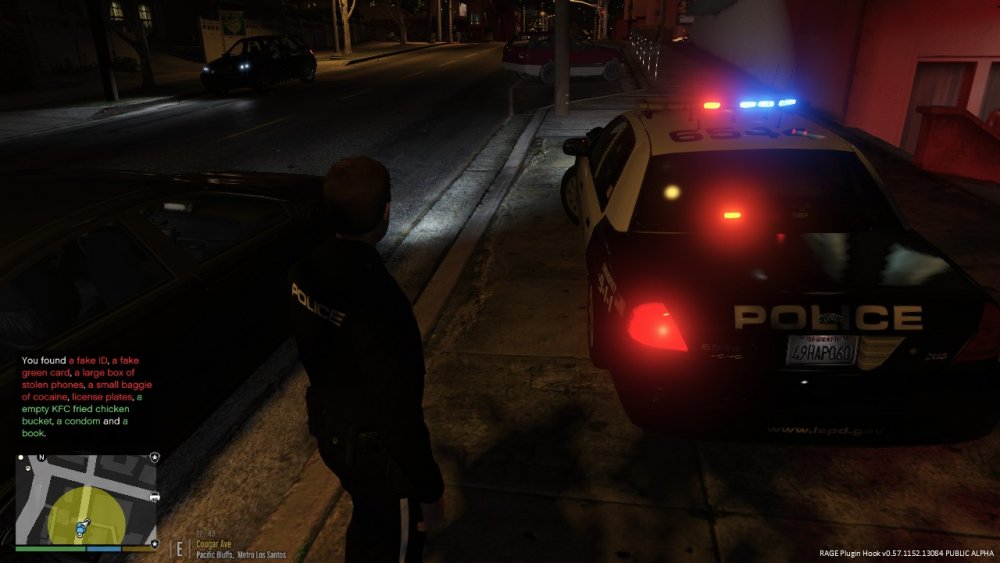
Conducted a traffic stop on these 2 guys for running a red light. Turned out the owner had a felony warrant so I requested the felony traffic stop backup option. Both complied with police and after they were handcuffed I searched them and their vehicle and found this: the owner with a Taser, the other with a fake ID, and all of this jazz. I have to say, this is the best bust I have done in the past 2 years of LSPDFR! I would love to hear the best busts you guys have done!
-
-
I think we all know about the automatic AI shootouts that happen, is there any plugin/script or just an option to turn them off? I would love to get rid of these, any help would be awesome! Thanks.
-
-
-
Hey everyone! Im looking for a good LSPDFR role play multiplayer server to play on. Any suggestions would be great. Also, I don't mind filling out any applications. Thanks!
-
I cannot thank you enough! Works and looking amazing!
-
For some odd reason only my tail light wig wag is working. I'm using the latest ELS and I've tried several vehicles and different ''police.xml'' type files. https://streamable.com/i0pd5
-
 stop this madness right now
 -
-
-
-
-
Okay, i have never seen anything more amazing. I thank you for sending this. It was amazing what do you mean? (Sarcasm)
-