


tlobo491
Members
-
Joined
Everything posted by tlobo491
-
-
If it closes when the game is starting (for example it crashes when the sirens and lights pop up at the startup) then you need to update the gameconfig.xml as the same issue was happening to me and I was able to fix it by updating the gameconfig.xml file. I installed this by the way.
-
I deleted it and deleted supercallouts. I'm not sure if there is an update out for it but there is you can try updating it and see if that works.
-
Figured out pyrocommon.dll was causing issues.
-
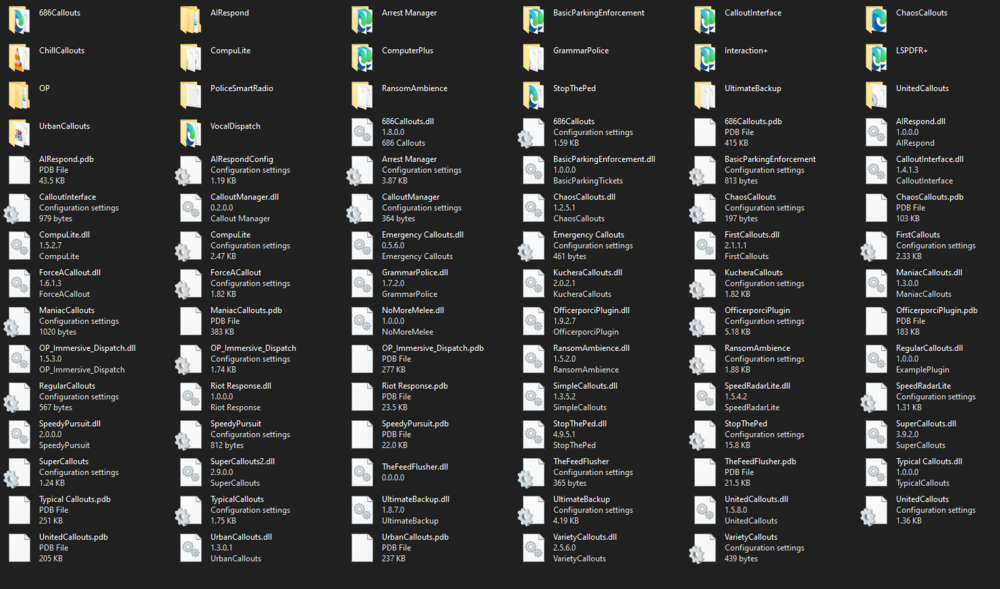
Hello, My LSPDFR keeps crashing when I try to load it with RPH. I keep getting "UNHANDLED EXCEPTION DURING GAME FIBER TICK" error in my log. LSPDFR only works when I remove all of my plugins. down below is the logs and a screenshot of my LSPDFR plugins folder. RagePluginHook_15122023_235703.log
-
i'm using the 1.1V of LCPDFR and i don't hear the dispatcher talking. there is no tone and no radio updates. this is the log file [WARNING - 8:05:55 PM] [AudioDatabase] GetAudioFileForAction: No file found for: ELLERY_ST. can someone please help me
.thumb.png.656f907bc2febc81911b0b821cb502c8.png)

