jacalapar
Members
-
Joined
-
Last visited
Everything posted by jacalapar
-
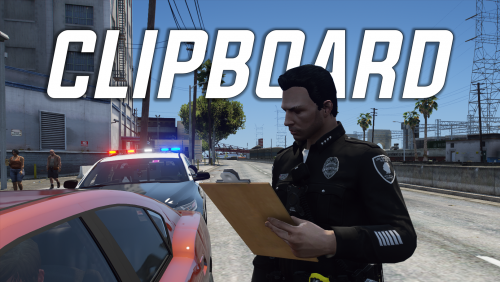 @Echooo do you have the version before 1.1.1 clipboard mod? my gta v version doesnt work with that newest version but it did with the last one. Messaged you on discord as well.
 -
-
 Whats hardcore mode in the ini file? Nowhere in the readme or the ini does it say anything about that lol
- 202 comments
- 18 reviews
-
- rph
- lspdfr callout
- legacy
- rph
-
Tagged with:
-
 Also to my knowledge you have multiple grammatical and spelling errors on this post and even in game.. Please suggest fixing all of these errors and i'll consider downloading
 -
Minimum LSPDFR Version 0.4.3 Not 0.4.9?
-
 You should make an .ini file so we can disable calls including that call that's bugged with the blip disappearing.....
 -
 You might want to advise all of us which version EUP is required for your eup call so that way we're prepared.
- 117 comments
- 6 reviews
-
-

- 1
-
-
 appreciate the quick fix boss! great work!
 -
the juggernaut at the bank has infinite health fix that asap
-
-
 the indicator crashes the game. does anyone have version 1.2.0???? RagePluginHook.log
- 44 comments
- 70 reviews
-
 your whole lspdfr audio folder is STILL in the latest update. please make sure this is fixed bro.
- 403 comments
- 24 reviews
-
messaged you on here and discord Porci about this update, hope to talk to you soon!
- 403 comments
- 24 reviews
-
-
- 1
-
-
you should be able to if you rename the downloaded wav file to the exact name of whatever 4 audio files were included
- 44 comments
- 70 reviews
-
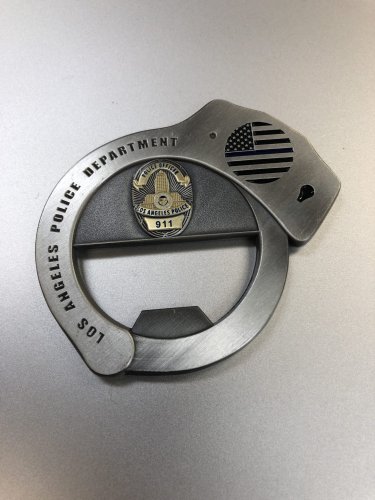 I like it other than the fact the officer finishes the cuff animation well before the cuff sound finishes lmao
 -
 but the issue here is when you get results from using Stop the Ped and find drugs or breathalyze and get the results, or maybe get ID's from anyone, you wont be seeing any of that. I DO NOT recommend turning those notifications off on the left hand side of the screen because of this matter.
- 451 comments
- 50 reviews
-
If that's not what you want, I can offer a "InitialToggledOn" flag that you could enable such that you start the game with it toggled on and as long as you don't manually toggle it off, it will show whenever you get in a car. But I need clarification on which option you're looking for. THIS IS BINGO!! SPOT ON!! Please add it that way i never have to press that terminal key anymore and it will be on in the first place when starting my game lmao
- 451 comments
- 50 reviews
-
-
- 1
-
-
OK so when I go on duty, and get into my first car. I already have the terminal set to on automatically when I get into a car. When I get into my car though, I have to press the terminal key (first off) to bring up the terminal for the first time went on duty. I don't wanna have to press the terminal key initially. I want to have it on in the first place. When in a car.
- 451 comments
- 50 reviews
-
no, even when i have that option on, when i initially go on duty and get into a car, i have to initially press the terminal key. I dont want to have to press the terminal key at all and just have it automatically turn on when i get into my FIRST vehicle. Hopefully that helps. And when does our callsign pop up on all of our callout packs installed?
- 451 comments
- 50 reviews
-
Love the new update! Just 1 thing, is there any way you could make it so that I don't have to press the keybind to bring up the terminal when in my car when i first get on patrol and just have it automatically turned on whenever i get in my vehicle? I like the feature where after i press the terminal key it comes up then whenever im in a car it will only show, but id love to not have to press that terminal key when getting on duty initially and have it pop up automatically whenever im in a vehicle. Hopefully this makes sense!
- 451 comments
- 50 reviews
-
-
- 1
-
-
Thanks for the reply boss, yeah it was just a suggestion but i doubt we can get rid of the callout notifications on the left that come with lspdfr to only leave with your terminal showing it im assuming? And when I get a call and not accept it, the status changes to N/A instead of on patrol or available. I think it says Available not On Patrol but yeah thought id point that out there.
- 451 comments
- 50 reviews
-
I would also LOVE the ability to have the Terminal always showing ONLY when I'm in my cruiser. An option for that in the ini file would make this super immersive! I would love to have the callouts displaying on the left abolished and the terminal taking over completely showing all the callouts. the only problem is that some callouts have long names in them and the words will cut out on the terminal. A fix for this could be to have the text of the callout and any other text that is cut off due to too many characters be scrolling back and forth just like long names in call of duty do.
- 451 comments
- 50 reviews
-
you can turn the MDT on but theres no option in the ini for both of these. These 2 options "PlaySoundOnDisplay" and "PlaySoundOnAccept" are not in the ini file to give me the option to automaticaly set both of these options to true. I have to enable both of them from false to true every time i boot my gta v.
- 451 comments
- 50 reviews
-
I love this plug-in a lot I would just love to be able to save my settings so I don't have to enable the MDT sounds when a callout starts and when accepting a call every single time I load the game up. Please make this available in the ini file in the next update. Thank you!
- 451 comments
- 50 reviews
-
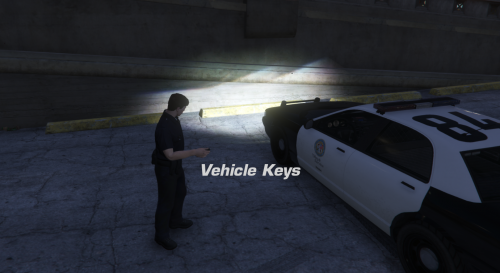 Why did you remove settings that actually fixed this plugin? Now people are forced to have vehicles that don't lock. It says the vehicle locks but it actually doesn't! Im able to just open the door like nothing happened WTF?!
- 55 comments
- 10 reviews