




creator2013
Members
-
Joined
-
Last visited
Everything posted by creator2013
-
Das soll er auch o.O Werden die Plugins nicht geladen oder woran liegt das Problem?
-
Yes
-
~s~ is for resetting the color to default white
-
Add a ~b~ before "Dispatch:" and ~s~ after that. How it should look like: Game.DisplayNotification("~b~Dispatch:~s~ Suspect was in a severe hit and run a couple of hours ago, perform a traffic stop, and approach with caution."); Color codes: ~r~ = Red ~b~ = Blue ~g~ = Green ~y~ = Yellow ~p~ = Purple ~q~ = Pink ~o~ = Orange ~c~ = Grey ~m~ = Darker Grey ~u~ = Black ~n~ = New Line ~s~ = Default White ~w~ = White ~h~ = Bold Text
-
For a plugin you have to use Class Library (.NET Standard)
-
What do you mean with extra plugins? Plugins you install for rage or for lspdfr? Plugins for lspdfr (in the plugins/lspdfr folder) won't show up in rage.
-
Are the suspects in a pursuit?
-
The local player is not in the cop relationship group. You have to add this: Game.SetRelationshipBetweenRelationshipGroups("TerroristSubway", "PLAYER", Relationship.Hate);
-
There is no Visual Code, only Visual Studio and Visual Studio Code.
-
 Hello. I have a problem with all your Tahoes. The windows are not transparant. That means you can't look through it. They are just black
- 101 comments
- 49 reviews
-
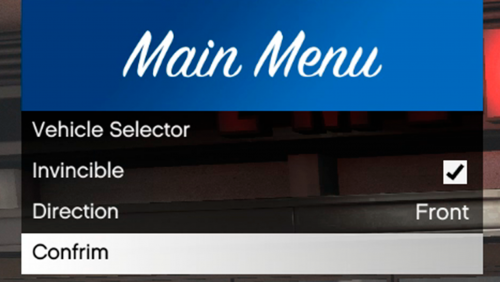 Uhm... I don't know if you can call it his first plugin because the UI is 100% copied from this tutorial:
 -
 After hours of testing this plugin could be the problem: I deleted it at the beginning because I have other ambient plugins installed and it seems that every other callout plugin works.
- 221 comments
- 63 reviews
-
-

- 1
-
-
I uninstalled every callout I have. It seems to work now. I now add every plugin individually and test it.
- 221 comments
- 63 reviews
-
@Tacco I have a problem with the highway accident callout. I drove to the cardealer after the driver said that her brakes were manipulated. When searching the garage I found the hack tool but after that is seems that the callout have ended and I am trapped in the dealer. The only error I get is this: [21.04.2018 18:49:06.040] LSPD First Response: Error while processing callout: highway_accident: Operation is not valid because the specified Rage.Vehicle is invalid. bei Rage.Entity.Delete() [21.04.2018 18:49:06.042] bei tacco_highway_callouts.Callouts.highway_accident.Process() [21.04.2018 18:49:06.042] bei ?????????????????????????????????????????.?????????????????????????????????????????() in E:\GTA V\LSPD First Response\LSPD First Response\Mod\Callouts\CalloutManager.cs:Zeile 197. [21.04.2018 18:49:06.042] LSPD First Response: EndCurrentCallout: Finishing...
- 221 comments
- 63 reviews
-
-
- 1
-
-
 LSPDFR crashed when I pressed the "erase" button in the notepad. [20.04.2018 18:05:50.164] ============================== [20.04.2018 18:05:50.164] EXCEPTION DURING KEY UP [20.04.2018 18:05:50.164] ------------------------------ [20.04.2018 18:05:50.165] Origin: Plugin "LSPD First Response" (LSPD First Response.dll). [20.04.2018 18:05:50.165] ------------------------------ [20.04.2018 18:05:50.165] Exception type: System.ArgumentOutOfRangeException [20.04.2018 18:05:50.165] Exception message: Der Index lag außerhalb des Bereichs. Er darf nicht negativ und kleiner als die Sammlung sein. [20.04.2018 18:05:50.166] Parametername: index [20.04.2018 18:05:50.166] ------------------------------ [20.04.2018 18:05:50.166] Inner exceptions: [20.04.2018 18:05:50.166] ------------------------------ [20.04.2018 18:05:50.167] Stack trace: [20.04.2018 18:05:50.167] bei System.ThrowHelper.ThrowArgumentOutOfRangeException(ExceptionArgument argument, ExceptionResource resource) [20.04.2018 18:05:50.167] bei Gwen.Control.MultilineTextBox.GetCharacterPosition(Point CursorPosition) [20.04.2018 18:05:50.168] bei Gwen.Control.MultilineTextBox.RefreshCursorBounds() [20.04.2018 18:05:50.168] bei Gwen.Control.MultilineTextBox.set_Text(String value) [20.04.2018 18:05:50.168] bei ComputerPlus.Interfaces.SimpleNotepad.SimpleNotepad.EraseTextHandler(Base sender, ClickedEventArgs arguments) in D:\GTA Mod Dev\git\ComputerPlus\ComputerPlus\Interfaces\SimpleNotepad\SimpleNotepad.cs:Zeile 63. [20.04.2018 18:05:50.169] bei Gwen.Control.Base.OnMouseClickedLeft(Int32 x, Int32 y, Boolean down) [20.04.2018 18:05:50.169] bei Gwen.Control.Button.OnMouseClickedLeft(Int32 x, Int32 y, Boolean down) [20.04.2018 18:05:50.169] bei Gwen.Input.InputHandler.OnMouseClicked(Base canvas, Int32 mouseButton, Boolean down) [20.04.2018 18:05:50.169] bei Rage.FormsManager.UpdateKeyState(Object sender, KeyEventArgs eventArgs) [20.04.2018 18:05:50.169] bei Rage.RemotePlugin.OnKeyUp(Object sender, KeyEventArgs e) [20.04.2018 18:05:50.170] bei Rage.RemotePlugin.OnKeyUp(Object sender, KeyEventArgs e) [20.04.2018 18:05:50.170] bei Rage.Plugin.OnKeyUp(Object sender, KeyEventArgs e) [20.04.2018 18:05:50.170] ==============================
- 1,743 comments
- 172 reviews

